-
Same issue, simple solution
IanHall:
I had the same issue with my ABS zForce F2 notebook. I have an SXGA+ LCD display, and the native res is 1400x1050. When I started using Knoppix 3.7, I couldn't go higher than 1024x768 without the screen either wigging out, or splitting/mirroring on me. It was really annoying.
Then I read a cheatcodes section, and have not had the problem yet. When Knoppix boots, press F3 to enter the cheatcodes menu. In the menu type: knoppix screen=[your resolution] depth=32. Only type in 32 for the depth if your machine can handle 32 bit color depth. When the OS finally loads and you make it to your desktop, save a configuration file to your HDD. After that, when you load Knoppix on start up, enter the cheatcodes menu and enter myconfig=scan, and it will load your saved configuration file, and will start up with the correct display.
I'm still running my copy from the CD, so I don't know if it's different from a copy that's installed to a HDD, but I'm sure it is. It's worth a shot though!
Similar Threads
-
By kallumama in forum Laptops
Replies: 3
Last Post: 11-06-2005, 04:37 PM
-
By Islington in forum MS Windows & New to Linux
Replies: 5
Last Post: 06-23-2005, 01:48 PM
-
By Darcian in forum Hdd Install / Debian / Apt
Replies: 6
Last Post: 03-29-2005, 02:02 AM
-
By manatarms1775 in forum General Support
Replies: 1
Last Post: 04-11-2004, 11:27 PM
-
By Patrick21 in forum General Support
Replies: 6
Last Post: 09-21-2003, 10:07 PM
 Posting Permissions
- You may not post new threads
- You may not post replies
- You may not post attachments
- You may not edit your posts
-
Forum Rules


SFP TO RJ45 TRANSCEIVER SFP MODULE COPPER SFP OPTICAL PORT TO RJ45 ETHERNET PORT
$7.99

NEW Sealed Cisco SFP-10G-LR 10GBASE-LR SFP+ 1310nm 10km *US Shipping*
$24.00

Intel SPTSLP2SLCDE 100G-DR1 QSFP28 500m 1311nm Transceivers - Lot of 10 - New
$200.00
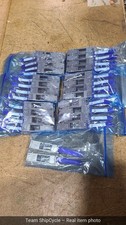
Lot of 50 HPE Mellanox 655874B21 Rev B2 40G QSFP to 10G SFP Adapter G2U
$224.95

Genuine Cisco SFP-10G-SR 0-2415-03 10 Gigabit Transceiver
$5.40

HP 560SFP+ 10GB 2-port PCIe NIC Ethernet ADAPTER 669279-001 w/ (2) 10GB SFP+
$16.99

Intel X520-DA2 10Gb 10Gbe 10 Gigabit Network Adapter NIC Dual Port E10G42BTDA
$28.94
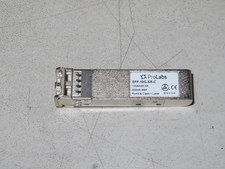
ProLabs SFP-10G-SR-C 10GBASE SR SFP+ MMF 850NM MMF RoHS Class 1 Laser
$15.00

Cisco QSFP-40G-SR-BD Module 10-2945-02 NEW CLAMSHELL
$45.50

Dell Intel X710-DA2 5N7Y5 Dual-Port 10GbE SFP+ PCIe 3.0 x8 Network Adapter
$27.50



 Reply With Quote