

 Reply With Quote
you could try partimage, that will give the option of auto splitting


Hi everyone - I am new to Linux . . . here is what I am trying to do. I need to image a 17 Gig hard drive that is FAT32 (has Windows ME on it). I am using the PSK version of Knoppix to do the imaging. My target drive is a FAT32 formatted hard disk that is partitioned several times - All FAT32. I am using the following command:
dcfldd if=/dev/hda1 of=/mnt/hdb1/image.dd conv=noerror,sync hashwindow=0 hashlog= hash.txt
This stops after 2 Gigs of copying due to the FAT32 file size limit being exceeded. How do I get around this? If I am imaging a FAT32 drive, does the drive I am copying to also need to be FAT32 file system (as opposed to linux file system, or some other file system that supports image files of 20 Gigs or more)? Is it even possible with any filesystem to create a 17 Gig image file?
Also, for you forensic experts, what is the advantage of imaging a drive over just cloning it? In other words, why would I want to create an image as opposed to a bit-for-bit copy of one drive to another? All of the forensic material I have refers to image files rather than a cloned copy of the hard disk. Why is that?
Also, when imaging a drive, is it better to image it partition by partition or to just image the entire drive into one image file - all partitions included?
Thanks so much in advance.
Brian
you could try partimage, that will give the option of auto splitting
eh? the filesizelimit is 4G NOT 2g.
there is something wrong here.
you could use a ext2/3 filesystem and store the entire image there, there is NO need for the image of a fat32 to be on a fat32 disk.
Yes, but I've also met a 2 gig barrier for FAT32Originally Posted by OErjan
if it is the mount bin that messes up that must be if you have not given fat=32 in the mount option, i think it is older versions of dd that has the limitation, should be fixed by now.
 Posting Permissions


Supermicro 2U X10DRU-i 2x E5-2680 v3 2.5ghz 32gb Ram 240gb SSD 2x GPU *READ*
$369.99

HP Proliant MicroServer Gen 8 2.23GHz Xeon 16GB RAM NO SSD
$249.99

Supermicro CSE-937 3U Storage Chassis No CPU No HDD No Ram Tested & Reset
$129.99

$280.00

New Barebones Supermicro 5019D Server, 4C/8T Xeon D-2123T, 1U Rackmountable, 10G
$449.99
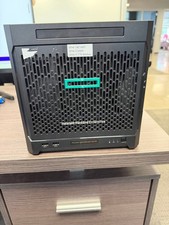
HPe Proliant Microserver Gen10 AMD Opteron 16GB RAM, 3x Intel SSD, Working
$600.00

SuperMicro 4U CSE 847 36 Bay LFF Barebone 2x 1280W w/ 2x Bays 2.5 Rear w/Trays
$499.99

Supermicro SuperServer E300-15 - SYS-e300-9C - 16GB RAM 240GB Samsung SSD
$239.00

Nasuni NF-50 Supermicro Server, Atom CPU C2558, @ 2.40GHz, 8GB RAM-No HDD/OS/AC
$250.00

Supermicro E300-12C Mini 1U Barebone X12SCV-LVDS LGA1200 SNK-P0073A4 w/ Adapter
$225.00