-
Well, since no one with knoppix answered, try this from Kanotix BH5
root@mrk-fujibox:~# cat /etc/init.d/rc
Code:
#! /bin/sh
#
# rc            This file is responsible for starting/stopping
#               services when the runlevel changes.
#
#               Optimization feature:
#               A startup script is _not_ run when the service was
#               running in the previous runlevel and it wasn't stopped
#               in the runlevel transition (most Debian services don't
#               have K?? links in rc{1,2,3,4,5} )
#
# Author:       Miquel van Smoorenburg <[email protected]>
#               Bruce Perens <[email protected]>
#
# Version:      @(#)rc  2.78  07-Nov-1999  [email protected]
#

# Un-comment the following for debugging.
# debug=echo

#
# Start script or program.
#
startup() {
  case "$1" in
        *.sh)
                $debug sh "$@"
                ;;
        *)
                $debug "$@"
                ;;
  esac
}

  # Ignore CTRL-C only in this shell, so we can interrupt subprocesses.
  trap ":" INT QUIT TSTP

  # Set onlcr to avoid staircase effect.
  stty onlcr 0>&1

  # Now find out what the current and what the previous runlevel are.

  runlevel=$RUNLEVEL
  # Get first argument. Set new runlevel to this argument.
  [ "$1" != "" ] && runlevel=$1
  if [ "$runlevel" = "" ]
  then
        echo "Usage: $0 <runlevel>" >&2
        exit 1
  fi
  previous=$PREVLEVEL
  [ "$previous" = "" ] && previous=N

  export runlevel previous

  # Is there an rc directory for this new runlevel?
  if [ -d /etc/rc$runlevel.d ]
  then
        # First, run the KILL scripts.
        if [ $previous != N ]
        then
                for i in /etc/rc$runlevel.d/K[0-9][0-9]*
                do
                        # Check if the script is there.
                        [ ! -f $i ] && continue

                        # Stop the service.
                        startup $i stop
                done
        fi
        # Now run the START scripts for this runlevel.
        for i in /etc/rc$runlevel.d/S*
        do
                [ ! -f $i ] && continue

                if [ $previous != N ] && [ $previous != S ]
                then
                        #
                        # Find start script in previous runlevel and
                        # stop script in this runlevel.
                        #
                        suffix=${i#/etc/rc$runlevel.d/S[0-9][0-9]}
                        stop=/etc/rc$runlevel.d/K[0-9][0-9]$suffix
                        previous_start=/etc/rc$previous.d/S[0-9][0-9]$suffix
                        #
                        # If there is a start script in the previous level
                        # and _no_ stop script in this level, we don't
                        # have to re-start the service.
                        #
                        [ -f $previous_start ] && [ ! -f $stop ] && continue
                fi
                case "$runlevel" in
                        0|6)
                                startup $i stop
                                ;;
                        *)
                                startup $i start
                                ;;
                esac
        done
  fi
# eof /etc/init.d/rc
Similar Threads
-
By Mustang64 in forum Hdd Install / Debian / Apt
Replies: 1
Last Post: 11-21-2004, 09:07 AM
-
By softgun in forum Hdd Install / Debian / Apt
Replies: 1
Last Post: 09-29-2004, 12:00 PM
-
By ManiOne in forum General Support
Replies: 1
Last Post: 08-11-2004, 11:36 AM
-
By Rggoalie3 in forum General Support
Replies: 1
Last Post: 12-31-2003, 02:47 AM
-
By berdy in forum General Support
Replies: 12
Last Post: 08-18-2003, 06:25 PM
 Posting Permissions
- You may not post new threads
- You may not post replies
- You may not post attachments
- You may not edit your posts
-
Forum Rules

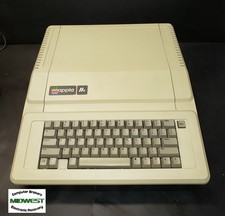
Vintage Apple IIe Computer A2S2064 w/Mouse Interface & Super Serial Cards
$280.00

Lot of 5 Vintage Canister Cases - for 10.5" Computer Reel Tapes - Very Good
$59.50

Vintage GTE XT300 Action Station Terminal 1984 - Tested Works Orig. Box & Foam
$889.00

Vintage Tandy Computer Varsity Scripsit Word Processing 3.5 & 5.25 Disks SEALED
$29.95
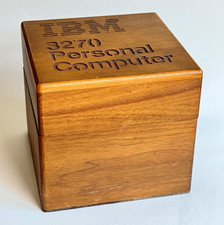
Ultra Rare Vintage IBM 3270 Personal Computer Wooden Floppy Disk Box Caddy
$179.99

Original Vintage Old Style STANDARD Black CD Jewel Case (Heavy Duty) 90g Lot
$316.95
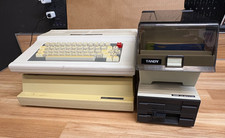
Vintage Tandy 128K Color Computer 3 FD-502 Disc Drive- Printer
$300.00
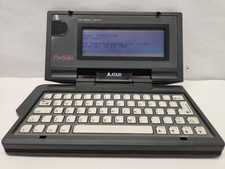
Vintage Atari Portfolio
$89.99

VINTAGE COLLECTIBLE Comp USA Maxtor 20 GB 3.5 Inch EIDE Hard Drive NEW SEALED
$500.00

Vintage Toshiba Tecra 780CDM Laptop Computer Windows 98 & WiFi Adapter
$170.00



 Reply With Quote