-
change res to 1200 * 800
mmm.. since mine is a widescreen laptop, it's native screen res is 1200 * 800, how do you change that? i tried Configure - Desktop, and it only give me "normal" screen selection.. how do i enable widescreen support? thanks alot! i did a knoppix hdinstall, so it's working fine except for the screen problem 
-
You'll have to edit your /etc/X11/XF86Config-4 file and add the following entries:
Search for the ModeLine settings in the "Monitor" section and add the following line:
ModeLine "1200x800" 90.00 1200 1232 1384 1520 800 803 806 827
You might have to adjust the settings somewhat (esp. the 90.00 frequency might be
too high or too low - depends on your display characteristics; for an explanation see
man XF86Config-4 or google around a little)
Further, in the "Screen" section, "Display" subsection add the newly defined mode to
the list of existing modes:
Modes "1200x800" "1024x768" "800x600" "640x480"
The first mode is the default mode used for your display.
You can use the "xvidtune" utility to fine tune the settings.
Ciao,
Thomas
-
i can't find the line where to change the reslution .. where should i add? the only line that has the word "monitor" in it is under Section "Module"
Load "ddc" # ddc probing of monitor
can you further elaborate where could i find the apporite place? thanks alot 
-
There should already be lines starting with "ModeLine" - that would be the correct place to add a new ModeLine.
Thomas
-
erm.. i can't seem to save, how do i change permission to root?
-
i have changed the files as indicated, i didn't find anything like modeline or anything in XF86Config-4.in, however, i did find it in XF86Config-4 wonder if i did it right.. and how do i see which display mode i'm currently using? i have attached relevent part for you to confirm:
under section "monitor"
#1200x800 @ 60Hz (VESA) hsync: 48.4kHz
ModeLine "1200x800" 90.00 1200 1232 1384 1520 800 803 806 827
under section "screen"
subsection "display"
i have added "1200x800" to all availiable depth
thank you very much
-

Originally Posted by
furtivefelon
i have changed the files as indicated, i didn't find anything like modeline or anything in XF86Config-4.in
that's a template file to generate XF86Config-4 (and I didn't tell you to edit that file  )
)
under section "monitor"
#1200x800 @ 60Hz (VESA) hsync: 48.4kHz
ModeLine "1200x800" 90.00 1200 1232 1384 1520 800 803 806 827
under section "screen"
subsection "display"
i have added "1200x800" to all availiable depth
that should be ok; if your display can work with the new ModeLine (remember, you probably have to adjust the settings somewhat), you should have the full 1200x800 display size the next time you start X.
Thomas
-
i did restart my computer (i assume x would restart also )... though, when i right click on the desktop, choose Configure Desktop, and go to display, it still display screen size as 1024*768... does that matter? thanks again for answering
Similar Threads
-
By abrand888 in forum Hardware & Booting
Replies: 0
Last Post: 06-01-2005, 07:27 PM
-
By fingers99 in forum Hardware & Booting
Replies: 1
Last Post: 03-10-2005, 06:36 PM
-
By Semantic in forum Networking
Replies: 1
Last Post: 07-17-2004, 06:47 PM
-
By Jwizzman in forum Customising & Remastering
Replies: 4
Last Post: 01-24-2003, 03:07 PM
-
By Guest in forum Customising & Remastering
Replies: 1
Last Post: 12-22-2002, 04:49 PM
 Posting Permissions
- You may not post new threads
- You may not post replies
- You may not post attachments
- You may not edit your posts
-
Forum Rules

![[Lot of 78]- 64GB RAM Sticks. Sk Hynix/Samsung picture](/store/img/g/7B8AAeSwBHRqvxrd/s-l225/-Lot-of-78-64GB-RAM-Sticks-Sk-Hynix-Samsung.jpg)
[Lot of 78]- 64GB RAM Sticks. Sk Hynix/Samsung
$28000.00

24x Micron MT40A512M16LY-062E IT:E 8Gb DDR4-3200 96-FBGA Memory IC
$349.99

1/ 10/ 100pcs USB 2.0 2GB, 4GB ,8GB ,16GB ,32GB ,64GB 128GB USB Flash Drives Lot
$202.50

Microsoft Office 2021 Pro Plus USB for 1PC Windows 10 & 11
$62.55
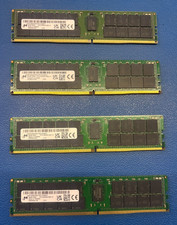
4x Micron 64GB DDR4-3200 ECC RDIMM MTA36ASF8G72PZ-3G2B2 (256GB) – FOR PARTS
$880.00
(Lot of 8) Samsung 16GB 2Rx4 PC3-12800R DDR3-1600 Server RAM M393B2G70BH0-CK0
$129.99

Kingston 32GB 64GB 128GB 256GB USB 3.0 Flash Drive Thumb Memory Stick Pen lot
$285.90

USB 3.0 Flash Drive 32GB 64GB 128GB Memory Stick Thumb Stick Lot Pack
$826.09

Micro SD Adapter To SD HC SDHC Memory Card Adapter Reader NEW
$1.39
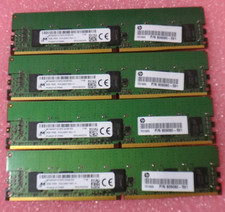
Lot of 4 8GB DDR4 PC4-2400T ECC Registered Server RAM 32GB 1Rx8 RDIMM MICRON
$149.99



 Reply With Quote