-
Testing and booting my remastered image before burning it
What is the simpliest way to do this?
I followed one set of instructions that looked promising but author sort of punted when it
came to editing lilo.conf? And I made a mess of it because I was not sure where everything was supposed to be located like vmlinuz...
There must be an easy common way to test your .iso image without burning A CD
-
Senior Member
registered user
-
Senior Member
registered user
Easiest way for me anyway is to do the "poor man's knoppix installation" but instead of the big knoppix file from the cd,use the remastered knoppix file.
http://www.knoppix.net/docs/index.php/HdBasedHowTo
See item 1.4
Similar Threads
-
By uniflator in forum General Support
Replies: 6
Last Post: 07-14-2011, 02:19 PM
-
By colonius in forum Customising & Remastering
Replies: 4
Last Post: 12-04-2004, 07:17 PM
-
By Yuriy in forum Customising & Remastering
Replies: 4
Last Post: 08-06-2004, 11:37 AM
-
By BearCreek in forum General Support
Replies: 1
Last Post: 03-31-2004, 05:33 PM
-
By William Denyer in forum General Support
Replies: 2
Last Post: 10-09-2003, 02:33 AM
 Posting Permissions
- You may not post new threads
- You may not post replies
- You may not post attachments
- You may not edit your posts
-
Forum Rules


Supermicro SuperServer E300-15 - SYS-e300-9C - 16GB RAM 240GB Samsung SSD
$199.99

HP Proliant MicroServer Gen 8 2.23GHz Xeon 16GB RAM NO SSD
$249.99

Supermicro 505-2 Server
$280.00

Nasuni NF-50 Supermicro Server, Atom CPU C2558, @ 2.40GHz, 8GB RAM-No HDD/OS/AC
$250.00

Supermicro 2U X10DRU-i 2x E5-2680 v3 2.5ghz 32gb Ram 240gb SSD 2x GPU *READ*
$369.99

New Barebones Supermicro 5019D Server, 4C/8T Xeon D-2123T, 1U Rackmountable, 10G
$449.99
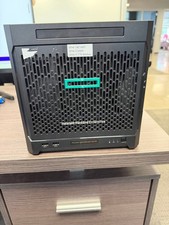
HPe Proliant Microserver Gen10 AMD Opteron 16GB RAM, 3x Intel SSD, Working
$600.00

Supermicro 5019D-4C-FN8TP Xeon D-2123IT (4C/8T) 64GB DDR4 10GbE 480GB 1U Server
$689.00

Supermicro CSE-937 3U Storage Chassis No CPU No HDD No Ram Tested & Reset
$129.99

Supermicro 938-16 16-LFF MicroCloud SuperServer 5038MR-H8TRF *No Blade Servers*
$159.99



 Reply With Quote