-
Crashing Problem
I know this isn't going to sound possible considering it's linux and all but everyonce and awhile ( I can't pinpoint it yet) my Knoppix HDD install just crashes it says KNOPPIX is shutting down NOW! Sends the Term Signal and everything and then just shuts down. I'm installing this on a secondary drive and as of the current moment Windows XP will stay running longer than Linux does
I'd really like to make the switch over to linux BUT right now it seems more frustrating. Any ideas? I have also tried to do an apt-get dist-upgrade and even if I finish it still doesn't do anything to resolve it? Any ideas?
Shawn
-
Senior Member
registered user
Two thoughts. One, it sounds like a bad install of Knoppix to me.
And two, Knoppix isn't designed to be upgraded - it's meant to be a Linux-on-a-disk. Due to the mix of sources that Knoppix uses, upgrading will likely make an HD install start misbehaving sooner or later, even if it wasn't already.
If it's really Knoppix you want, and not some nice, stable, maintainable Debian-based Linux, check your CD. See if the md5sum of the download matches what's given on the website. If so, try burning another copy but with a more conservative burn speed and buffer under-run protection on. If all this checks out, try re-installing.
Alternatives to Knoppix, if you don't need the best-of-class hardware detection, would be Debian sarge, which is in very good shape right now, or Progeny, which is Debian with different hardware detection.
-- Ed
-
More information...
So I took the time (I didn't go to bed till 4) to install MULTIPLE Live/Install CD's untill I finally passed out on my Keyboard using the installation version of Ubuntu and they all restarted after awhile. One thing I realized after awhile that the computer beeps then shutdown. Once it said that the CPU had reached critical temperature of 125 degree's. However I have NEVER had issues with Windows like this. After the Computer shutdown I touched the CPU and it was still cool. I know my CPU's not melting down so is there a way that I can bypass this "detection"?
Shawn
-
Senior Member
registered user
I finally passed out on my Keyboard
 When I was a lad I read that famed gunfighter Bat Masterson retired to be a sports writer and died at his typewriter. It formed a vivid image, and 40 years later I'm more convinced than ever that keyboards are more likely to kill you than guns.
is there a way that I can bypass this "detection"?
Yes, try the boot paramater (cheatcode) noacpi. This should prevent loading the modules to monitor temperature, fan, battery, and the like.
-- Ed
-
OK,
So once I gave up installing Knoppix, Gnoppix, Ubuntu, and Debian all together I said the heck with it...I'm going back to Windows. Except I couldn't/didn't wanna bother once I couldn't get passed the boot screen WHICH I had changed using the OSX Transformation kit....
So I said the heck with it...I'll format over that...the computer will run nothing but Linux that can't run and then I'll just get sick of it and format the entire thing and start over *pity me*
Well I installed Ubuntu on my primary drive (250 GB's) and laughed as I started dozing off in my chair figuring that in about 30 mins the computer would once again shutdown and then I would be like Jack Nicholson in "The Shinning". Well as I was dozing off I got woken up to the Lava screensaver....WOW that's bright....ok...stoopid screensaver. Hit my spacebar....and got resituated in my chair...started dozing off..........ARGH! Stoopid screensaver.......doze off.....ARGH! Screensaver again....by this time I looked at the clock. I started installing at 10:00 and reached the desktop at 10:20 it was now 12:30 and the computer hadn't reset...YEAAAAAHHH!
So I installed the new Nvidia drivers....restarted the computer and X came up and said it can't load it....looks like another long night tonight. *sigh*
-
Senior Member
registered user
ya should give kanotix a shot as well if you up for more "testing" :P
Similar Threads
-
By tonym53 in forum General Support
Replies: 1
Last Post: 09-22-2005, 11:08 AM
-
By JakReloaded in forum MS Windows & New to Linux
Replies: 0
Last Post: 06-16-2005, 10:21 AM
-
By Kowood in forum Hdd Install / Debian / Apt
Replies: 0
Last Post: 04-09-2005, 11:15 PM
-
By downdogWoof in forum General Support
Replies: 0
Last Post: 10-09-2004, 02:46 PM
-
By ramu_i in forum General Support
Replies: 1
Last Post: 08-24-2003, 10:06 PM
 Posting Permissions
- You may not post new threads
- You may not post replies
- You may not post attachments
- You may not edit your posts
-
Forum Rules

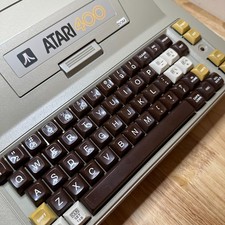
ATARI 400 NEW CAPS NEW 48K RAM KIT B-KEY KEYBOARD COLLECTOR QUALITY
$359.99

Atari 130 XE/Atari 1050 Bundle W/ Cords And Extras (Powered On)
$300.00

Atari 800 8-bit Computer System Fully Tested Great Condition 48k READ
$350.00

DEFECTIVE Atari 810 Vintage Computer Disk Drive powers on Unit Only Boo G3D
$49.29

Atari XE 130XE Computer NTSC with Power Supply Powers On Untested
$159.95

Fujinet 1.7.1 Atari 400 800 800XL 130XE 65XE XEGS Assembled, Tested, Working
$99.99

Atari OS & Memory Expansion Cartridges Lot - Untested Possibly For Parts/Repairs
$149.97

SOLD AS IS Lot of 5.25" Floppy Disks w/ Games & Software? Commodore 64 Atari 800
$59.99

VTG Atari 1200XL Home Computer System 1200 XL ** Tested ** Parts or Repair
$323.75

UNOCART-2600 SD card Multi Rom Cartridge for ATARI 2600 with CASE
$34.25



 Reply With Quote