-
Black Screen on Boot
Whenever I try to boot Knoppix off of the cd, I press enter at the first screen, and then it goes blank. I have tried resizing the screen size, and failsafe mode. When booting in failsafe, I get something like this:
*Loads of random addresses*
Unable to handle kernel paging request at virtual address d8000000
printing eip
c0108bf8
*pde=00000000
I am running a 1Ghz Athlon with a NVIDIA GeForce2 MX and generic plug and play monitor.
And yet it works on my cheaper 900Mhz machine with integrated video.
Have any ideas?
Thanks!
-------------------
Off-Topic Question
Does anybody know where you can get cheap (and new) wholesale laptops? I have a wholesale license, and I would like something more portable than my desktops.  Maybe something that can handle other applications...like wardriving.
-
Senior Member
registered user
I don't know why knoppix won't boot with your hardware, but you could try
xmodule=fbdev at boot (type that at the boot prompt) or look at the other cheat codes
http://www.knoppix.nl/3.6/knoppix-cheatcodes.txt to see if one of those gets you running. Good luck.
-
Nope, none of the cheat codes seem to work for me. I've tried disconnecting my hard drive and extra ram (as they have caused problems for me in the past).
-
I had this issue too, with my laptop and my desktop.
For my laptop, it would go blank right after boot: prompt. I found that using the 'knoppix26 acpi=off' combination worked for my laptop.
I use fb1024x768 for my desktop, and it works like a charm.
-
I think my computer is just funky; that doesn't seem to work either  This is not a flickering screen, like some of the cheatcodes would fix, I think this may be a monitor or videocard compatability problem.
-
Senior Member
registered user
Hve you tried using "expert" at boot?
This will have you step/go through the hardware set up
manually, and then perhaps you can indentify, for certain,
the place where booting fails.
-
I shall try that and update you on my status.
-
I had the same problems with just about any flavor of Linux. Expert mode = Blank screen. So I went with "Failsafe" these are the last lines before it locksup on me
ESR value before enabling vector: 00000000
ESR value after enabling vector: 00000000
Using local APCI timer interrupts
calibrating ACPI timer ...
.....CPU clock speed is 3056.5252 Mhz.
.....host bus clock speed is 0.0000 Mhz
cpu: 0, clocks: 0,slice: 0
Anyways the boot just halts
Thanks for any ideas and help
Dell inspiron 5150 laptop
-
Senior Member
registered user
Racen Viper, You might want to google your video system + linux.
I do recall seeing posts here about dell inspiron onboard video incompatibility.
I don't know if kanotix would work on your system but it might be worth a shot.
Good luck
-
I also have the same problem on 2 identical laptops.
1.8 GHz Athlon XP-M
64MB ATI Radeon IGP
768MB RAM
After hitting enter on the boot: screen my LCD goes black. I know the CD works as I can use it on my school's computers which run P4 desktops.
Any help is appreciated.
Similar Threads
-
By johnpfree in forum Hardware & Booting
Replies: 1
Last Post: 07-22-2006, 08:36 AM
-
By Aspra in forum Hardware & Booting
Replies: 6
Last Post: 01-30-2006, 11:57 PM
-
By alexx-rc1 in forum General Support
Replies: 0
Last Post: 09-25-2003, 10:07 AM
-
By Sigmatador in forum General Support
Replies: 8
Last Post: 04-02-2003, 04:56 PM
-
By Jmack0013 in forum General Support
Replies: 3
Last Post: 02-18-2003, 04:57 AM
 Posting Permissions
- You may not post new threads
- You may not post replies
- You may not post attachments
- You may not edit your posts
-
Forum Rules


S-100 Vector Graphic 12K PROM/RAM Board (Altair, IMSAI)
$99.95

S-100 Vector Graphic 64K Ram Board (Altair, IMSAI)
$99.95

Vintage Digital Research ZSID 1.4 8" Floppy Disk CP/M Z80 Software S-100 Altair
$69.99
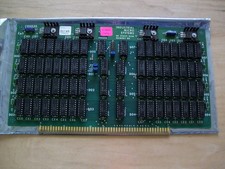
S-100 Industrial Micro Systems 8K Static Ram (IMS, Altair, IMSAI)
$69.95

Altair MITS S100 Backplane 8080A S-100 Replica IMSAI CP/M (bare board)
$40.00

BYTE Magazine Cover Jan 1977 Canvas Print 8"x10" Retro Computer Altair 880
$7.00
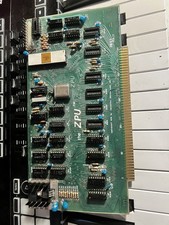
TDL “the ZPU” rev 1 February 1977 s100 cpu board
$345.00

S-100 backplane motherboard bare PCB 9 slot (for Altair/IMSAI)
$34.99

ALTAIR Bitcoin Mining Solutions PDU IEC SERIES 100-250V 30A/24A Power Distribute
$99.00
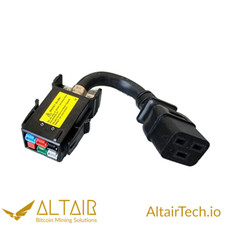
AltairTech.io ANEN 6-pin P33 to IEC C19 adapter
$16.99



 Reply With Quote