-
Windows XP PRO is mashed
ok i downloaded knoppix and attempted to format my other hard-drive which as to my knowlege has absolutely no system files i clicked on format and chose ext3.
Now also i chose the hide option on my main hd otherwise known as C: drive in windows i did this thinking that the application wouldnt format that, just a security measure, now i formatted the second hd from before and i clicked commit and it did its buisness but then i couldnt figure out how to install knoppix i read a few files on the net but didnt get any clear understanding of it as im a complete linux/unix/what ever NOOB i know hardly anything about unix.
now im not blaiming knoppix for my system not working now but id just like a little help on how to fix windows xp.
it will start up properly up till it has the windows XP logo and writing and the annoying little loading bar at the bottom, before it finishes loading it gives me the BSOD (blue screen of death)
and says something like could not find file error 0x00000038 (0x000000 0x000000) i have absolutely no idea what the hell is going on and yes i did take out my knoppix cd.
i dont care about my previous files since i had nothing of ANY importance id just like to have my computer back to working order, ive booted up from knop[pix to be able to type this out right now and windows wont even start from safe mode.
i have no windows cd's at my disposel, but i can easily get one its not a problem id just like to know if a reinstall is nececsary and what steps i must take to repair my computer
hope somebody helps 
-
Senior Member
registered user
Re: Windows XP PRO is mashed

Originally Posted by
Alpha
Now also i chose the hide option on my main hd otherwise known as C: drive in windows .....
Probably this changed then filesystem type to a 'hidden' filesystem type. Go again cfdisk or QTparted & change the filesystem type for /dev/hda1 back to a regular (probably NTFS) type & you should be OK.
-
hehe well i formatted hda1 too after i couldnt be bothered now i have linux on hda1 and hda2 is linux formatted and it has a folder called lost + Found should i delete it it has nothing in it as far as i can see.
o yeah and i did a hd install
-
Senior Member
registered user
Don't delete lost+found. It is part of the system, just leave it alone.
-
Senior Member
registered user
Don't delete lost+found. It is part of the system, just leave it alone.
its like the folds in your skin... they're there, you cant help it, but somehow you find last nights food in it... or a cheese sandwitch...
Similar Threads
-
By jlregister in forum Customising & Remastering
Replies: 0
Last Post: 11-26-2005, 12:10 AM
-
By legal in forum Hdd Install / Debian / Apt
Replies: 0
Last Post: 01-15-2004, 04:33 PM
 Posting Permissions
- You may not post new threads
- You may not post replies
- You may not post attachments
- You may not edit your posts
-
Forum Rules


S-100 Vector Graphic 12K PROM/RAM Board (Altair, IMSAI)
$99.95

S-100 Vector Graphic 64K Ram Board (Altair, IMSAI)
$99.95

Vintage Digital Research ZSID 1.4 8" Floppy Disk CP/M Z80 Software S-100 Altair
$69.99
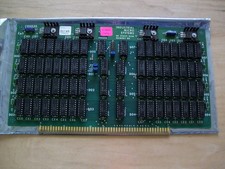
S-100 Industrial Micro Systems 8K Static Ram (IMS, Altair, IMSAI)
$69.95

Altair MITS S100 Backplane 8080A S-100 Replica IMSAI CP/M (bare board)
$40.00

BYTE Magazine Cover Jan 1977 Canvas Print 8"x10" Retro Computer Altair 880
$7.00
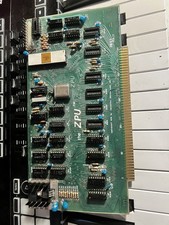
TDL “the ZPU” rev 1 February 1977 s100 cpu board
$345.00

S-100 backplane motherboard bare PCB 9 slot (for Altair/IMSAI)
$34.99

CP/M 86 1.1R 8086 Highmonitor 8 Inch Floppy Diskette 80s IMSAI Altair
$40.00

ALTAIR Bitcoin Mining Solutions PDU IEC SERIES 100-250V 30A/24A Power Distribute
$99.00



 Reply With Quote