-
Senior Member
registered user
Howdy westcparts,
>>
Am I missing the big picture and just overkilling the obvious simplicity of the install on the hard drive?
>>
No, not at all ...
It is quite simple really, but it is deserving of a bit of thought. A good partitioning scheme can make considerable difference to the overall usability of a Linux install. Including security and ease of upgrading issues.
So, there's no harm in being initially cautious  .
.
If you just have a fat32 fs existing there shouldn't be any problem. If you intend using 100Gbs for Knoppix you might like to look into/consider having that split into multiple partitions.
Basically you will just need to give the current win a good defrag to move everything down to the front (hopefully). Then use what ever tool you have to shrink the existing primary down to the required size.
I'm not to up on things like Qparted, but if they can size down, well then OK. If there's problems there look for a program called "fips.exe". It's just copied to a dos "start-up" disk and run from the A: prompt. Once shrunk, boot the Knoppix cd and run cfdisk or fdisk and create an "Extended" partition with the rest of the space.
Then it's just a matter of slicing that Extended Primary up into a number of "extended logical" partitions.
The numbers will go ...
hda1 fat primary
hda2 extended primary
hda5 extended logical
hda6
etc
hda2 and hda5 will both start at the same place, with the other logicals just daisy chaining on from there.
Another scenario ...
hda1 fat prim
hda2 swap (primary, no fs)
hda3 extended primary
hda5 extended logical
etc
The big question is how big and how many logicals to create. Private files, home directories are always good candidates for their own partitions. At least then you can dismount them when not needed, or to protect data during a re-install/upgrade
Running something like ...
]# mke2fs -m 2 /dev/hda6
Will create an ext2 fs with 2% reserved for the superuser (emergency space) on hda6. The default of 5% is a bit to much in my opinion.
Again, one could also look into other fs's. ext3 maybe.
Also ...
hda1 fat32 primary
hda2 ext2 primary (100 Mbs, boot partition)
hda3 swap (400 Mb primary)
hda4 Extended Primary
hda5 extended logical
That makes the boot directory safe from any interference while the system is running. It dosen't need to be mounted to boot the system. The only time it would need mounting would be for kernel installs and running /sbin/lilo on a lilo.conf change, ie; new kernel install.
Having the "swap" partition close to the start of the drive is good for purformance. But if you have the ram, you wont need the swap.
Again, easy to create ...
]# mkswap /dev/hda3
Creates the neccessary magic for Linux to see it as a swap partition.
Of course /etc/fstab needs to be edited to reflect all this.
I'd work it all out on paper first. Play around with different partition size scenarios, and rotate through the available documentation untill it all eventually gels together, as to your requirments.
The actual shrinking, partition creation, formatting is the easy part. Changing it all around later is where the juggling exersizes start to come into it
All that above is a bit brief i know, but basically it. But if you post back a few ideas on division schemes, well, then the pros/cons of those could be discused in a bit more detail maybe.
Good Luck
jm
~~~~~~~~~~~~~~~~~~~~~~~~~~~~~~~~~~~~~~~~~~~~~~~~~~ ~~~~~~
Similar Threads
-
By empro in forum MS Windows & New to Linux
Replies: 12
Last Post: 05-02-2005, 10:24 PM
-
By krikke in forum MS Windows & New to Linux
Replies: 12
Last Post: 09-10-2004, 08:39 PM
-
By Davidsa in forum General Support
Replies: 21
Last Post: 05-26-2004, 08:47 AM
-
By stoneangel in forum Hdd Install / Debian / Apt
Replies: 9
Last Post: 09-21-2003, 11:23 PM
-
By freeballer in forum Customising & Remastering
Replies: 0
Last Post: 09-17-2003, 03:15 AM
 Posting Permissions
- You may not post new threads
- You may not post replies
- You may not post attachments
- You may not edit your posts
-
Forum Rules


Vintage Digital VR241-A color CRT monitor, powers on, DEC Rainbow or terminal
$150.00

Vintage DEC Digital XMI-A1 5017293-01A1 LWPR BE3-0 VAX Circuit Board T2012
$74.99

Vintage DEC Digital T1043 DWMBB/B VAXBI XMI Adapter 5018232-01 C1 VAX Board
$119.99

Vintage DEC/Mostek memory systems MK 8015 AA-00 6805-08015 1100 REV C(B7)
$279.99

Vintage DEC VT100 Series Terminal (Powers On)
$499.99

Vintage DEC LK201 Digital Equipment Corporation (DEC) LK201-AA Computer Keyboard
$149.99
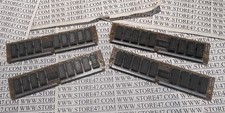
VINTAGE Digital Equipment DEC 50-19464-02 2 MB 100 ns SIMM 5019464-02
$40.00

Vintage DEC E2052-AA AlphaServer I/O Board 9 Gold Ceramic ICs 4.3 LB Gold Scrap
$749.99

Vintage DEC Digital Starion 200 Desktop PC Powers On Boots To BIOS NO HDD - DW
$269.99

Vintage DEC Digital VSXXX-AA.B03 Hawley 3-Button Mouse 1986 Tested Working
$111.00



 Reply With Quote