-
USB Port Problem
Hi, newbie here. I have a USB 1.1 port going to my printer. When I print a test page, it says it printed, but nothing goes to the printer. Question, do I have to set up something special for a USB 1.1 port?
Thanks,
John
-
Senior Member
registered user
There should be quite a bit to be found on this site about USB if you use the search function. There are many ways to gain info about USB. Do a lsmod to see what drivers are loaded. Do a dmesg to see all of your kernel messages from boot and find out what it tells you about USB. There is a program called usbview. Run it from the command line. You can do a cat /proc/bus/usb to see if your hub or anything connected to it shows up. If your device seems to be recognized you could run the Printer Wizard.
-

Originally Posted by
rickenbacherus
There should be quite a bit to be found on this site about USB if you use the search function. There are many ways to gain info about USB. Do a lsmod to see what drivers are loaded. Do a dmesg to see all of your kernel messages from boot and find out what it tells you about USB. There is a program called usbview. Run it from the command line. You can do a cat /proc/bus/usb to see if your hub or anything connected to it shows up. If your device seems to be recognized you could run the Printer Wizard.
Thanks,
I'll give those all a try.
John
-
Senior Member
registered user
I've had this happen before and, for me, the solution was picking a different driver. When you go through the KDE print wizard see if there isn't more than one driver for your printer. In my case I needed to choose the gimp-print driver. Post back if this helps.
-
Originally Posted by
aay
I've had this happen before and, for me, the solution was picking a different driver. When you go through the KDE print wizard see if there isn't more than one driver for your printer. In my case I needed to choose the gimp-print driver. Post back if this helps.
Yes, you're right. I found the problem to be with the drivers not the USB port. I had to switch to a CUPS type of printer.
Thanks for all your help.
John
-
Senior Member
registered user
Glad to hear that fixed you up and thanks for posting back that it worked.
Similar Threads
-
By kn2user in forum General Support
Replies: 0
Last Post: 12-06-2004, 06:43 PM
-
By vtechstu in forum Networking
Replies: 3
Last Post: 11-16-2004, 10:56 PM
-
By KeTZer in forum Hardware & Booting
Replies: 0
Last Post: 05-13-2004, 01:47 PM
-
By KeTZer in forum General Support
Replies: 0
Last Post: 05-10-2004, 03:18 PM
-
By oscar in forum Networking
Replies: 8
Last Post: 05-07-2003, 03:12 AM
 Posting Permissions
- You may not post new threads
- You may not post replies
- You may not post attachments
- You may not edit your posts
-
Forum Rules

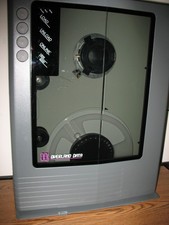
VINTAGE RARE Overland 9 Track tape drive for mainframe computer storage
$800.00
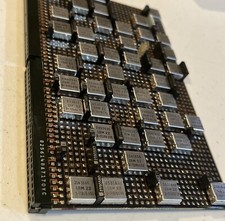
IBM MST-2 370 Integrated Circuit Computer Chips Lot Of 43 Rare 1970s Vintage
$249.00

HP 5060-8359 8K Semiconductor Memory Module 5080-9747 Vintage HP Computer
$165.58

Vintage Telex 952003-112 Mechanical Terminal Keyboard IBM 3270 Mainframe DB25
$679.15

Vintage IBM #192726 Paper Tape Punch Mainframe Computer Programming Tool 1960s
$94.95
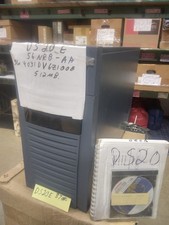
DEC ALPHA DS20E system complete, posts good. 512mb, no disks, Digital Equip Corp
$699.00
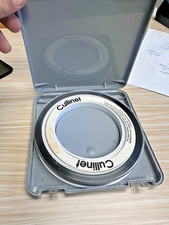
Vintage Cullinet IDMS IBM Mainframe Magnetic Tape Reel Software 1980s JCL
$98.99

Vtg IBM Mainframe Prototype Chip Module Lot 146 pc 1988-1993 ES/9000 Lab Arcive
$649.00
MPC ClientPro 545 Pentium 4 2.40GHz 512MB NO/HDD RV100 Vintage PC Retro Computer
$149.97
Mystery Vintage Computer Mizar Motorola 68000 Based System W Shugart Drives
$500.00



 Reply With Quote