
Results 1 to 5 of 5

Thread: how to mount a loop?

Hybrid View

  1. #1
    Junior Member registered user
    Join Date
    Apr 2005
    Posts
    16

    how to mount a loop?

    How do you mount a looped file?

    Per an example in one of the startup scripts, I'm using mount -o loop,ro -t auto iso-image mount-point


    Mount says there is no loop device and the kernel doesn't know how to do it.

    Suggestions appreciated.

  2. #2
    Junior Member registered user
    Join Date
    Apr 2005
    Posts
    16

    Re: how to mount a loop?

    Quote Originally Posted by ddrex
    Mount says there is no loop device and the kernel doesn't know how to do it.
    Rebooting solved that problem. However mount still wants to know the filesystem type and iso9660 doesn't work.

    What I'm trying to do, while running off the harddisk, is to mount the KNOPPIX/KNOPPIX file that lives on the CD.

    Thanks in advance for any advice.

  3. #3
    Senior Member registered user
    Join Date
    Feb 2003
    Posts
    929
    Using loopback is usually where my understanding of mount's syntax falls over! An explanaition here:

    http://www.linuxlookup.com/html/totw/2000/october.html

    and, if the page is still up,

    here:

    http://www.linuxpeople.cc/howto/mountisohowto.htm?link

  4. #4
    Junior Member registered user
    Join Date
    Apr 2005
    Posts
    16
    Quote Originally Posted by fingers99
    Using loopback is usually where my understanding of mount's syntax falls over! An explanaition here:

    http://www.linuxlookup.com/html/totw/2000/october.html
    Yes! That explained it! Thanks.

    dd

  5. #5
    Senior Member registered user
    Join Date
    Nov 2002
    Location
    USA, IL
    Posts
    1,041

    Re: how to mount a loop?

    --Yes, but the KNOPPIX/KNOPPIX file is a *compressed* loop. You need to do an "insmod" of something (I forget which) and give that file as an argument.

    Update - see this thread: http://www.knoppix.net/forum/viewtop...ghlight=insmod

    Quote Originally Posted by ddrex
    Quote Originally Posted by ddrex
    Mount says there is no loop device and the kernel doesn't know how to do it.
    Rebooting solved that problem. However mount still wants to know the filesystem type and iso9660 doesn't work.

    What I'm trying to do, while running off the harddisk, is to mount the KNOPPIX/KNOPPIX file that lives on the CD.

    Thanks in advance for any advice.

Similar Threads

  1. Getting into GParted loop...help!
    By geomur in forum Hdd Install / Debian / Apt
    Replies: 0
    Last Post: 10-23-2008, 11:53 AM
  2. squashfs -o loop error
    By ying-yang7 in forum Customising & Remastering
    Replies: 7
    Last Post: 10-19-2004, 01:48 PM
  3. 3.3 9/2/04 kdm/kde login loop
    By johnhedge in forum General Support
    Replies: 0
    Last Post: 02-11-2004, 03:18 AM
  4. What is a loop file?
    By turbine in forum The Lounge
    Replies: 2
    Last Post: 12-07-2003, 03:54 PM
  5. loop mount error
    By narendar in forum Customising & Remastering
    Replies: 4
    Last Post: 05-08-2003, 06:30 PM

Posting Permissions

  • You may not post new threads
  • You may not post replies
  • You may not post attachments
  • You may not edit your posts
  •  


New Barebones Supermicro 5019D Server, 4C/8T Xeon D-2123T, 1U Rackmountable, 10G picture

New Barebones Supermicro 5019D Server, 4C/8T Xeon D-2123T, 1U Rackmountable, 10G

$449.99



HP Proliant MicroServer Gen 8 2.23GHz Xeon 16GB RAM NO SSD picture

HP Proliant MicroServer Gen 8 2.23GHz Xeon 16GB RAM NO SSD

$249.99



Supermicro 505-2   Server picture

Supermicro 505-2 Server

$280.00


Supermicro CSE-937 3U Storage Chassis No CPU No HDD No Ram Tested & Reset picture

Supermicro CSE-937 3U Storage Chassis No CPU No HDD No Ram Tested & Reset

$129.99
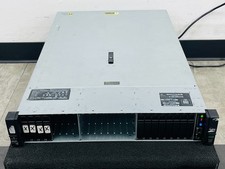


HP ProLiant DL385 Gen10 Plus V2 2U Server 2x 2.5

HP ProLiant DL385 Gen10 Plus V2 2U Server 2x 2.5" 2x EPYC 7601 2.2GHz 2x M.2 1TB

$3500.00



Supermicro 1027GR-TSF 1U Rackmount Server 2x Xeon 2.3GHz 128GB DDR3 picture

Supermicro 1027GR-TSF 1U Rackmount Server 2x Xeon 2.3GHz 128GB DDR3

$219.99



Supermicro SuperServer E300-15 - SYS-e300-9C - 16GB RAM 240GB Samsung SSD picture

Supermicro SuperServer E300-15 - SYS-e300-9C - 16GB RAM 240GB Samsung SSD

$239.00


Supermicro SYS-222H-TN 2U 2x 6780E 144 Core 1.5TB DDR5 8x7.68TB NVME Rails picture

Supermicro SYS-222H-TN 2U 2x 6780E 144 Core 1.5TB DDR5 8x7.68TB NVME Rails

$79657.99



Supermicro E300-12C Mini 1U Barebone X12SCV-LVDS LGA1200 SNK-P0073A4 w/ Adapter picture

Supermicro E300-12C Mini 1U Barebone X12SCV-LVDS LGA1200 SNK-P0073A4 w/ Adapter

$225.00



Nasuni NF-50 Supermicro Server, Atom CPU C2558, @ 2.40GHz, 8GB RAM-No HDD/OS/AC picture

Nasuni NF-50 Supermicro Server, Atom CPU C2558, @ 2.40GHz, 8GB RAM-No HDD/OS/AC

$250.00

