-
Running commands & shell scripts automatically at boot
THIS SHOULD BE IN A FAQ ........ maybe make it a sticky?
( I didn't find it on the Knoppix site anywhere! Correct me if I'm wrong ).
ADDENDUM: Actually I found a mention of it in: Persistent Home How To.
Put commands & names of shell scripts at the end of the file: knoppix.sh
The file is made by the menu item "Save Knoppix Configuration".
My knoppix.sh is saved to: /mnt/hda3, yours is wherever you told the
Save Knoppix Config. utility to put it, just open the file in an editor.
This might not work for everything, just try it & see if it does.
-
Administrator
Site Admin-
Re: Running commands & shell scripts automatically at bo

Originally Posted by
sunburnt
THIS SHOULD BE IN A FAQ ........ maybe make it a sticky?
The wiki is back up and running. It is designed so that any registed user can create and edit the documetation. It is a much better choice for storing information that cluttering the tops of all of the lists with "stickies". It is also in one plae where people should be looking, rather than have to search through several forums for the information. Stickies were handy while the wiki was down, but they have a much more limited use now. Eventually there are too many stickies in a list and a moderator may "clean things up". I encourage you to wiite any information that you think is worth preserving in a wiki article. Look to see if there are appropriate articles that you could contribute too, and if not a new one can be started.
-
Read forum before posting
Before posting, look at three lines below to “Optimal man HD Install … “ and don’t clutter forum.
-
I did read, it'd be nice if we were all super users!
I understand just enough of “Optimal man HD Install … “ to know
that it's what I'm looking to do, & that's about it!
Unfortunately most of us aren't gurus, but that's why there's forums.
Good help is almost impossable to find, THAT REALLY HELPS.
Most of the world just needs a bit more hand holding, to start with.
A repository of scripts that modify or setup Knoppix would be great.
Clear instructions how to batch run them at boot for custom setups.
It'd save educating everyone about the same stuff over & over.
And we don't have to understand it to use it, right?
-
Senior Member
registered user
Hmmm,
Not sure if this "file" gets stored during a Live CD boot, and either using the "Save Knoppix Configuration", but, I know it works in a "Persistant Home", and deffinately works with a hard drive install...
My "favorite" place to put in script files, at boot, is the /etc/init.d/bootmisc.sh file -=- at the bottom
I dont "get" the whole Init.d and RC# booting, I know that the boot process goes through different "levels", like 1, 2, 3, etc... and during these levels, processes are started, as they are expected, during each level, but, as far as "adding" one of my scripts to the "boot order", I'm not going there... I find adding them to the bootmisc.sh file a nice compramise 
Just my two shillings worth,
Ms. Cuddles
-
Senior Member
registered user
I was wondering me what the correspondent autoexec.bat in linux was...maybe bootmisc.sh is a good candidate? 
Similar Threads
-
By splittik in forum General Support
Replies: 1
Last Post: 03-22-2005, 07:38 AM
-
By cld in forum Customising & Remastering
Replies: 1
Last Post: 07-29-2004, 02:47 PM
-
By hokiegal99 in forum General Support
Replies: 1
Last Post: 12-11-2003, 01:23 AM
-
By colinmc151 in forum Customising & Remastering
Replies: 3
Last Post: 11-10-2003, 11:40 PM
-
By majales in forum General Support
Replies: 2
Last Post: 05-15-2003, 04:21 PM
 Posting Permissions
- You may not post new threads
- You may not post replies
- You may not post attachments
- You may not edit your posts
-
Forum Rules


Supermicro 1027GR-TSF 1U Rackmount Server 2x Xeon 2.3GHz 128GB DDR3
$219.99

Supermicro 721-2 Mini Tower Black Computer Server NO Hdd
$375.00

Supermicro 505-2 Server
$280.00

Supermicro 1U Server 514-4 (X11SSZ-QF) | i7-7700 - 16GB DDR4 Ram - Rackmountable
$249.00

New Barebones Supermicro 5019D Server, 4C/8T Xeon D-2123T, 1U Rackmountable, 10G
$449.99

HP ProLiant MicroServer AMD Athlon II Neo N36L 1.3GHz 8GB RAM 4-Bay NAS Server
$99.00
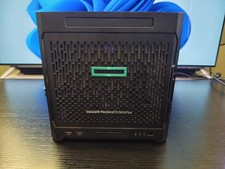
HP HPE Proliant Gen10 Microserver, AMD Opteron X3216, 8GB DDR4 RAM 240GB SSD
$449.00

1U Supermicro SuperServer 5019D-4C-FN8TP Xeon D-2123IT 4 Core 32GB X11SDV-4C-TP
$699.00

BOXX B157552 SuperMicro X10DRT-L 2x Intel 2630V4 NO RAM & SSD Server
$160.99

Nasuni NF-50 Supermicro Server, Atom CPU C2558, @ 2.40GHz, 8GB RAM-No HDD/OS/AC
$250.00



 Reply With Quote