

 Reply With Quote
Can you right click on the icon > actions > (something like) make read/write? (This from memory).


I just purchased a Lexar 256mb Secure Jump Drive and want to boot a computer off Knoppix 3.8.1 CD and copy file onto usb drive. When I connect the usb drive I see a new icon on the desktop and can view the contents of the usb drive but can't save any files to it. I tried saving a text file I created as well as copying NTFS partition to the usb drive but can't write to usb drive. I am a newbie to Linux/Knoppix so any help would be appreciated.
Can you right click on the icon > actions > (something like) make read/write? (This from memory).
I tried that but it seemed as if I might be changing the properties of the desktop shortcut not the drive itself. I need some command line instructions to test the drive and then to get more info as to why I can't write to it.
 Posting Permissions


OPNsense pfSense 8-Core Atom C3758 2.2GHz 8GB DDR4 64GB SSD 8x NIC QAT AES VPN
$115.00

OPNsense Firewall 16-Core Atom C3958 16GB DDR4 RAM 64GB SSD 8x 1Gbe QAT AES-NI
$195.00

OPNsense Firewall 8-Core Atom C3758 4GB DDR4 RAM 64GB SSD 8x 1Gbe QAT AES-NI VPN
$95.00

Zero Trace Pen: All-in-one Tor Network Anonymous Drive + Cryptocurrency Wallet
$147.00
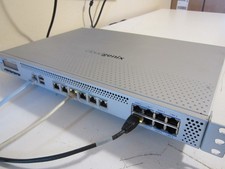
PfSense/OPNsense 14x1Gb, 8-Core, 8GB RAM, 80GB SSD, AES-NI, QAT (Lanner FW-7573)
$149.00

Fortinet FortiGate 60F FG-60F UTM UTP License Until 2027 Network Security FW VPN
$229.99
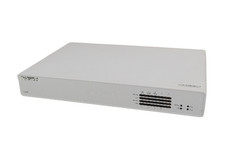
Sophos XG 125 Rev.3 Desktop Firewall 8x GbE 1x SFP Wiped - No Power Adapter
$74.99
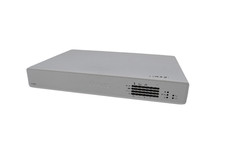
Sophos XG 135w Rev.3 Wireless Firewall 8x GbE 1x SFP 802.11ac SFOS - Wiped
$74.99

SonicWall TZ280 Firewall 03-SSC-6933 Advanced Edition 3YR NEW SEALED
$999.99

Check Point 1590 Firewall & w builtin WiFI and builtin LTE sim slot
$95.99