

 Reply With Quote
If you use grafic apt-get(?) - kpackages, it is easier, you cen see all packages and select them.


after installing knoppix 3.7 on hdd i tried to use apt-get but nothing happend for example
root@box:/home/waelali# apt-get upgrade
Reading Package Lists... Done
Building Dependency Tree... Done
0 upgraded, 0 newly installed, 0 to remove and 0 not upgraded.
then i tried to install kaffeine or freecraft(game) this was the answer
root@box:/home/waelali# apt-get install freecraft
Reading Package Lists... Done
Building Dependency Tree... Done
E: Couldn't find package freecraft
root@box:/home/waelali# apt-get install kaffeine
Reading Package Lists... Done
Building Dependency Tree... Done
E: Couldn't find package kaffeine
If you use grafic apt-get(?) - kpackages, it is easier, you cen see all packages and select them.
It sounds like kaffine and freecraft are not the proper names of the packages. Just incase, do an apt-get update, to make sure you have your packages loaded. Also, make sure you have the proper privliges for apt-get if not, it won't let you get the packages.
As, like tdjokic, use a graphical package manager to get the packages you need, it'll show you all available packages and descriptions, you can do this by either kpackage or synaptic, both are great. if you have them installed, just type them in the run command. If not, use
apt-get install kapackage
apt-get install synaptic
SD
i tried to install synaptic by using this command
apt-get install synaptic
but u can see
Reading Package Lists... Done
Building Dependency Tree... Done
E: Couldn't find package synaptic
can it be aworng in source .list ?
every line in this file is starting with # is that right or wrong?
Either the sources.list or you didn't update the local database: "dselect update"
Oops, should have read the whole post
i have a problem : i want to upgrade mai os with this command : apt-get upgrade
when it finnish the download status it write this ...
Unpacking libice6 (from
.../libice6_4.3.0.dfsg.1-12.0.1_i386.deb) ...
dpkg: error processing
/var/cache/apt/archives/libice6_4.3.0.dfsg.1-12.0.1_i386.deb
(--unpack):
trying to overwrite `/usr/X11R6/lib/libICE.so.6.3',
which is also in package xlibs
dpkg-deb: subprocess paste killed by signal (Broken
pipe)
An apt-get upgrade will almost certainly either fail or break a HD install of Knoppix. You could do a lot worse than read the first few lines of /etc/apt/sources.list
gvim /etc/apt/sources.list:
Code:# /etc/apt/sources.list for Knoppix # If you want to do a "full upgrade", you should first # upgrade the Packages from Debian/unstable (KDE & Co.) # before doing a (dist-)upgrade for Debian/testing. # See sources.list(5) for more information, especialy # Remember that you can only use http, ftp or file URIs # CDROMs are managed through the apt-cdrom tool.
 Posting Permissions


Computer Photo History Altair 8800 Philco 212 CDC 6600 DEC PDP-8 Apple 1 UNIVAC
$69.99

S-100 Vector Graphic 64K Ram Board (Altair, IMSAI)
$99.95

S-100 Vector Graphic 12K PROM/RAM Board (Altair, IMSAI)
$99.95

Microcomputer Builder's Bible IMSAI 8080 Z80 ADM-3A DEC LSI-11 Altair 8800 Bus
$65.00

Vintage Digital Research ZSID 1.4 8" Floppy Disk CP/M Z80 Software S-100 Altair
$69.99

S-100 Bus Handbook Altair 8800 IMSAI 8080 Board Schematics Xitan Pertec Cromemco
$89.99

640pg Best of BYTE Magazine 1984 Mac Steve Jobs Altair 8800 IBM 5100 Bob Moog
$85.00
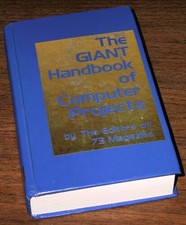
1979 Microprocessor Projects Altair 8800 Intel 8080 KIM-1 COSMAC Elf SWTPC 6800
$59.99

CP/M 86 1.1R 8086 Highmonitor 8 Inch Floppy Diskette 80s IMSAI Altair
$29.99

ALTAIR Bitcoin Mining Solutions PDU IEC SERIES 100-250V 30A/24A Power Distribute
$99.00