-
Well I have an iRiver iHP-140 DAP and I can boot from it.
BUT you must change the partition table of the Hard Disk.
iRiver firmware does not have a problem with that but I dont know what the iPod firwmare will do.
So you need to repartition your hard drive to this:
1.FAT (with 16K or less size of clusters) Active Primary This is were you will put the knoppix files
2.Extended (this partition is made when you have multiple partitions)
3.FAT32 Logical This is where your data goes
I made these partitions with Partition Magic.
This is my setup and it worked I dont know what will happen with your case.
Now do this:
1.Take the knoppix iso and uncompress it to the FAT partition.
2.Go to boot/isolinux and remove isolinux.bin and rename isoslinux.cfg to syslinux.cfg
3.Select all files from there and paste them to the root of your iPod FAT partition.
4.Delete the boot folder
5.Download syslinux version 2.11 and run a command window
6.From the DOS Command window type (path shows syslinux folder): syslinux.exe x: -f
(where x is your FAT partition)
Reboot select your iPod as the booting device from the bios.
Type knoppix and enter after the syslinux loader. There you go!
Similar Threads
-
By NoBody in forum German Forum
Replies: 0
Last Post: 10-11-2005, 08:45 AM
-
By zawi in forum General Support
Replies: 1
Last Post: 08-18-2005, 04:05 AM
-
By tfinan in forum General Support
Replies: 1
Last Post: 02-12-2005, 02:04 PM
-
Replies: 0
Last Post: 11-06-2004, 01:48 AM
-
By iTim in forum General Support
Replies: 3
Last Post: 04-22-2004, 03:02 PM
 Posting Permissions
- You may not post new threads
- You may not post replies
- You may not post attachments
- You may not edit your posts
-
Forum Rules


Commodore 64 PLA Replacement MOS 906114-01 / PLS100 C64, SX 64 High Quality USA
$12.99

Commodore OS USB | Bootable LIVE + Install | The Ultimate Gaming Linux OS | NEW
$11.99

Pi1541 Zero with Epyx Fastload Hat, Case & 16gb SD for Commodore 64 and 128
$79.99
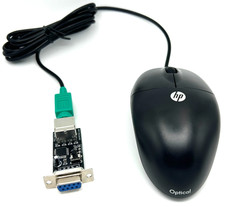
Commodore 64 1351 Compatible Optical Mouse with Adapter (Geos etc) - USA Seller
$29.99
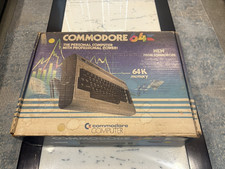
BOXED Commodore 64 Computer w/Matching Serial Numbers for Parts/Repair
$99.99

Commodore 64 Serial Cable 6PIN DIN 1541 1571 C64 128 C128 Disk Drive Printer USA
$10.49
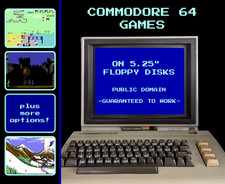
🕹️ Commodore 64 Games on Floppy Disks: Retro Public Domain C64 🕹️
$8.95
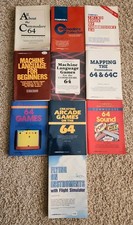
Vintage Commodore 64 128 Collection by Compute's Books for the C64 C128 LOT 10
$299.99
Vintage Commodore Collection C64 C128 1571 1541 Drives Monitors Printers More
$3500.00
Lot 8 Vintage Commodore 64 C64 C128 GEOS Software Boxed CIB Berkeley Softworks
$349.99



 Reply With Quote