

 Reply With Quote
When you run the command
ls -la /dev/dvd
in a terminal, what is the output?


I'm having a strange problem, I was able to burn a DVD using K3b but I can't mount it to verify if it burned properly.
I've made a dvd directory in /mnt and tried variation of sudo mount /dev/dvd /mnt/dvd like sudo mount -t etc. or sudo mount -a etc. but nothing seems to work.
When you run the command
ls -la /dev/dvd
in a terminal, what is the output?
lrwxrwxrwx 1 root root 10 Jul 27 2004 /dev/dvd -> /dev/cdrom
hmm, looks like there's something corrupted with the DVD - since another one worked fine :/
 Posting Permissions

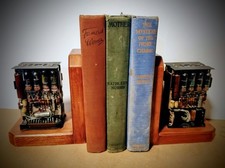
One Of A Kind Homemade Vintage Mainframe Computer, Logic Module Wood Bookends
$149.00

Vintage Telex 952003-112 Mechanical Terminal Keyboard IBM 3270 Mainframe DB25
$594.99

Vintage Intel Mainframe Server MCM CPU Substrate Lot Prototyping PGA Validation
$500.00

HP 13210-60001 Disc Drive Interface PCB HP 7900A 7901A Vintage
$157.93

4x Various Brands 8.5" Mainframe 9-Track Reel Computer Data Tape 6250 CPI .5"
$24.99
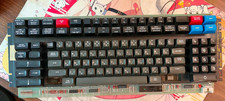
Vintage Japanese Katakana Double Shot Sperry Univac UTS 4000 Keyboard 1981
$199.99
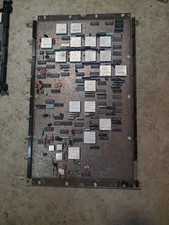
IBM mainframe circuitboard untested condition
$120.00
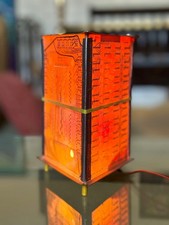
Vintage UNIVAC Mainframe Circuit Board Lamp - Cyberpunk Tech Geek Industrial Art
$225.00

HP 5060-8359 8K Semiconductor Memory Module 5080-9747 Vintage HP Computer
$157.30
MCSI IND-486DX Industrial ISA SBC PC/104 Motherboard NOS Untested No CPU RAM
$189.99