

 Reply With Quote
@1 - log out and choose End Current Session, than choose new one
@2 - K-> Control centre -> Desktop -> Panels -> Menus
@3 - Edit -> Reset&Clear terminal?


1)Is switchdesk not supported in knoppix ??
If not, then how to switch desktops from Konsole(cui)
2)How should I clear the recent apps in the K menu/start menu in knoppix.Code::example : switchdesk xfce
3)How do I clear the recently used commands
in konsole. I mean if I use history command I must not be able
to see what were the previous no of commands typed.I have
last 100 commands recorded instead of 1000 which is default.
Please reply folks ..... THANKS IN ADVANCE
@1 - log out and choose End Current Session, than choose new one
@2 - K-> Control centre -> Desktop -> Panels -> Menus
@3 - Edit -> Reset&Clear terminal?
answer for 2 and 3 is fine.
But my question for 1 is howto-from konsole / character user interface not desktop/xserver
Doesn't work.. and is not the solutionEdit -> Reset&Clear terminal?
I had a look at man page for history which has a option/switch to clear.
the right command is
[root@localhost root] $ history -c
//followed by enter.(then try pressing up arrow key or type history(only one command can be seen))
I still cant understand how I accepted the answer earlier
 Posting Permissions


HP ProLiant MicroServer AMD Athlon II Neo N36L 1.3GHz 8GB RAM 4-Bay NAS Server
$99.00

Supermicro 1027GR-TSF 1U Rackmount Server 2x Xeon 2.3GHz 128GB DDR3
$219.99

Supermicro 721-2 Mini Tower Black Computer Server NO Hdd
$375.00

$280.00

New Barebones Supermicro 5019D Server, 4C/8T Xeon D-2123T, 1U Rackmountable, 10G
$449.99

1U Supermicro SuperServer 5019D-4C-FN8TP Xeon D-2123IT 4 Core 32GB X11SDV-4C-TP
$699.00

HP PROLIANT MICROSERVER GEN8 E3-1220LV2 @ 2.30GHz, 8GB RAM, NO HDD/OS
$166.47

Supermicro 1U Server 514-4 (X11SSZ-QF) | i7-7700 - 16GB DDR4 Ram - Rackmountable
$249.00
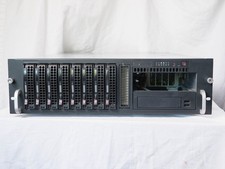
Supermicro CSE-833 3U 8-Bay Barebones, w/ power supply, trays, backpane, fans
$200.00

BOXX B157552 SuperMicro X10DRT-L 2x Intel 2630V4 NO RAM & SSD Server
$160.99