-
HELP ME WITH NETWORKING
i am using knoppix 3.6 and i have a lan (VIA Rhine II Fast Ethernet Adapter) connected to d-link access point
the problem that i can not connect to internet so what to do
-
Administrator
Site Admin-
Your post is a bit confusing. I think the NIC that you have is a 1000/100/10 card that hooks up by wire. But you say you are using an "access point", which is a term that is used to imply a wireless connection. Are you actually hooking up to a D-link router by wired connection?
You may well have some driver support issue in using a new 1000 mbit interface. That can't be helped by using an older version of Knoppix. I would suggest that you get one of the 3.8.x releases or even the bootleg 4.0 DVD, or wait a little while until the officail 4.0 C and DVD are released (I have no idea when they will actually be released, I check a few times a day and sure hope they will be released officially soon). 3.9 is buggy and brings little to the table, I would avoid it. I do not actually know if a newer version of Knoppix will have the drivers you need.
You might also consider putting in a normal 100/10 NIC. You're not gaining anything at all by using a 1000/100/10 NIC if you hook it up to a device that does not support 1000 mbit connections, and it seems to be causing you problems.
We have a networking forum. Why in the world did you not post this there?????
-
Senior Member
registered user
For the begining try: nodhcp or acpi=off . If you use Live CD, put this in command prompt at the begininig, if Knoppix is on hdd, put this in menu.lst (for Grub) or lilo.conf, for Lilo:
kernel /boot/vmlinuz-2.6.11 root=/dev/hda3 ro ramdisk_size=100000 init=/etc/init lang=us apm=power-off xmodule=fbdev nomce quiet knoppix nodhcp acpi=off
Don't forget to execute Lilo in terminal after changing lilo.conf.
-
well thank u both for ur reply
i am using a wireless connection and the interface i mention(VIA Rhine II Fast Ethernet Adapter) is built-in one in AS-ROCK mainboard which is connected to the access point
and regarding the second post when i tried to make the connection the wizard ask me if i use dhcp and i said no so no need for the command line
so can i get further help
Similar Threads
-
By sean.1986 in forum Networking
Replies: 13
Last Post: 06-15-2006, 07:11 PM
-
By jpkennedy79 in forum Networking
Replies: 4
Last Post: 12-14-2004, 05:08 AM
-
By anthonywandeto in forum Networking
Replies: 21
Last Post: 08-02-2004, 03:41 PM
-
By YannLeMerle in forum Networking
Replies: 5
Last Post: 04-30-2004, 08:44 AM
-
By Nthline in forum Ideas
Replies: 0
Last Post: 04-16-2003, 10:44 PM
 Posting Permissions
- You may not post new threads
- You may not post replies
- You may not post attachments
- You may not edit your posts
-
Forum Rules

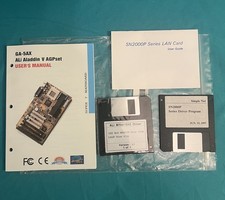
Vintage GA-5AX ALi Aladin & SN2000P LAN Card Manuals & Driver Floppies Lot
$30.00

Vintage HP 21MX 1000 M-Series Minicomputer Chassis Backplane Parts AS-IS
$228.19

Lot of 2 Vintage Plextor PX-43CS SCSI CD-ROM Caddy Drives + 4 Caddies Used
$55.99

Vintage Apple iMac G4 15" Lamp 700MHz 512MB Mac OS X 10.4.6 W/ Pro Speakers
$300.00
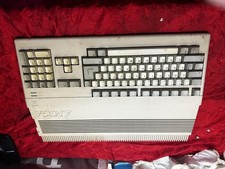
Amiga Commodore A500 - Untested-For Parts or Repair - Vintage
$200.00
Vintage Standard Memories MM-140 Memory Board ASSY 102415 - Working When Pulled
$175.00
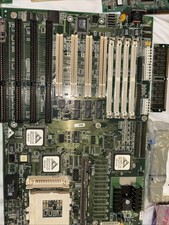
Vintage Computer Motherboard Used
$250.00
Rare Vintage SCM Microsystems Swapbox Classic 2 Dual PCMCIA to ISA Adapter
$120.00

Vintage Teac FD-505 5.25" 3.5" Combo Drive 19307571-00
$199.99

VINTAGE COLLECTIBLE Comp USA Maxtor 20 GB 3.5 Inch EIDE Hard Drive NEW SEALED
$500.00



 Reply With Quote