


 Reply With Quote
Btw, this even works if you move your cmg files to another location (e.g., /opt/klik) - just run one cmg from the new location, and the menu will be updated automatically after you quit the application.
Greetings,
probono


klik now automatically populates the klik menu inside your KDE menu.
It becomes updated automatically after each successful run of a klik'ed application.
Note: you need to reinstall your klik client with
Greetings,Code:wget klik.atekon.de/client/install -O - | sh
probono
Btw, this even works if you move your cmg files to another location (e.g., /opt/klik) - just run one cmg from the new location, and the menu will be updated automatically after you quit the application.
Greetings,
probono
Amazing. I guess application icons will come in time...
Probono,
After following your advice...
"Note: you need to reinstall your klik client with
Code:
wget klik.atekon.de/client/install -O - | sh"
... I can not run ANY cmg. I get the error "Unable to mount /tmp/app/1"
followed by "/home/user/.zAppRun: line 127: /tmp/app/1/wrapper: No such file or directory".
I am using Kanotix32 version2005-03 installed on a HDD. How can I get cmg to run again?
I get the same error messages with Kanotix-2005-04-Lite-RC15
drb
I noticed while CMGs would not run, that command actually did insert the icons into the menu.
Since I produce a clone of this cd regularly, i reloaded back to where i was earlier. the CMGs work again and so do any new downloads. however, the menu icons are not produced.
things that make you go... hmmm
dnr_ron
I manage to get cmg files working by running the klik client and then changing the /mnt to /tmp in fstab. Most of my old cmg files appear to work.
drb
I am running kanotix 2005-04, hd install. I am able to install and run .cmg files that I install with klik, but klick does not note those applications in the kmenu, and when I try to manually place those applications on the kmenu, they will not load, is there something that I am doing wrong? all of the files are stored in my home directory, and when I installed the klik applications I was not logged in as root, I don't think that would cause that problem, but I don't know for certain. Any ideas, or if not, anybody else have the same problem?
Hi,
I also performed the update - and it appeared to work ok - I get icons within the start menu, however, when going to the klik website, I get the usual messages when opening a program, asking if I want to open klik://.... then I get an error message 'Error while trying to run...'.
I've had this before when the main website was down - is there anywhere I can find diagnstic information I can post back to you?
Thanks
Carl
(using SuSE SLICK).
Just thought I'd let you know - I've tried again and it's worked - looks like a glitch on the download mechanism that passed?
Just as a thought - the entries in the list will end up growing (potentially) quite large - are you planning to be able to split up the menu entry into categoried sub-menus? (Taken from the main Klik website - eg. graphics / games etc....
Thanks
Carl.
 Posting Permissions

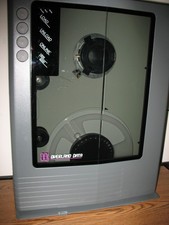
VINTAGE RARE Overland 9 Track tape drive for mainframe computer storage
$800.00
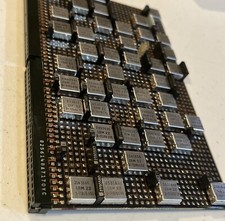
IBM MST-2 370 Integrated Circuit Computer Chips Lot Of 43 Rare 1970s Vintage
$249.00

HP 5060-8359 8K Semiconductor Memory Module 5080-9747 Vintage HP Computer
$165.58

Vintage Telex 952003-112 Mechanical Terminal Keyboard IBM 3270 Mainframe DB25
$679.15
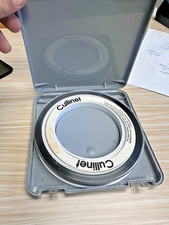
Vintage Cullinet IDMS IBM Mainframe Magnetic Tape Reel Software 1980s JCL
$98.99

Vintage IBM #192726 Paper Tape Punch Mainframe Computer Programming Tool 1960s
$94.95
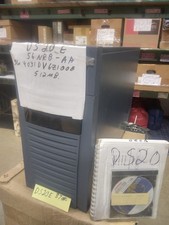
DEC ALPHA DS20E system complete, posts good. 512mb, no disks, Digital Equip Corp
$699.00

Vtg IBM Mainframe Prototype Chip Module Lot 146 pc 1988-1993 ES/9000 Lab Arcive
$649.00
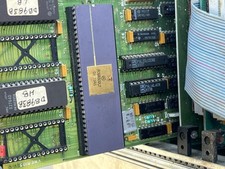
Mystery Vintage Computer Mizar Motorola 68000 Based System W Shugart Drives
$500.00
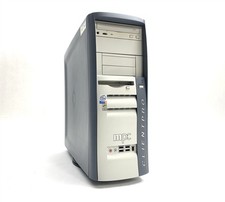
MPC ClientPro 545 Pentium 4 2.40GHz 512MB NO/HDD RV100 Vintage PC Retro Computer
$149.97