

 Reply With Quote
So assuming that /mnt/hda1 is your C: drive, what is the result of:
find /mnt/hda1 -iname 'inbox*'


Hi,
I am searching on a Windows hard drive while running knoppix ..
The Linux find files utility does not find files ...for example .. if I search for inbox* ...while choosing to search down through the folders .. I know its there ... I can navigate to it .. but the find utility does not find it ... maybe there is some trick someone can advise me of .....
actually I remember this apparent flaw from years ago when I dabbled with Red Hat Linux ...
please advise
cheers
max
So assuming that /mnt/hda1 is your C: drive, what is the result of:
find /mnt/hda1 -iname 'inbox*'
find /mnt/hda1: no such file or directoryOriginally Posted by UnderScore
I get I assumed too much.
Is your windows partition mounted? Knoppix will not automatically mount the other partitions as a security feature. If so then point your find command at it's mount point.
Example on my test machine;
hda1 C: drive NTFS Windows XP
hda2 Debian Linux ext3fs
hda3 swap
I boot off the Knoppix CD, then in a command line konsole window, I become root user:Then I mount the hda1 C: drive:Code:su -Then I run my find command (example: I am looking for DLL files.):Code:sudo mount -t ntfs -o ro,users /dev/hda1 /mnt/hda1This is all if you _want_ to run commands. In Knoppix, when you boot up, it usually creates icons on the desktop for the other HD partitions. By clicking & running the icons, the partitions will be automatically mounted as read-only and you will be able to use the GUI file manager to locate files and/or still run the find commands.Code:find /mnt/hda1 -iname '*.dll'
I hope this helps.
James
Yes it is mounted .. hda1 automatically mounts when I click the icon on the desktop
Before I tried your console command ... I was using the find utility invoked from tools menu in the window view ... the result was the same ... no file found ..actually there is no such message in the window
I did not try as root.. only Knoppix user .... should I try this? .. the other thing I can try is making the drive writeable .. although this is not really logical
can you find your inbox on your windows drive??
Got it ... I had to make the drive writable .. now I can find files
thanks for your help
max
 Posting Permissions


Computer Photo History Altair 8800 Philco 212 CDC 6600 DEC PDP-8 Apple 1 UNIVAC
$69.99

S-100 Vector Graphic 64K Ram Board (Altair, IMSAI)
$99.95

S-100 Vector Graphic 12K PROM/RAM Board (Altair, IMSAI)
$99.95

S-100 Bus Handbook Altair 8800 IMSAI 8080 Board Schematics Xitan Pertec Cromemco
$89.99
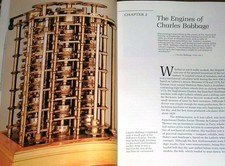
Intel 4004IBM Mark 1 UNIVAC Cray-1 Babbage ENIAC Apple 1 Steve Jobs MITS Altair
$50.99
1979 Microprocessor Projects Altair 8800 Intel 8080 KIM-1 COSMAC Elf SWTPC 6800
$59.99

Vintage Digital Research ZSID 1.4 8" Floppy Disk CP/M Z80 Software S-100 Altair
$69.99
640pg Best of BYTE Magazine 1984 Mac Steve Jobs Altair 8800 IBM 5100 Bob Moog
$85.00

CP/M 86 1.1R 8086 Highmonitor 8 Inch Floppy Diskette 80s IMSAI Altair
$29.99

ALTAIR Bitcoin Mining Solutions PDU IEC SERIES 100-250V 30A/24A Power Distribute
$99.00