

 Reply With Quote
What type of partitions do you have (NTFS or FAT)? If you don't know, what version of Windows do you have?


When I boot Knoppix from the CD, I cannot write to the hard disk!
Is there a way to correct this problem?
What type of partitions do you have (NTFS or FAT)? If you don't know, what version of Windows do you have?
---
Verifying of md5 checksum and burning a CD at slow speed are important.
I am having the same problem. I am trying to write to the hard drive or to and external hard drive that is plugged in to the USB port, I dont care which, I just need a way to save a text file so that I can open it in Windows.
I have only 1 partition on my hard drive and the file system is NTFS.
One more note on that, I can see icons for both the hard drive and the external hard drive in the USB port on the desktop. And I can read files from both, and run programs from them. Unfortunately, I just can't write files, the one thing I need to do most. I am able to write the file to some folder associated with the CD (file:/UNIONFS/home/knoppix/filename) . And I tried copying it from there to either of the hard drives but I get an error message.
I would be very thankful for any suggestions you might have.
Thank you!!!![/i]
Not sure if you have the same problem as Pyromaster114 or not, but there is a simple answer to your question and you are not going to like it. You do not write to an NTFS partition. Microsoft has put a lot of effort into seeing to this, when Linux tries to write to an NTFS partition it almost always corrupts it. Until a safe way is found to write to an NTFS partition, don't even try to do so.Originally Posted by amrobert
Your best bet, if you wish to use Knoppix or any other Linux Live CD is to see if you can read the data safely (this is safe since read only access can't corrupt the file system), and if you can, transfer it to another computer on the network, send it to some storage space on the Internet, email it to yourself, dig out those old floppy disks you haven't used in years, save it to a USB flash drive or a USB hard drive with a FAT partition, or even install an extra hard drive that you have put one or more FAT partitions on to that you can write to safely. If you do go the FAT partition route you will also have to remount the partition as read/write (Knoppix defaults to opening it read only for safety reasons).
If you have multiple optical drives or enough ram to use the toram cheat code you could also write the file to CD. Unfortunately, when you boot from CD and only have one CD drive and not enough memory to use the toram cheat code, this technique doesn't work, since the Knoppix CD has to stay in the drive.
I got my problem fixed. On the desktop, if I right click on the icon for the drive I am trying to write to, and under properties, change the privleges to read/write from Read Only for all users and ALSO (the part I was missing) go to the next tab and uncheck the box that superceeds everything and makes the drive Read Only. Then right click to unmount the drive, and then right click again to mount the drive and this worked for me. Thanks for your help!!!
THANK YOU THANK YOU THANK YOU!-This was driving me nuts! I am a happy man now.
Yours-Tbobz
Are you saying that you are now writing to your NTFS drive? This is something I need to do but everything I have read so far says you can't do that safely.
init 2 and you can write to your harddrive.
Sorry I'm new to Linux. What does that mean?
 Posting Permissions


OPNsense pfSense 8-Core Atom C3758 2.2GHz 8GB DDR4 64GB SSD 8x NIC QAT AES VPN
$145.00

OPNsense Firewall 16-Core Atom C3958 16GB DDR4 RAM 64GB SSD 8x 1Gbe QAT AES-NI
$195.00
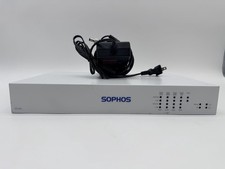
Sophos SG 135 Rev.3 Firewall Router -Atom C3558 6GB RAM 64GB SSD OPNsense 8x NIC
$195.00

Check Point 1590 Firewall & w builtin WiFI and builtin LTE sim slot
$95.99
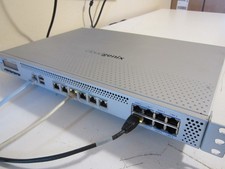
PfSense/OPNsense 14x1Gb, 8-Core, 8GB RAM, 80GB SSD, AES-NI, QAT (Lanner FW-7573)
$149.00

OPNsense pfSense 16-Core Atom C3958 16GB ECC RAM 512GB SSD 8-Port QAT AES-NI VPN
$258.00

Fortinet FortiGate 60F FG-60F UTM UTP License Until 2027 Network Security FW VPN
$229.99
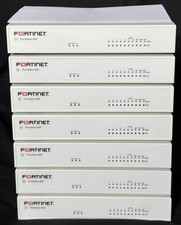
Fortinet FortiGate 60F FG-60F Firewall Tested Reset Deregistered OEM PSU
$99.99
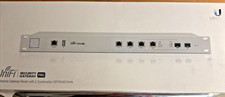
$170.00

SonicWall TZ280 Firewall 03-SSC-6933 Advanced Edition 3YR NEW SEALED
$999.99