

 Reply With Quote
I think you can put your two codes in /boot/grub/menu.lst under
"kernel /boot/vmlinuz-2.6.11-kanotix-11 root=/dev/hda1 ro ramdisk_size=100000 lang=us apm=power-off nomce screen=1400x1050 vsync=60 " as this exemple shows, but I am not sure...


Hi folks, I've got a quick newbie question... I searched through the forums and couldn't find exactly what I was looking for, so I thought I'd ask.
I use Knoppix almost exclusively on my work laptop, and my screens strange default resolution dosen't seem to be natively supported. Every time I boot, I always need to enter cheatcodes to change to the proper resolution of 1400x1050, and to set vsync to 60.
How can I ensure that these two codes are set as defaults, so that I don't need to enter them every time?
Thanks in advance!
I think you can put your two codes in /boot/grub/menu.lst under
"kernel /boot/vmlinuz-2.6.11-kanotix-11 root=/dev/hda1 ro ramdisk_size=100000 lang=us apm=power-off nomce screen=1400x1050 vsync=60 " as this exemple shows, but I am not sure...
I assume you run Knoppix from CD, so you cannot simply edit the contents of menu.lst because the file is on CD and read only.
Normally, you would extract the ISO from the CD and modify the contents of the ISO with an ISO editor. But there is also a "dirty" way that I used to create a Kanotix CD with default cheat codes "myconf=scan home=scan vsync=70": I extracted the ISO from the CD using "cp" (cp /dev/cdrom/ [destination] kanotix.iso). Then I opened kanotix.iso with a hex editor, searched for menu.lst (which, fortunately, is not integrated into the compressed Kanotix image) and edited the line of commands that show up on the boot screen. Be careful, though, because you must neither overwrite important lines nor change the file size of menu.lst. When you're done editing kanotix.iso, burn it on CD.
Note: For Knoppix, it's isolinux.cfg that must be edited. But it's the same mechanism.
ockham23 last comment is very correct.
Just search the forums for isolinux.cfg.
I have posted many times on how to permanently turn on cheat codes in the isolinux.cfg file.
 Posting Permissions


Computer Photo History Altair 8800 Philco 212 CDC 6600 DEC PDP-8 Apple 1 UNIVAC
$69.99

S-100 Vector Graphic 64K Ram Board (Altair, IMSAI)
$99.95

S-100 Vector Graphic 12K PROM/RAM Board (Altair, IMSAI)
$99.95

S-100 Bus Handbook Altair 8800 IMSAI 8080 Board Schematics Xitan Pertec Cromemco
$89.99

Vintage Digital Research ZSID 1.4 8" Floppy Disk CP/M Z80 Software S-100 Altair
$69.99
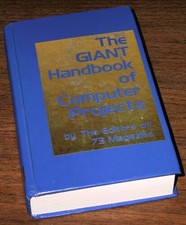
1979 Microprocessor Projects Altair 8800 Intel 8080 KIM-1 COSMAC Elf SWTPC 6800
$59.99

Altair MITS S100 Backplane 8080A S-100 Replica IMSAI CP/M (bare board)
$40.00

BYTE Magazine Cover Jan 1977 Canvas Print 8"x10" Retro Computer Altair 880
$7.00

CP/M 86 1.1R 8086 Highmonitor 8 Inch Floppy Diskette 80s IMSAI Altair
$29.99

ALTAIR Bitcoin Mining Solutions PDU IEC SERIES 100-250V 30A/24A Power Distribute
$99.00