-
internal wifi card...connected, but can't browse internet??
Hi guys, first off: I'm a newbie! Installed 3.9...running kwifimanager shows I'm connected to network, but when I open mozilla or konqueror and try to go to any site, it says www.whatever.com could not be found.  ...I just wanna browse the net, arrrg! Please help!
-
start dhcp client or static route.
-
I get connected, have IP Address, cannot connect
I am running Knoppix 3.9 on a Dell CPi notebook with an RT2400-based cardbus card.
With coaxing I get "connected":
I run (with sudo su):
ifconfig eth0 up
iwconfig eth0 essid 'network-ssid'
I then run the KDE network card configuration, and tell it to use DHCP.
I then do ifconfig, and it shows an appropriate IP Address.
Strangely, I can't ping the dhcp server that the machine just connected to in order to get the IP address it has. Weird.
I also, of course, cannot connect to the internet. With Mandrake 10.1, I was able, so it's not a router setting.
Arrg.
Jonathan
-
Fixed, sort of
I was able to get working, but I had to "open" my wifi a bit.
I noticed the other day that when I went to Saint Louis Bread Co, my laptop just connected using Knoppix 3.9, no problems. I could access the internet with no effort.
So, at home, I made a couple changes to the Access Point. I set the channel to 1, instead of 6; and I set it to broadcast the ssid, since this is how public APs work. I had already disabled WEP -- this is definitely part of the "public access point" methodology.
Eureka! Simply booting Knoppix 3.9, my laptop connected to the network with no coaxing.
Security Note:
Given that I had to disable WEP, I made sure that the MAC filter was set to allow only the card in my laptop. This now, is the only wifi security I have. WEP would be nice, but also not highly secure. WPA would be better, but I knew going in that it wasn't supported by all of my h/w-s/w.
You might try checking and enabling the SSID Broadcast on your Access Point. As far as channel 1 goes, I just did that because I noticed in iwconfig that it seemed to connect on channel 1, even though my AP was channel 6. I decided that, at some level, it wasn't negotiating the channel properly. Having connected successfully without checking each change on its own, makes it difficult to say if one or the other change was the most important.
Jonathan
Similar Threads
-
By gccradioscience in forum Networking
Replies: 1
Last Post: 04-03-2008, 01:24 AM
-
By YareDaze in forum Networking
Replies: 1
Last Post: 02-04-2007, 09:51 PM
-
By r00tNinj4 in forum Networking
Replies: 3
Last Post: 07-23-2005, 09:43 AM
-
By siggy in forum Hdd Install / Debian / Apt
Replies: 5
Last Post: 07-11-2005, 06:56 AM
-
By Yojimbo in forum Hardware & Booting
Replies: 3
Last Post: 01-11-2005, 11:23 PM
 Posting Permissions
- You may not post new threads
- You may not post replies
- You may not post attachments
- You may not edit your posts
-
Forum Rules


Macintosh Platinum Mouse - Apple 128K 512K 512Ke Mac Plus Lisa IIe M0100 - NEW
$49.99

Vintage Apple Macintosh Keyboard Model M0110 - 128K/512K/Plus (260191)
$99.00
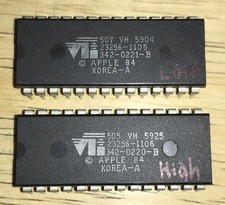
RARE 1984 Apple Macintosh 128K Original ROM Set Low/High Version B TESTED NICE
$169.99

Apple Macintosh 9" B&W CRT Mac 128k 512k Plus SE SE/30 Classic - Working (260191
$39.99
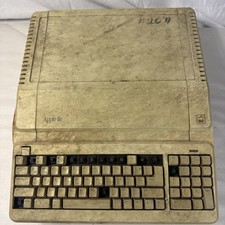
Vintage Apple IIe Platinum A2S2128 128K Computer Parts Repair Missing Keys
$100.00
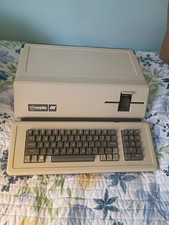
VINTAGE APPLE III COMPUTER A3S1-052010 (128k)
$800.00

EARLY 1984 APPLE MACINTOSH Model M0001 1st MAC 128K + PICASSO KIT WORKING RARE
$4499.99

Apple Macintosh 128k 512k Plus Power Supply Analog Board - needs work
$60.00

Apple Macintosh Mac 128k - 512k Boot / Diagnostics 2 Disk Set for Classic Macs
$14.99

Vintage Apple Macintosh M0100 Mouse 128K/ 512K/ Plus (260191)
$44.99



 Reply With Quote