

 Reply With Quote
chmod 0 /usr/bin/mkdesktophdicons


Hi. Total newbie here.
I have Knoppix 4.0 on DVD. All is well. Have created Persistent Home Directory on USB Key.
When the system boots up I have icons on the desktop for all of my drives and partitions. Since I am only going to be using the USB (and possibly an external HD), is there any way to get rid of the desktop icons for the drives I do not need to see? I have sent them to the Trash, but each time I reboot they are back. I want to be able to reboot and have only the icons I need on the desktop.
Also, I renamed one of the icons (sdf1) to "USB Key". When the system reboots, it comes back as the original (German) name. Is there any way to save the name change?
Also (while we're at it), does anyone know why I have two Trash icons? Can I get rid of one of them?
Thanks in advance for any help/suggestions.
chmod 0 /usr/bin/mkdesktophdicons
 Posting Permissions


Supermicro 2U X10DRU-i 2x E5-2680 v3 2.5ghz 32gb Ram 240gb SSD 2x GPU *READ*
$369.99

HP ProLiant MicroServer Gen8 G1610T @2.3 GHz, 16GB, 712317-001 NO HDD/OS
$199.00

Supermicro CSE-937 3U Storage Chassis No CPU No HDD No Ram Tested & Reset
$129.99

Supermicro 1U Network Server Appliance 16GB RAM 800GB SSD 6 LAN Ports Powers On
$450.00

New Barebones Supermicro 5019D Server, 4C/8T Xeon D-2123T, 1U Rackmountable, 10G
$449.99
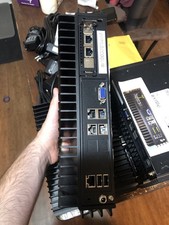
Supermicro SYS-E302-9A Fanless Firewall Atom C3558 16GB ECC 64GB SSD 6x GbE i350
$325.00

Supermicro 5019D-4C-FN8TP Xeon D-2123IT (4C/8T) 64GB DDR4 10GbE 480GB 1U Server
$689.00

Supermicro 1027GR-TSF 1U Rackmount Server 2x Xeon 2.3GHz 128GB DDR3
$219.99

Nasuni NF-50 Supermicro Server, Atom CPU C2558, @ 2.40GHz, 8GB RAM-No HDD/OS/AC
$250.00

$280.00