

 Reply With Quote
I usually just use wget. http://www.gnu.org/software/wget/man....html#Examples
It's a cli app but gets the job done.


I had troubles using KGet and wrote to this forum but got no reply.
Please recommend me another down load manager suitable for use with Knoppix.
Thank you and regards.
I usually just use wget. http://www.gnu.org/software/wget/man....html#Examples
It's a cli app but gets the job done.
Thank you, Markus.
I use Knoppix from a CD. Will I have to intall wget on the HD or do I call it from a file when needed?
I don't happen to know what a "cli app" is.
Regards.
CLI means Command Line Interface, and you use it from a console, or konsole as kde calls it. App is short for application. Wget is on the cd, all you need to do is change to a directory that is mounted writable and type without quotes "wget http://some_url or ftp://.....something". If the file is small enough to fit on the ramdisk you can also download it there. Look at the examples in the link I posted, they explain the usage better than I could.
There are GUI apps as well of course (GUI = Graphical User Interface). I just don't much use them. This is the first link google got me when searching for: linux "download manager"
http://www.icewalkers.com/Linux/Soft...ad-Tools/1700/
Of course. I have used cli apps in the past at the times of DOS, but perhaps GUI apps are more comfortable to use.
Anyhow I'll try it out and let you know.
Thanks again.
¡Buena suerte!
Dear Markus,
I seem to be doing OK but I fail to find the way to tell wget where to save the downloads.
You say:
Presumable this I ought to do from the konsole, and I write after the knoppix prompt, say:all you need to do is change to a directory that is mounted writable
/mnt/uba1
It replies:
bash: /mnt/uba1: is a directory
So the method used in DOS to place yourself in a directory fails here.
I have reviewed the manual you recommended but can't find how to tell wget where to save.
Regards
JM
Use cd to change directory. Namely cd /mnt/uba1
It needs to be mounted writable first of course, for this you can use the desktop icon.
If it's mounted read only (check by typing mount) you can change to readwrite with sudo mount -o remount,rw /dev/uba1 /mnt/uba1
May I suggest some reading:
http://homepage.powerup.com.au/~squa...inuxmanual.pdf (don't know why it's called one page manual since it's two pages unless you print double sided)
http://www.tuxfiles.org/linuxhelp/
Thank you for your help. I'm learning not only wget but linux in general as well.
It doesn't seem to work either. I get:
Of course it was mounted and writable. It is a pen drive.knoppix@0[knoppix]$ cd/mnt/uba1
bash: cd/mnt/uba1: No such file or directory
knoppix@0[knoppix]$
I still have to study the one page manual. I'll print it to have it handy. A good resource, indeed.
There should be whitespace between cd and the path...Originally Posted by Jorge Martínez
Now it works!!!!!
Thank you for your patience, Markus!
 Posting Permissions

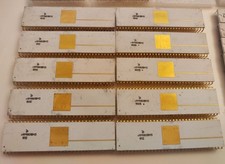
Rare Vintage Soviet KM1801VM3 (КМ1801ВМ3) 16-bit CPU Processor - White Ceramic
$99.00

Vintage HP 21MX 1000 M-Series Minicomputer Chassis Backplane Parts AS-IS
$228.19

Vintage Computer Keyboard Northgate OMNIKEY Ultra
$120.00

Lot of 2 Vintage Plextor PX-43CS SCSI CD-ROM Caddy Drives + 4 Caddies Used
$55.99
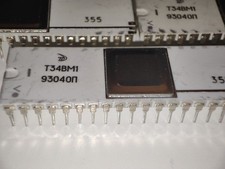
Rare Vintage Soviet T34VM1 (Т34ВМ1) Z80 CPU Processor
$99.00

Vintage USSR ferrite core memory 4096
$99.00

Original Vintage Old Style STANDARD Black CD Jewel Case (Heavy Duty) 90g Lot
$316.95
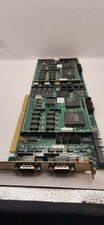
Vintage Cubix A2870 + 2x A2310 QL 2286 Video Module ISA Boards 1989 Untested
$207.92

Vintage Apple iMac G4 15" Lamp 700MHz 512MB Mac OS X 10.4.6 W/ Pro Speakers
$300.00
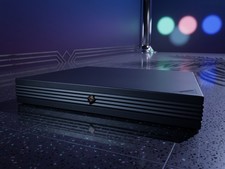
Vintage NeXTstation N1100 Computer Workstation w HDD & FDD Steve Jobs Powers On
$299.95