

 Reply With Quote
Not sure why you want to set the path for it. Have you tried: update-alternatives --config java
How are you installing java? With java-package?


Every time I upgrade to a new version of java, I forget how to set the PATH variable.
I know you can use export, but I've manually editted the PATH var so as to remove the old path setting from
/usr/java/j2sdk1.4.2_08/bin/java
to
/usr/java/jdk-1_5_0_04/bin/java
TIA,
AJG
Not sure why you want to set the path for it. Have you tried: update-alternatives --config java
How are you installing java? With java-package?
Well, I'm installing the self-extracting *.bin from java.sun.com
The instructions say to download it whereever, say /root
Then, cd to the dir you want to extract it to, say /usr/bin/java and execute the *.bin creating a subdir there.
Now, I want all the users on this server to use the new executables for java, javac, appletviewer and javadoc versions 1.5
I think I remember now, all I did in the past wasto edit the path line and then reboot orCode:kwrite /etc/profileBTW, is there a way to see the current path without opening the file /etc/profile?Code:source /etc/profile
Also, to uninstall the old jdk, do I simply remove its dir from the path and delete that dir and all its subdirs?
TIA,
AJG
Have you seen this? http://serios.net/content/debian/jav...va-package.php
The point with java-package is that you create a .deb with it which can then be (un)installed with dpkg.
For a single user I sometimes just export the path manually with PATH=/some/new/path:$PATH && export PATH but you said you don't want this so how about:
sed -i 's/sbin/sbin:\/some\/new\/path/' /etc/profile
You can choose something else than sbin of course, I didn't even check if it's mentioned only once. Or you can echo the path somewhere.
OK, I'll have to look at your link. However, I seem to remember having a problem the first time I installed java with a *.deb
Sun Micro provides the *.bin and a *.rpm so i used alien to convert the *.rpm to a *.deb and tried to install it with kpackage. However, the *.deb generated was incomplete. I figured alien couldn't handle such a large file....
Thanx for the help,
AJG
I didn't see a question there so I neglected to answer, perhaps I should have. Did it work? As you probably noticed java-package uses the bin from sun as well, so it isn't that different except that you get a deb out of it.
Thanx for your concern. However, I have to wait until I get back to school after Labor day to play around with this.
Regards,
AJG
That was fast
 Posting Permissions


Lot of 500 Cisco 10-3145-02 QSFP-100G-CWDM4-S 100G CWDM4 QSFP28 Transceiver
$1500.00

NEW Sealed Cisco SFP-10G-LR 10GBASE-LR SFP+ 1310nm 10km *US Shipping*
$24.00

Dell Intel X710-DA2 5N7Y5 Dual-Port 10GbE SFP+ PCIe 3.0 x8 Network Adapter
$27.50
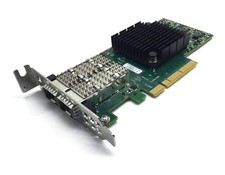
Dell Mellanox ConnectX-4 Lx CX4121C 020NJD Dual-Port 25GbE SFP28 NIC Low Profile
$35.00

SFP TO RJ45 TRANSCEIVER SFP MODULE COPPER SFP OPTICAL PORT TO RJ45 ETHERNET PORT
$7.99

Genuine Cisco SFP-10G-SR 0-2415-03 10 Gigabit Transceiver
$5.40

HP 560SFP+ 10GB 2-port PCIe NIC Ethernet ADAPTER 669279-001 w/ (2) 10GB SFP+
$16.99

Intel X520-DA2 10Gb 10Gbe 10 Gigabit Network Adapter NIC Dual Port E10G42BTDA
$33.94

20 X New Cisco QSFP-100G-FR-W2 10-3659-01 Module Hologram Brand New 20 Pack
$299.00

Extreme Networks 10GE X440-G2-24P-10GE4 16533 24Plus-Ports POE+ Switch UP
$127.00