-
Senior Member
registered user
poor mans install for knoppix 3.3
I have a mini-pc with a cfcard (sitting on hdc).
Since its only 512mb, I want to boot off the iso of a miniknoppix based on version 3.3.
The iso is 200MB so plenty of space.
It seems however, that the doc have been updated and I can no longer find the info for
version 3.3 Only for 3.4 and more.
So my questions are: Is there still doc for version 3.3?
Also, ( a bit more hardcore)
Can I haved the "boot" and the "KNOPPIX" folders be on the same partition ?
I have figured out what to add to lilo.conf and it starts to boot but cannot
find the rest of the system.
Seems the boot folder works, but the ISO (KNOPPIX) is not working.
So maybe its because its on the same partition?
I understand that the partition having the KNOPPIX file will be read-only.
Running of an ISO, to disable hw detection everytime, I can use the "home" feature or
will I have to remaster it to stop the hw detection?
-
Senior Member
registered user
There is some info on doing a poorman's install using knoppix 3.3 here: http://www.knoppix.net/wiki/Remaster..._Install_HowTo
It should work with your mini provided that your mini iso will run like a normal 3.3 iso.
There is no reason that the KNOPPIX iso and the boot cannot be on the same partition.
Setting a 'save configuration' file should bypass some of the autodetection but I don't think there is any way to disable it all unless you modify the startup scripts which would mean a remaster & would also leave you with the problem of no hardware setup at all. You could try adding 'failsafe' to the 'append=' line in lilo.conf which would startup in failsafe mode using only a minimum of auto setup.
-
Senior Member
registered user
Jubii. It worked.  Having boot the boot and knoppix on same partiion is ok. (as you said)
I tried to create a new ISO from my harddisk install and even that it reported
no errors during the process, it does not start when using it as replacement
for the one that works. It just stop during boot. Im not a remaster master, i guess.
You could try adding 'failsafe' to the 'append=' line in lilo.conf which would startup in failsafe mode using only a minimum of auto setup.
Ahh. That was a good suggestion. Ill try that.
The save config does reduce it a bit but not as much as I had hoped.
Thanks for you time.[/quote]
Similar Threads
-
By Dr PC Tunes in forum Tips and Tricks
Replies: 17
Last Post: 12-26-2005, 08:29 AM
-
By Kumagoro in forum Hdd Install / Debian / Apt
Replies: 4
Last Post: 02-11-2005, 07:37 AM
-
By guyana in forum Hdd Install / Debian / Apt
Replies: 2
Last Post: 10-15-2004, 02:10 AM
-
By 00zero in forum General Support
Replies: 4
Last Post: 09-20-2004, 09:33 AM
-
By Kumagoro in forum Hdd Install / Debian / Apt
Replies: 2
Last Post: 05-13-2004, 04:59 PM
 Posting Permissions
- You may not post new threads
- You may not post replies
- You may not post attachments
- You may not edit your posts
-
Forum Rules


S-100 Vector Graphic 12K PROM/RAM Board (Altair, IMSAI)
$99.95

S-100 Vector Graphic 64K Ram Board (Altair, IMSAI)
$99.95

Vintage Digital Research ZSID 1.4 8" Floppy Disk CP/M Z80 Software S-100 Altair
$69.99
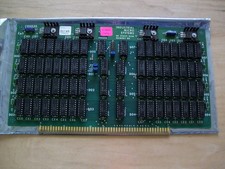
S-100 Industrial Micro Systems 8K Static Ram (IMS, Altair, IMSAI)
$69.95

Altair MITS S100 Backplane 8080A S-100 Replica IMSAI CP/M (bare board)
$40.00

BYTE Magazine Cover Jan 1977 Canvas Print 8"x10" Retro Computer Altair 880
$7.00
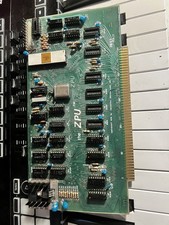
TDL “the ZPU” rev 1 February 1977 s100 cpu board
$345.00

S-100 backplane motherboard bare PCB 9 slot (for Altair/IMSAI)
$34.99

CP/M 86 1.1R 8086 Highmonitor 8 Inch Floppy Diskette 80s IMSAI Altair
$40.00

ALTAIR Bitcoin Mining Solutions PDU IEC SERIES 100-250V 30A/24A Power Distribute
$99.00



 Reply With Quote