-
Senior Member
registered user
IIRC, knoppix mounts the disks read-only (as a precaution against unwanted modifications by a not-so-well-tarined user).
Right click on the icon of the disk that you want to write to and select sth like "write enable" or "remount read-write" - this
might be hidden under a submenu, so look around (I can't test this now and so cannot be more specific -- sorry).
BTW mounting read-only and file permissions are two entirely separate things, you can't change one setting with the other tool.
Similar Threads
-
By blockHEAD in forum General Support
Replies: 0
Last Post: 08-22-2009, 04:38 AM
-
By n47713 in forum General Support
Replies: 0
Last Post: 09-28-2008, 07:27 PM
-
By AJones in forum General Support
Replies: 1
Last Post: 01-05-2007, 07:26 PM
-
By w5uc in forum MS Windows & New to Linux
Replies: 4
Last Post: 05-01-2005, 08:18 PM
-
By newiaqua in forum Hdd Install / Debian / Apt
Replies: 4
Last Post: 12-26-2004, 07:49 PM
 Posting Permissions
- You may not post new threads
- You may not post replies
- You may not post attachments
- You may not edit your posts
-
Forum Rules


Dell PowerEdge R640 1U 8SFF Server Barebones 2x Gold 5120 64GB H330 2x 750w
$538.88

Dell EMC PowerEdge R440 Xeon silver 4215 2.5GHz 16 GB ram 2x 550W PSU No HDD
$275.00

Windows Server 2025 Standard Edition - 24 Core License
$238.00

Microsoft Windows Server 2025 Standard 64Bit 16 Core-50 CALs DVD With Key Sealed
$43.85

Dell EMC PowerEdge R740 8 Bay Server w/ 32GB RAM 2x GOLD 6132 2x 1600W PSU H730p
$499.88

Dell PowerEdge R640 1U 8SFF Server Barebones 2x Gold 6150 64GB 2x 750w
$358.88

New Barebones Supermicro 5019D Server, 4C/8T Xeon D-2123T, 1U Rackmountable, 10G
$404.99
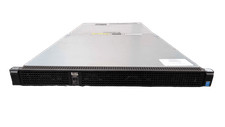
Dell PowerEdge C4130 1U AI Barebone CTO GPU Server 2x Heatsinks 2x 1600W PSU
$319.99

Dell PowerEdge FX2s + 8x FC430 Blades 16x E5-2630v4 160 Cores Rails No PSU/RAM
$699.00

Windows Server 2025 datacenter 64bit 24 Core 50 cal DVD + PRODUCT LICENSE KEY
$44.54



 Reply With Quote