-
Thanks for trying to help.
I already solved the problem in a different way: I booted in the single-user mode (as described on RedHat's webpage) and deleted a few bigger files. After that, RedHat could boot again as usual.
I'm working at the command line quite a bit and using shell scripts (for analyzing research data). But I'm not very experienced.
Probably the reason why the 'rm' command didn't work ('permission denied') was that the big data were saved in home/username. If they were in /usr/local, I would have been able to remove them.
Anyways, thanks
Similar Threads
-
By haskabab in forum MS Windows & New to Linux
Replies: 1
Last Post: 05-29-2009, 11:29 PM
-
By Tetsuro in forum General Support
Replies: 4
Last Post: 07-09-2005, 08:07 PM
-
By Mustang64 in forum General Support
Replies: 3
Last Post: 12-14-2004, 03:06 AM
-
By Accumet8000 in forum General Support
Replies: 2
Last Post: 10-02-2004, 01:41 AM
-
By microsoft_sucks in forum General Support
Replies: 1
Last Post: 07-04-2003, 05:00 AM
 Posting Permissions
- You may not post new threads
- You may not post replies
- You may not post attachments
- You may not edit your posts
-
Forum Rules


Original Vintage Old Style STANDARD Black CD Jewel Case (Heavy Duty) 90g Lot
$316.95

Vintage GTE XT300 Action Station Terminal 1984 - Tested Works Orig. Box & Foam
$889.00
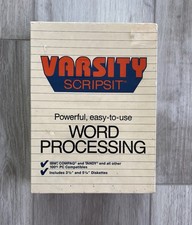
Vintage Tandy Computer Varsity Scripsit Word Processing 3.5 & 5.25 Disks SEALED
$29.95
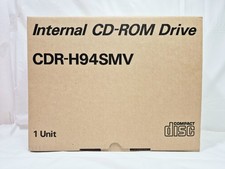
Vintage Sanyo CDR-H94SMV Internal SCSI CD-ROM Drive. 1994 NIB
$70.00
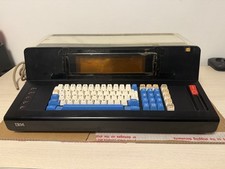
Rare Vintage IBM 3604 Model 2 Keyboard Display Terminal, Beam-Spring, Blue Caps
$1749.00
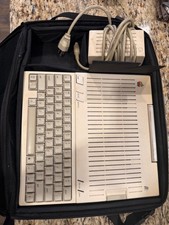
Apple IIc Computer and Monitor Vintage 1980s Working
$499.00
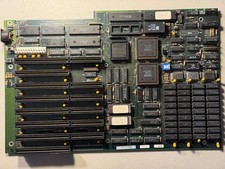
Vintage Everex EV1812 Intel 80286-10 640K Motherboard - Works
$160.00
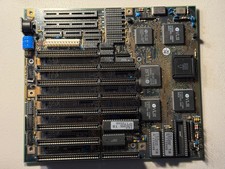
Vintage Siemens 286-16 Motherboard - Works
$140.00
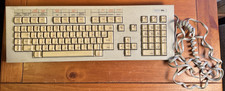
Vintage Super Rare Exxon Office Supplies Keyboard Mechanical Untested* 1980-85
$499.99

VINTAGE COLLECTIBLE Comp USA Maxtor 20 GB 3.5 Inch EIDE Hard Drive NEW SEALED
$500.00



 Reply With Quote