-
Install Printer
I'm using Knoppix 3.8.2 on a box with Windows XP Professional and I'm trying to install a network printer attached to another machine with Windows XP. I've done the following: started CUPS. then went to control center/printers/add printer. In the Wizard clicked SMB shared printer (Windows), used Anonymous for login (tried them all and the next step worked only for anonymous), then ran a scan in the SMB Printer Settings window which showed my network "MSHOME" and the various computers. When I click on the computer which has the printer I want to use, I get an error screen "Error returning browse list NT_STATUS_ACCESS-DENIED' I've used Knoppix 3.4 as well as Linspire with no problem at this point and I can use the printers. It looks as though this version of Knoppix is looking for some sort of Permission to mount the printer and I don't know what to do because I haven't logged on with a password. I went to the password manager to see if there's already a password in the machine and apparently there is. I tried everything I knew as a password including leaving the dialog blank and even tried Knoppix. No luck. I tried typing the information into the SMB Printer Settings Window and then try to install a printer driver which worked until the final screen after which I got the message "Unable to load the requested driver. Unable to create the Foomatic driver [Epson-Stylus_Photo_820,gimp-print]. Either that driver does not exist, or you don't have the requested permissions to perform that operation." So apparently I have to enter some kind of permission. Anyone have any ideas???
-
Printer problem
With a printer under XP you probably need to select "login as user" instead of anonymous. Just remember the workgroup, computer name, and printer name (case sensitive) and then put that in at the top of the "scan screen" It should find it. XP tends to not share nicely unless you login, or have the credentials. Remember that you must use a valid user login for that particular windows pc. And of course the appropriate password. I have been able to see my Lexmark z42 off of my XP-pro box, no problem. Also keep in mind that you may need to login to the printer manager in administrator mode. In the old days, you could not add or remove, or even change a printer in unix without being root. So, go to k=menu > knoppix>root shell, then type passwd and hit enter. Enter a new password, say "root" (without the " marks), then type it again, go back to the printer manager and select the button at the bottom called "Administrator Mode".
Good Luck,
j
Similar Threads
-
By Dennis in forum Hardware & Booting
Replies: 3
Last Post: 04-13-2005, 03:46 PM
-
By crhoff in forum Hardware & Booting
Replies: 3
Last Post: 01-06-2005, 12:39 AM
-
By asearle in forum Hdd Install / Debian / Apt
Replies: 0
Last Post: 01-04-2005, 05:12 PM
-
By help_seeker in forum Hdd Install / Debian / Apt
Replies: 0
Last Post: 04-20-2004, 04:32 PM
-
By michaeltnorman in forum Hdd Install / Debian / Apt
Replies: 1
Last Post: 02-12-2003, 05:10 AM
 Posting Permissions
- You may not post new threads
- You may not post replies
- You may not post attachments
- You may not edit your posts
-
Forum Rules

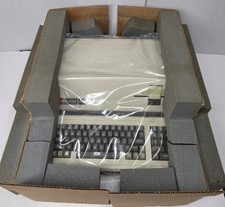
Vintage 1983 Apple III 256K Computer NOS Unused In Original Box Sealed Manuals
$3999.00
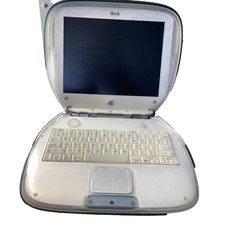
Vintage Apple iBook G3 Clamshell M2453 Dead HDD For Parts As is
$159.99
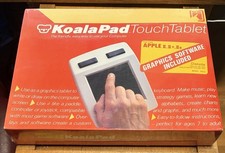
VINTAGE KOALA PAD TOUCH TABLET + GRAPHICS SOFTWARE APPLE II II+ IIe NOS SEALED
$175.00
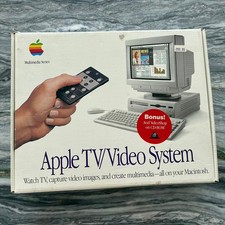
Vintage Apple TV Video System Original BOX ONLY M2896LL/A Macintosh Multimedia
$34.64

Lot of 3 VIntage Apple Computer Rainbow Logo Sticker Decal Macintosh 1980s NOS
$7.00
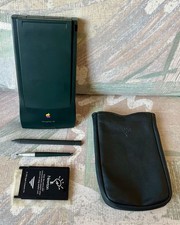
Vintage Apple Newton MessagePad 130 PDA - Working, Clean + Batteries & Extras
$149.99
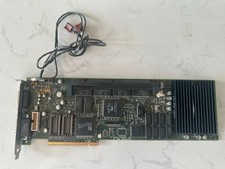
Rare Vintage Apple 820-0729-B PC Compatibility Card PCI PowerMac
$299.00
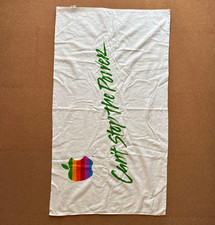
Rare Vintage Apple Computer Promo Set Rainbow Logo Towel Polo Shirt Report Pad
$199.99
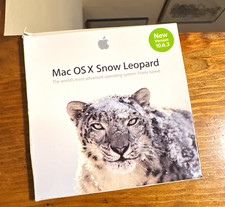
Apple Mac OS X Snow Leopard 10.6.3 Operating System Software DVD Disc, vintage
$120.00
Vintage Apple Macintosh SE/30 Custom Blue Case Housing & CRT Monitor Only - Mode
$230.00



 Reply With Quote