-
Administrator
Site Admin-
If anything, compression speeds up Knoppix, does not slow it down.
Remember what Knoppix is intended to be, a Live CD. All of the applications are on CD, not faster hard disk. The compression allows about 3x as much software to be included on the CD as could be done without it. But it also allows the software to load about 3 times faster. That is to say, uncompressing the file is a CPU bound function and is much much faster than reading from the CD, so the CD is the limiting factor and uncompressing costs you nothing, it gains you speed because less of the CD needs to be read.
If you have "installed" Knoppix to hard disk, then I consider the advice of the great philosphers Mr. T and Nelson. It will be faster than from CD. How fast depends on which of the many preversions you used. Some unpack the compressed file and will be about as fast as normal Debian. Some leave the compressed file on the hard disk to save space (poor man's install). These may be slower than Debian because the decompression still needs to be done, but as hard disk reading is still slower than cpu decompression thay might actually be faster than Debian in some cases.
If you have enough memory you might be able to boot Knoppix with the toram option. This will store the CD into ram disk and be much faster, even faster than Debian running from hard disk.
You may also simply have problems from a high speed burn of the CD. We have seen many cases where a CD that is burned at high speed doesn't work at all or if it does work it does not work well. See this post for an example of a CD that booted slow, but the user was able to burn another CD slowly and increase his boot time by over 3X.
You can, of course, choose to install Debian, the Linux distro that Knoppix is based on. It's free. It now installs pretty cleanly. It gives you access to all the applications that are included in Knoppix and tens of thousands more (again free). Knoppix is a great way to introcuce people to Linux, they can try it out on their own hardware without installing anything and gain a level of comfort with it. But if you want something that runs of your hard disk rather than off a CD, and includes exactly the software that you want and not the software that you don't ever use, consider Install Debian.
Similar Threads
-
By Sago7 in forum Customising & Remastering
Replies: 3
Last Post: 08-05-2004, 11:12 PM
-
By CrashedAgain in forum Customising & Remastering
Replies: 2
Last Post: 08-05-2004, 01:06 AM
-
By dave1999 in forum General Support
Replies: 1
Last Post: 06-13-2004, 10:56 PM
-
By FuzzieBio in forum Hardware & Booting
Replies: 5
Last Post: 05-13-2004, 02:23 PM
-
By ps420 in forum Customising & Remastering
Replies: 2
Last Post: 12-11-2002, 09:41 AM
 Posting Permissions
- You may not post new threads
- You may not post replies
- You may not post attachments
- You may not edit your posts
-
Forum Rules


New Barebones Supermicro 5019D Server, 4C/8T Xeon D-2123T, 1U Rackmountable, 10G
$449.99

HP Proliant MicroServer Gen 8 2.23GHz Xeon 16GB RAM NO SSD
$249.99

HP ProLiant MicroServer Gen8 Tower Server Xeon E3-1220 v2 2.3GHz 16GB RAM
$289.99

Supermicro E300-12C Mini 1U Barebone X12SCV-LVDS LGA1200 SNK-P0073A4 w/ Adapter
$225.00

Supermicro SuperServer E300-15 - SYS-e300-9C - 16GB RAM 240GB Samsung SSD
$199.99

Supermicro 5019D-4C-FN8TP Xeon D-2123IT (4C/8T) 64GB DDR4 10GbE 480GB 1U Server
$689.00
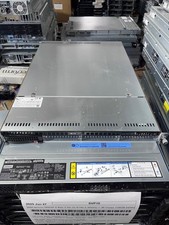
Supermicro 1U Server 5019C-WR X11SCW-F Xeon E-2174G 3.8Ghz 32GB RAM M.2 NVME X
$369.00

Supermicro 2U X10DRU-i 2x E5-2680 v3 2.5ghz 32gb Ram 240gb SSD 2x GPU *READ*
$369.99

Supermicro 938-16 16-LFF MicroCloud SuperServer 5038MR-H8TRF *No Blade Servers*
$159.99

Supermicro CSE-937 3U Storage Chassis No CPU No HDD No Ram Tested & Reset
$129.99



 Reply With Quote