-
Senior Member
registered user
Jorge Martínez wrote:
but this option appears in a subdued tone and has no effect
Are you logged in to Windows as an "ADMINISTRATOR". If not, you may have difficulty with permissions with the aspi layer. I seem to recall that NTI required administrator access to work properly. Be sure that your SONY drive is selected as the target drive in the program.
I would try to use the program from the "File" menu on the top toolbar rather than to click on the Icons on the "Clock". I seem to remember doing this with NTI.
If you have a different writing software that would be compatible with your drive, you might try something else. Some PCs come with something pre-installed.
Check the following link to NTI for the supported hardware list. There is a link at the bottom of the page for the latest drive database. I have provide it here for your convenience. You might try to update that to be sure your drive is included. :
http://www.ntius.com/default.asp?p=support/supdrives
Link to the drive database: http://www.ntius.com/default.asp?p=support/supdrives_db
There is documentation available at the NTI site also, and covers version 7 Platinum, but Gold should be similar with perhaps a few less features. The User Guide is located here for English: http://nti.downloadtech.net/manual/c...User_Guide.pdf
User Guides in other languages can be accessed here: http://www.ntius.com/default.asp?p=d...=update#manual
You might be able to download a language pack to update the software to include other languages.
Check this link for a forum with posts describing similar issues as yours. : http://club.cdfreaks.com/showthread....52#post1127152
A quick test to see the state of the drive. Use the Sony DriveCheck software. It is intended for US customers only. Read more about it here: http://sony.storagesupport.com/cdrw/diagnostics.htm
You may have a defective drive, software in need of an update, or some other issue preventing your drive from properly reporting it's capabilities to the software. It appears that you might not be the only one having this problem either. You would be wise to contact support at BOTH Sony AND NTI to see what they have to offer.
Jorge Martínez wrote:
I don't comment on the subject of bugs in the Version 4.0.1 DVD, as my one is 4.0.2 and anyhow not working yet.
You did not mention what version of Knoppix you were using to burn the DVD with, in your original post. There is a bug in the 4.0.1 DVD that could have affected your results, but since you are not using that particular version, it probably does not apply. The version you were actually writing to the DVD would probably have no bearing on your problem.
Similar Threads
-
By Jorge Martínez in forum General Support
Replies: 6
Last Post: 11-10-2005, 09:07 PM
-
By taiernest in forum Hardware & Booting
Replies: 1
Last Post: 10-25-2005, 01:58 PM
-
By Jorge Martínez in forum General Support
Replies: 5
Last Post: 09-07-2005, 02:48 AM
-
By mabangash in forum General Support
Replies: 4
Last Post: 03-05-2004, 01:43 AM
-
By warwick in forum General Support
Replies: 1
Last Post: 01-01-2003, 02:30 AM
 Posting Permissions
- You may not post new threads
- You may not post replies
- You may not post attachments
- You may not edit your posts
-
Forum Rules


One Of A Kind Homemade Vintage Mainframe Computer, Logic Module Wood Bookends
$149.00

Vintage Telex 952003-112 Mechanical Terminal Keyboard IBM 3270 Mainframe DB25
$594.99

HP 5060-8359 8K Semiconductor Memory Module 5080-9747 Vintage HP Computer
$224.72

HP 13210-60001 Disc Drive Interface PCB HP 7900A 7901A Vintage
$225.61

4x Various Brands 8.5" Mainframe 9-Track Reel Computer Data Tape 6250 CPI .5"
$24.99
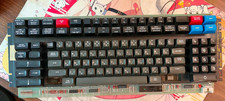
Vintage Japanese Katakana Double Shot Sperry Univac UTS 4000 Keyboard 1981
$199.99
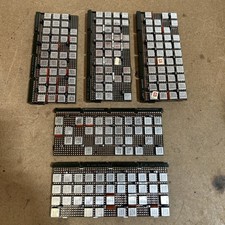
Vintage IBM Syst 370 MST Boards Lot Of 5 Heavily Populated IBM 22 Alu Can Chips
$89.00
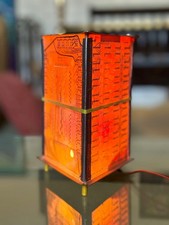
Vintage UNIVAC Mainframe Circuit Board Lamp - Cyberpunk Tech Geek Industrial Art
$225.00

Vintage Intel Mainframe Server MCM CPU Substrate Lot Prototyping PGA Validation
$500.00
Adjustable Rolling Computer Cart, Mobile Standing Workstation, Mobile Cart
$211.28



 Reply With Quote