-
Monitor not stretching
Hi. I've recently started using the Knoppix 4.0.2 DVD and have noticed a monitor issue.
When starting Windows, the system stretches the screen to the borders of the monitor so that the entir thing gets used. I guess my monitor is a nonstandard size that requires such a method.
Knoppix won't do this. It's irritating because default font sizes are extremely hard for me to see. I've tried switching th eresolution down to something lower, but it only shrinks my screen (and on top of it, does not clear the outer edges, which makes for a confusing ghost). Does anyone know if there's a way to force Knoppix to stretch my monitor?
Thank you.
Similar Threads
-
By tdmayo in forum Hardware & Booting
Replies: 1
Last Post: 10-27-2005, 01:30 PM
-
By alghieri in forum Hdd Install / Debian / Apt
Replies: 2
Last Post: 05-06-2005, 04:09 PM
-
By ehmdjii in forum General Support
Replies: 16
Last Post: 12-22-2004, 07:27 PM
-
By chrisjrn in forum Laptops
Replies: 0
Last Post: 05-05-2004, 11:20 PM
-
By comanam in forum General Support
Replies: 1
Last Post: 12-09-2003, 07:37 PM
 Posting Permissions
- You may not post new threads
- You may not post replies
- You may not post attachments
- You may not edit your posts
-
Forum Rules


HP ProLiant MicroServer AMD Athlon II Neo N36L 1.3GHz 8GB RAM 4-Bay NAS Server
$99.00

Supermicro 1027GR-TSF 1U Rackmount Server 2x Xeon 2.3GHz 128GB DDR3
$219.99

Supermicro 721-2 Mini Tower Black Computer Server NO Hdd
$375.00

Supermicro 1U Server 514-4 (X11SSZ-QF) | i7-7700 - 16GB DDR4 Ram - Rackmountable
$249.00

New Barebones Supermicro 5019D Server, 4C/8T Xeon D-2123T, 1U Rackmountable, 10G
$449.99

1U Supermicro SuperServer 5019D-4C-FN8TP Xeon D-2123IT 4 Core 32GB X11SDV-4C-TP
$699.00
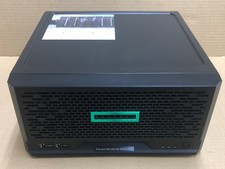
HPE ProLiant MicroServer Gen10 Plus Xeon E-2224 8GB Japan
$588.18
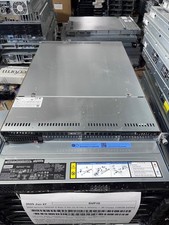
Supermicro 1U Server X11SCW-F Xeon E-2174G 16GB RAM 1x M.2 NVME 3x PCI-e 2x PSU
$220.00

Supermicro 505-2 Server
$280.00

BOXX B157552 SuperMicro X10DRT-L 2x Intel 2630V4 NO RAM & SSD Server
$160.99



 Reply With Quote