

 Reply With Quote
- 1) Plug router into ethernet connection
2) Plug computer into router
3) Configure router as required
4) Boot Knoppix, it just works.


Hi i am new to linux...and i have no clue how to configure my broadband connection.
Can somebody please help me out from the scratch..
i am using knoppix3.3 and broadband via ethernet
thank you
- 1) Plug router into ethernet connection
2) Plug computer into router
3) Configure router as required
4) Boot Knoppix, it just works.
thanx a lot...net is working...properly
OH? What part had you missed that my above technical instructions made clear?Originally Posted by amrith100
---
Verifying of md5 checksum and burning a CD at slow speed are important.
 Posting Permissions


SFP TO RJ45 TRANSCEIVER SFP MODULE COPPER SFP OPTICAL PORT TO RJ45 ETHERNET PORT
$7.99

NEW Sealed Cisco SFP-10G-LR 10GBASE-LR SFP+ 1310nm 10km *US Shipping*
$24.00

Dell Intel X710-DA2 5N7Y5 Dual-Port 10GbE SFP+ PCIe 3.0 x8 Network Adapter
$27.50

New Sealed Cisco GLC-LH-SMD 1000BASE-LX/LH SFP Transceiver Module *US
$17.00

Genuine Cisco SFP-10G-SR 0-2415-03 10 Gigabit Transceiver
$5.40

HP 560SFP+ 10GB 2-port PCIe NIC Ethernet ADAPTER 669279-001 w/ (2) 10GB SFP+
$16.99

Intel X520-DA2 10Gb 10Gbe 10 Gigabit Network Adapter NIC Dual Port E10G42BTDA
$28.94
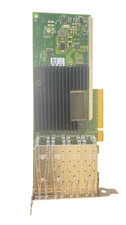
Intel X710-DA4 4-Port 10Gb SFP+ Ethernet Adapter EX710DA4G1P5 w/ SFPs
$250.00

Cisco QSFP-40G-SR-BD Module 10-2945-02 NEW CLAMSHELL
$45.50
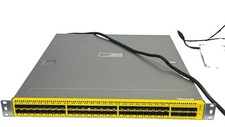
Penguin Computing Arctica 4806XP 48-Port 10G SFP+ 6x 40G QSFP+ Switch Dual PSU
$385.00