-
Junior Member
registered user
The partition backup utility is called 'partimage'
You want to use partimage. This is a console (ie. command line) utility; there may be a gui for it, but I find it pretty easy to use as is.
Open a root console, then type 'partimage /dev/hda1' (/dev/hda1 is the first partition on your master hard drive; typically your Windows XP partition). You'll go through a series of dialog boxes; pick out the backup options, choose gzip compression (bzip does not work with NTFS), and save your partition image file to a sufficiently large hard drive space (a second hard drive is best, formatted with a linux filesystem like ext3 or reiserfs, NOT fat32 or ntfs).
To restore the partition, just run 'partimage /dev/hda1', except choose the restore options. Remember, your target partition must be the exact same size as your original partition.
I've done this with my Windows XP NTFS partition and it works well. I imaged a Windows XP partition on a 40 GB notebook harddrive (it was actually /dev/hda2 since /dev/hda1 had all the pre-installed Windowx XP oem system recovery files), then restored it to a 40 GB partition on a new 80 GB harddrive (the rest of the new hard drive has an Ubuntu install). Now I happily dual-boot!
The only hiccup is that when you restore your Windows XP partition, you must then boot your Windows XP system recovery CD and restore your MBR (master boot record) from the recovery tools. If you want linux on the same hard drive, install it or run grub/lilo AFTER restoring the Windows XP MBR.
Similar Threads
-
By Jeroen1000 in forum Hdd Install / Debian / Apt
Replies: 3
Last Post: 03-26-2011, 09:24 PM
-
By johnny-5 in forum General Support
Replies: 1
Last Post: 05-01-2006, 05:59 AM
-
By chipyoung in forum MS Windows & New to Linux
Replies: 2
Last Post: 01-09-2006, 11:03 PM
-
By yaleyu in forum Hardware & Booting
Replies: 1
Last Post: 07-03-2005, 03:27 PM
-
By XPuser1 in forum MS Windows & New to Linux
Replies: 0
Last Post: 02-08-2005, 08:12 AM
 Posting Permissions
- You may not post new threads
- You may not post replies
- You may not post attachments
- You may not edit your posts
-
Forum Rules


Computer Photo History Altair 8800 Philco 212 CDC 6600 DEC PDP-8 Apple 1 UNIVAC
$69.99

S-100 Vector Graphic 64K Ram Board (Altair, IMSAI)
$99.95

S-100 Vector Graphic 12K PROM/RAM Board (Altair, IMSAI)
$99.95
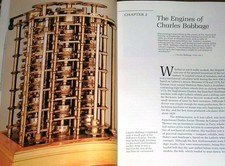
Intel 4004IBM Mark 1 UNIVAC Cray-1 Babbage ENIAC Apple 1 Steve Jobs MITS Altair
$50.99

S-100 Bus Handbook Altair 8800 IMSAI 8080 Board Schematics Xitan Pertec Cromemco
$89.99

Vintage Digital Research ZSID 1.4 8" Floppy Disk CP/M Z80 Software S-100 Altair
$69.99
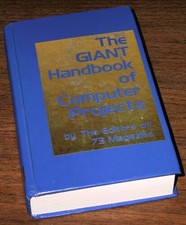
1979 Microprocessor Projects Altair 8800 Intel 8080 KIM-1 COSMAC Elf SWTPC 6800
$59.99
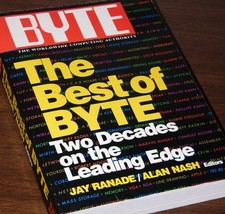
640pg Best of BYTE Magazine 1984 Mac Steve Jobs Altair 8800 IBM 5100 Bob Moog
$85.00

CP/M 86 1.1R 8086 Highmonitor 8 Inch Floppy Diskette 80s IMSAI Altair
$29.99

ALTAIR Bitcoin Mining Solutions PDU IEC SERIES 100-250V 30A/24A Power Distribute
$99.00



 Reply With Quote