-
4.0.2 USB - cruzer mini flash drive problem
Laptop: Dell Inspiron 700M
I was using Knoppix 3.8 with no problems (except for the known WiFi problem).
I downloaded 4.0.2, DVD and CD, and now when I plug my cruzer mini flash drive into my USB port, no icon is generated onto my desktop. When I try to manually map to where it was before (/mnt/usb1) it doesn't exist. It's as if hotplug no longer works for me in 4.0.2.
I have shut my laptop off, plugged my mini cruzer into the USB port, and re-loaded Knoppix 4.0.2 with no luck.
I have tested this with the DVD and the CD of Knoppix 4.0.2 and both have the same problem. I downloaded the DVD from the Greece mirror and the CD from the Purdue mirror.
When I put my 3.8 CD back into my laptop after all of this testing with 4.0.2, my USB recognizes my cruzer mini flash drive just fine, even when I plug it in at the Knoppix desktop.
I have searched as far as I can and cannot find a solution to my problem. I am a Knoppix newbie and I think I'm doing something wrong, but I don't know what.
Thanks for your help.
-
Hi,
1 - Plug you usb key.
2- Open a root shell (KNOPPIX/root shell), and then type #usbview. Does your key appear ?
If your key appear, type cat /proc/partitions, still in the root shell. Your key should key mark as uba1 or ubaX.. Is that correct ? What does appear on your shell ?
-
Thank you for your help. I really appreciate it.
When I open the root shell and follow your directions, this is what i get:
root@0[knoppix]# #usbview (then I press enter)
root@0[knoppix]#
basically when i hit enter, it just goes to the next line like nothing happened.
when i type in cat /proc/partitions this is what i get:
root@0[knoppix]# cat /proc/partitions
major minor #blocks name
3 0 78150744 hda
3 1 40131 hda1
3 2 75216330 hda2
3 3 2883667 hda3
240 0 5270144 cloop0
240 2 1873216 cloop2
root@0[knoppix]#
Of course, everything is more lined up in columns than I can convey here. it does nothing more than that.
Again, thank you and thanks to anyone that can help me.
-
Ok, so It seems you have 3 parts in your hard drive hda. I see 2 problems :
1 - usbview doesnot work, this is weird. May be your kernel does not support usb... I d'ont really know, but usbview has always worked on all the system where I have tested Knoppix.
2 -I don't really know what is cloop on your system, I don't have it on mine. Try to create a directory called test in your directory /mnt
As root, type:
Code:
#mount -o umask=000 /dev/cloop /mnt/test
Then, use knoqueror to see/mnt/test
What happens yet ?
Similar Threads
-
By jMon54 in forum Hardware & Booting
Replies: 1
Last Post: 02-25-2005, 04:40 AM
-
By rlauer in forum Hardware & Booting
Replies: 9
Last Post: 04-09-2004, 03:34 AM
-
By khrtt in forum Hardware & Booting
Replies: 1
Last Post: 02-18-2004, 02:49 AM
-
By onespot in forum Hardware & Booting
Replies: 1
Last Post: 01-25-2004, 04:34 PM
-
By ReaLity in forum General Support
Replies: 1
Last Post: 04-13-2003, 06:37 PM
 Posting Permissions
- You may not post new threads
- You may not post replies
- You may not post attachments
- You may not edit your posts
-
Forum Rules


Dell Poweredge R730xd 12LFF 2*2660v4 4*1Gbe h730 2x 750W Server CTO
$308.00

Dell EMC PowerEdge R440 Xeon silver 4215 2.5GHz 16 GB ram 2x 550W PSU No HDD
$275.00

VMware vCenter Server 8 STANDARD Perpetual License Key VC-STD-C (Legacy Pack)
$1599.95

HP ProLiant MicroServer Gen8 Tower Server Xeon E3-1220 v2 2.3GHz 16GB RAM
$289.99

Dell PowerEdge C4130 1U AI GPU Server | 2x E5-2680 v3 | 32gb Ram | 2x 1600W
$409.99

Dell EMC PowerEdge R740 8 Bay Server w/ 32GB RAM 2x GOLD 6132 2x 1600W PSU H730p
$499.88
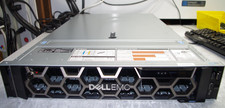
Dell R740XD All Flash 2U Server Full 24 x U.2 NVME 2x Xeon 6240R 48 CORE HOMELAB
$849.95
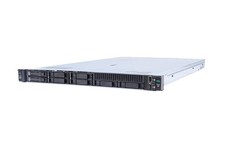
HP ProLiant DL360 Gen 11 - Xeon Gold 5th Gen - 192 GB DDR5 ECC - 2x 240 GB SSD
$17000.00

Dell EMC VxRail E560F 10-SFF 2*Gold 6230R 2.1GHz No RAM HBA330 iDrac Ent Server
$349.99

RDS CAL - Remote Desktop Services Windows Server 2022 50 User/Device Connections
$68.00



 Reply With Quote