-
Administrator
Site Admin-

Originally Posted by
markleong
What is interest to note is that I do not face any problems when working with the Knoppix CD - only when using the HD.
Well, yea, that's frequently seen by reading through the posts made in this forum over the last 3 years, and it's the main reason why many of us suggest that users should install Debian to hard disk. Debian is intended for hard disk install, Knoppix is not and is well known to have problems like this after a hard disk install.
Have you even tried to install Debian? Is there some reason why you would want to fight with these Knoppix issues rather than just installing a system intended for hard disk? I'm really trying to understand why people insist on "installing" Knoppix rather than Debian (or any other good Linux distro that is intended for hard disk install).
-
Used Knoppix because of hw detection capabilities. Have been using for years now w/o problems. Was using debian before.
The system have no problems accessing hdb1,2,3,.. Only hdc1,2,3.
I also booted into my old Redhat8. No problem. Can access all drives.
Booted to my old Knoppix3.(can remember which version). Again cannot access hdc1,2,3.
Will try to fix another harddisk as secondary master and check again.
-
Senior Member
registered user
Let's see if this helps:
o Do the killall automount
o ' hdparm -d0 /dev/hdc ' == Turn off DMA to that drive
Then see if you can access hdc. Other than that, I confess I'm stumped here.
Originally Posted by
markleong
What is interest to note is that I do not face any problems when working with the Knoppix CD - only when using the HD.
-
Thks Dave. Will give your suggestion a go and see if it works. Does that mean from the CD, DMA is off?
Don't know if this matters but my hds are connected as follows:-
hda1(Hitachi DeskStar 80GB) - Windows 98 partitioned using the new FDisk as old one does not support more than 60GB
hda2 - Knoppix 4
hdb1,2,3,4,5 (IBM Deststar 40GB) - various Linux (Redhat, Knoppix3...)
hdc1 (Seagate 20GB) - Win VFAT32 (LBA) for data storage
hdc3 - ext3 for data storage
I think it has to do with the Seagate drive.
-
Senior Member
registered user
I install Knoppix to HD every so often on different boxes, and don't have these kinds of issues. In fact, pretty much all of my Linux installs are Knoppix-based. I've only done 1 Debian install, and that was for a dedicated Squid server that didn't need GUI.
Originally Posted by
Harry Kuhman
Originally Posted by
markleong
What is interest to note is that I do not face any problems when working with the Knoppix CD - only when using the HD.
Well, yea, that's frequently seen by reading through the posts made in this forum over the last 3 years, and it's the main reason why many of us suggest that users should install Debian to hard disk. Debian is intended for hard disk install, Knoppix is not and is well known to have problems like this after a hard disk
install.
Have you even tried to install Debian? Is there some reason why you would want to fight with these Knoppix issues rather than just installing a system intended for hard disk? I'm really trying to understand why people insist on
"installing" Knoppix rather than Debian (or any other good Linux distro that is intended for hard disk install).
-
Administrator
Site Admin-
Originally Posted by
Dave_Bechtel
I install Knoppix to HD every so often on different boxes, and don't have these kinds of issues. In fact, pretty much all of my Linux installs are Knoppix-based. I've only done 1 Debian install, and that was for a dedicated Squid server that didn't need GUI.
That's interesting Dave. It's not represenative of what I usually see in this forum. Could you please give us a little more information: Do you install additional programs and/or update existing programs after such an install (and if so does this not cause problems)? Does the network connection work after the install, without doing extra steps not in the scripts like changing file permissions? Do you have any insight on why an install seems to work well for you when so many others run into these types of problems?
-
I have also installed Knoppix many times (nearly 10 times) and have not encountered problems like this. I strongly suspect its the Seagate hd.
-
Senior Member
registered user
o Do you install additional programs and/or update existing programs after such an install (and if so does this not cause problems)?
--Yes; I have a set of scripts that removes unneeded packages and installs additional stuff. I always do apt-get update && apt-get upgrade (almost NEVER dist-upgrade.) I have a custom /etc/apt/sources.list and almost always recompile to a stock Linus kernel.
o Does the network connection work after the install, without doing extra steps not in the scripts like changing file permissions?
--Yes. But I don't use wireless, and connect to Internet thru a central Squid box.
o Do you have any insight on why an install seems to work well for you when so many others run into these types of problems?
--I've been using various flavors of Linux since ~1997; Red Hat, Suse, Knoppix. I refuse to use Red Hat anymore since they came out with a distro that couldn't even compile a Linus kernel a few years ago. Suse is the next best, but for me nothing beats Debian these days.
--Honestly, if people are having these kinds of problems on hd-install then I would contact Klaus Knopper and the maintainer of the hd-install script.
Originally Posted by
Harry Kuhman
Originally Posted by
Dave_Bechtel
I install Knoppix to HD every so often on different boxes, and don't have these kinds of issues. In fact, pretty much all of my Linux installs are Knoppix-based. I've only done 1 Debian install, and that was for a dedicated Squid server that didn't need GUI.
That's interesting Dave. It's not represenative of what I usually see in this forum. Could you please give us a little more information: Do you install additional programs and/or update existing programs after such an install (and if so does this not cause problems)? Does the network connection work after the install, without doing extra steps not in the scripts like changing file permissions? Do you have any insight on why an install seems to work well for you when so many others run into these types of problems?
Similar Threads
-
By Fortier in forum General Support
Replies: 1
Last Post: 08-23-2007, 11:53 PM
-
By outsider in forum General Support
Replies: 11
Last Post: 03-10-2004, 08:54 PM
-
By senorian in forum The Lounge
Replies: 4
Last Post: 08-26-2003, 11:04 PM
-
By TheCyberDude in forum Hardware & Booting
Replies: 3
Last Post: 06-19-2003, 08:39 PM
-
By cehjohnson in forum General Support
Replies: 5
Last Post: 06-02-2003, 10:13 PM
 Posting Permissions
- You may not post new threads
- You may not post replies
- You may not post attachments
- You may not edit your posts
-
Forum Rules


S-100 Vector Graphic 12K PROM/RAM Board (Altair, IMSAI)
$99.95

S-100 Vector Graphic 64K Ram Board (Altair, IMSAI)
$99.95

Computer Photo History Altair 8800 Philco 212 CDC 6600 DEC PDP-8 Apple 1 UNIVAC
$69.99
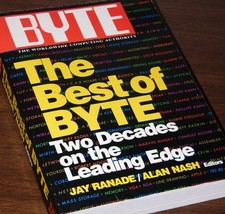
640pg Best of BYTE Magazine 1984 Mac Steve Jobs Altair 8800 IBM 5100 Bob Moog
$85.00
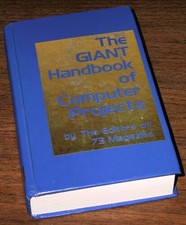
1979 Microprocessor Projects Altair 8800 Intel 8080 KIM-1 COSMAC Elf SWTPC 6800
$59.99

Vintage Digital Research ZSID 1.4 8" Floppy Disk CP/M Z80 Software S-100 Altair
$69.99
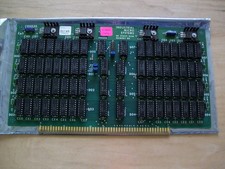
S-100 Industrial Micro Systems 8K Static Ram (IMS, Altair, IMSAI)
$69.95

Altair MITS S100 Backplane 8080A S-100 Replica IMSAI CP/M (bare board)
$40.00

CP/M 86 1.1R 8086 Highmonitor 8 Inch Floppy Diskette 80s IMSAI Altair
$29.99

ALTAIR Bitcoin Mining Solutions PDU IEC SERIES 100-250V 30A/24A Power Distribute
$99.00



 Reply With Quote