

 Reply With Quote
Boot with 'testcd' even though the disc works on other machines. Check the md5sum of the .iso you burned. Did you boot like so...
knoppix xmodule=nv (plus any other codes you usually use)?


Various versions of KNX 3.1 ran on my PC without any problems, including HDD installs.
Just got release 3.2 and all I get is a totally washed out monitor screen with distorted lines all over following the initial boot process. No changes to my hardware. Tried all kind of cheat codes, no luck there.
CD image is ok. since it runs ok. on another PC.
I have a PCI slot NVIDIA RIVA TNT2 Model 64 video card.
Any help appreciated
Yaro
Boot with 'testcd' even though the disc works on other machines. Check the md5sum of the .iso you burned. Did you boot like so...
knoppix xmodule=nv (plus any other codes you usually use)?
In addition to what rickenbacherus has suggested try noddc to skip getting the monitor settings automatically.
 Posting Permissions

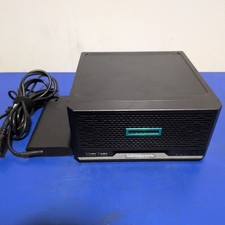
HPE ProLiant MicroServer Gen10 Plus with Power Adapter
$600.00

HP ProLiant MicroServer Gen8 Tower Server Xeon E3-1220 v2 2.3GHz 16GB RAM
$289.99

Supermicro CSE-937 3U Storage Chassis No CPU No HDD No Ram Tested & Reset
$129.99

HP Proliant MicroServer Gen 8 2.23GHz Xeon 16GB RAM NO SSD
$249.99

New Barebones Supermicro 5019D Server, 4C/8T Xeon D-2123T, 1U Rackmountable, 10G
$449.99
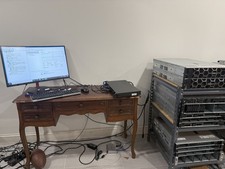
Supermicro Server 1U Super Short Perfect for network rack X11SCL-IF
$480.00
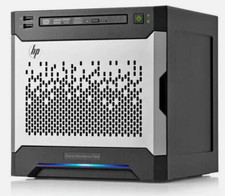
HP MicroServer Gen8 LOADED 12TB + 16GB RAM Win Server 2025 iLO Advanced SSD Boot
$679.00

Supermicro SuperServer E300-15 - SYS-e300-9C - 16GB RAM 240GB Samsung SSD
$199.99

Supermicro E300-12C Mini 1U Barebone X12SCV-LVDS LGA1200 SNK-P0073A4 w/ Adapter
$225.00
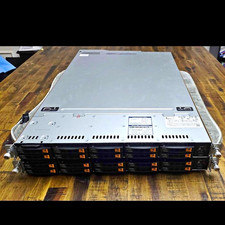
Supermicro Super Server 1029U-TN10RT Dual Xeon Silver 4210 - 10-Bay NVMe Rack
$500.00