-
Buring DVD Data Disc Help
G'Day,
Ok, my external usb hard drive is having some problems under windows, basically it freezes any time I click on anything to do with the drive. I downloaded Knoppix last night and burnt it to cd this morning, when plug my drive in under knoppix it seems to be working just fine , now I want to burn all my files off my usb hard drive onto a DVD then format the usb drive.
Does anyone know how to do this?
I tried using k3b but it keeps saying the files I want to burn arn't local files???
I did some research just then and apparently knoppix uses ramdrive as a temp space for the files I want to burn, but ramdrive is very small. So could I use my internal system hard drive as kind of a temp space to put the files when they burn?
Regards
-
Senior Member
registered user
Re: Buring DVD Data Disc Help
Hello and welcome to Knoppix.net.
We hope that you enjoy your use of Knoppix and hope you become an active member of the community. There's no membership fee. We just ask that you help us and others by becoming familiar with Knoppix, posting questions, and letting the rest of us know how things go. Also, I noticed that you joined recently and so was wondering if you wouldn't mind answering a few questions.
1. - How did you hear about Knoppix?
2. - How did you discover Knoppix.net?
3. - What versions of Knoppix have you tried?
4. - What type of system are you running Knoppix on?
5. - What operating system is currently installed on that system?
6. - How long have you been using computers, or how familiar are you with computers?
7. - Have you used linux before? If so, how long?
8. - What do you hope to do with Knoppix or Linux?
9. - Are you familiar with a wiki? If so, have you used a wiki before, e.g wrote some content?

Originally Posted by
cobarxc
So could I use my internal system hard drive as kind of a temp space to put the files when they burn?
Yes, but it's not that straight forward. Here are the general steps:
1) mount your internal harddrive
2) create a soft link from /tmp to the mountpoint for your drive
Some caveats: the harddrive must be a filesystem that Linux can write to, so no NTFS. Also the commands must be run as root. You may also have to change the permission bits on the mount point in order to allow users to write to it.
That's the general way. If you need more details, please post back.
Regards,
- Robert
http://www.cwelug.org
-
I figured out how to mount my internal drive but how do you create a soft link from /tmp to the mountpoint for your drive ?
Thanks so far
Similar Threads
-
By iadcc in forum General Support
Replies: 0
Last Post: 02-19-2009, 04:51 PM
-
By Arbatras in forum General Support
Replies: 2
Last Post: 07-13-2007, 05:44 PM
-
By airkyd in forum General Support
Replies: 1
Last Post: 03-24-2005, 05:10 PM
-
By juham in forum General Support
Replies: 3
Last Post: 04-17-2004, 09:01 PM
-
By upUrs in forum General Support
Replies: 6
Last Post: 01-21-2004, 07:12 PM
 Posting Permissions
- You may not post new threads
- You may not post replies
- You may not post attachments
- You may not edit your posts
-
Forum Rules


Dell Poweredge R730xd 12LFF 2*2660v4 4*1Gbe h730 2x 750W Server CTO
$308.00

Dell EMC PowerEdge R440 Xeon silver 4215 2.5GHz 16 GB ram 2x 550W PSU No HDD
$275.00

VMware vCenter Server 8 STANDARD Perpetual License Key VC-STD-C (Legacy Pack)
$1599.95

Dell EMC VxRail E560F 10-SFF 2*Gold 6230R 2.1GHz No RAM HBA330 iDrac Ent Server
$349.99

Dell PowerEdge C4130 1U AI GPU Server | 2x E5-2680 v3 | 32gb Ram | 2x 1600W
$409.99

Dell EMC PowerEdge R740 8 Bay Server w/ 32GB RAM 2x GOLD 6132 2x 1600W PSU H730p
$499.88
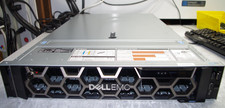
Dell R740XD All Flash 2U Server Full 24 x U.2 NVME 2x Xeon 6240R 48 CORE HOMELAB
$849.95
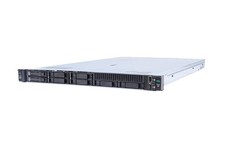
HP ProLiant DL360 Gen 11 - Xeon Gold 5th Gen - 192 GB DDR5 ECC - 2x 240 GB SSD
$17000.00

RDS CAL - Remote Desktop Services Windows Server 2022 50 User/Device Connections
$60.00
Windows Server 2025 Standard✔ 24-CORE✔ 10 CALs✔ 50 RDS✔ Remote Desktop EP2-25205
$317.56



 Reply With Quote