

 Reply With Quote
this seems odd, i have used several USB externals and all havew worked, any error messages during boot?


Hi all
I am trying to connect a 120GB Western Digital external USB hard drive to my Dell Inspiron 8500 laptop which is running Knoppix 3.7 from CD.
I want to read from and write to this HD which has a FAT32 file system.
After Knoppix finished booting from cd, there were two HD icons corresponding to the two partitions of my internal HD on my desktop. However, there was no icon for my external HD which I had connected before I switched on the laptop.
How do I proceed?
Thanks in advance for any assistance.
Cheers,
birk
this seems odd, i have used several USB externals and all havew worked, any error messages during boot?
I have not seen any error messages during boot.
I have got the following lines after I pluged in the external hard disk and used the dmesg command.
hub.c: new USB device 00:1d.0-1, assigned address 2
scsi2: SCSI emulation for USB Storage devices
usb-uhci.c: interrupt, status 2, frame# 1356
usb-uhci.c: interrupt, status 2, frame# 1228
Any suggestions?
Thanks,
Birk
 Posting Permissions


1969 EAI TR-20 Analog Computer Programming PACE Philbrick Electronic Associates
$32.00

Vintage George A Philbrick Researches Tube Analog Computer Module Serial 005503
$109.99

Refurbished Working 1960's Heathkit EC-1 Educational Electronic Analog Computer
$2999.99
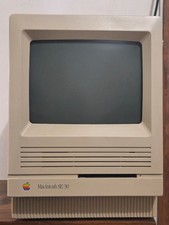
Apple MAC SE/30 Computer M5119, Vintage, Logic & Analog boards + PSU Recapped
$800.00
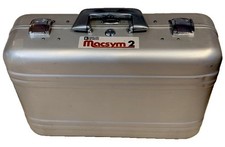
Analog Devices Macsym 2 Signal Simulator
$220.00

Vintage Early Week 12 1984 Apple Macintosh 128K Computer M0001 w/Analog Board+
$209.99

Vintage Goodyear Electronic GEDA Analog Computer Plug -- Extremely Rare
$179.00
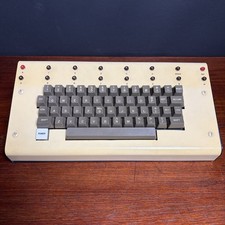
1979 vintage apple II 2 keyboard Mod CV Control Analog Synthesizer Paia Buchla
$500.00
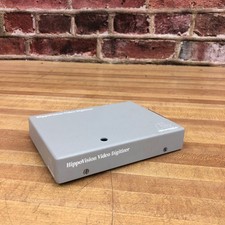
Vintage HippoVision Video Digitizer Atari ST Hippopotamus Software Cartridge
$99.95

RARE VINTAGE Kontron 80 Psi Compact Microcomputer Computer Germany Early 1980s
$399.99