-
Can't change resolution
I have installed to hard drive, and most things are working well. However, I cannot get any resolution except 1024x768, and it's too high for this piece of shite monitor... I feel like I'm going blind trying to read any text except on Mozilla (which I can zoom).
I've tried running XFConfig86, XFConfig86-v3 and several others, and I choose 800x600, but when KDE comes up, it's 1024x768 with no other options.
-
Senior Member
registered user
Try Lilo.conf
From what you given I'm going to guess that
A. Your system is using a frame buffer (fbdev) as the video driver.
and
B. That you are using Lilo to boot with.
If you are using lilo you could modify the /etc/lilo.conf file to get the resolution you want. If you need it lower, how about 800x600.
Scroll down to the vga section in lilo.conf. Change the line where it says vga= to vga=788. vga=788 will give you 800x600 in 16 bit mode.
After you modify /etc/lilo.conf and save it. Open a console and run the program Lilo to update it. Reboot and see the changes.
If you are using some other boot manager like Loadlin or Grub, you could also put the same vga=788 into a line in your boot manager.
I hope this helps. This should get you going.
sakiZ
-
Hello,
I have the same problem, its just the opposit: My resolution has to be 1024x768, but its 800x600.
What should i put in lilo.conf to get 24Bit?
M9.
Similar Threads
-
By Albretch in forum Hardware & Booting
Replies: 0
Last Post: 04-05-2008, 04:23 PM
-
By giant_toaster in forum MS Windows & New to Linux
Replies: 7
Last Post: 09-04-2005, 09:33 AM
-
By mheight in forum General Support
Replies: 1
Last Post: 03-15-2004, 12:54 PM
-
By timeo27 in forum General Support
Replies: 4
Last Post: 12-08-2003, 04:34 AM
-
By ndori in forum General Support
Replies: 1
Last Post: 06-07-2003, 10:47 AM
 Posting Permissions
- You may not post new threads
- You may not post replies
- You may not post attachments
- You may not edit your posts
-
Forum Rules


Computer Photo History Altair 8800 Philco 212 CDC 6600 DEC PDP-8 Apple 1 UNIVAC
$69.99

S-100 Vector Graphic 64K Ram Board (Altair, IMSAI)
$99.95

S-100 Vector Graphic 12K PROM/RAM Board (Altair, IMSAI)
$99.95
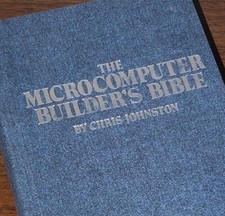
Microcomputer Builder's Bible IMSAI 8080 Z80 ADM-3A DEC LSI-11 Altair 8800 Bus
$65.00
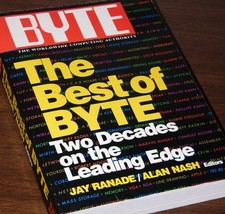
640pg Best of BYTE Magazine 1984 Mac Steve Jobs Altair 8800 IBM 5100 Bob Moog
$85.00

Vintage Digital Research ZSID 1.4 8" Floppy Disk CP/M Z80 Software S-100 Altair
$69.99
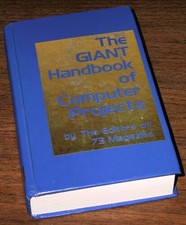
1979 Microprocessor Projects Altair 8800 Intel 8080 KIM-1 COSMAC Elf SWTPC 6800
$59.99

S-100 Bus Handbook Altair 8800 IMSAI 8080 Board Schematics Xitan Pertec Cromemco
$89.99

CP/M 86 1.1R 8086 Highmonitor 8 Inch Floppy Diskette 80s IMSAI Altair
$29.99

ALTAIR Bitcoin Mining Solutions PDU IEC SERIES 100-250V 30A/24A Power Distribute
$99.00



 Reply With Quote