

 Reply With Quote
Use Konqueror, in the location bar ftp://[email protected].


Hello,
I'm totally new to Linux. I would like to use Knoppix as a recovery tool (e.g. if somebody's Windows crashes and I need to get data off of the hard drive, I'll boot using Knoppix and transfer the data to another computer). Knoppix works great, but I would like to install a graphical FTP client like gFTP (temporarily in the RAM drive) because the users who will be using Knoppix to transfer their files may not be comfortable with a command line ftp client. I've tried using the gFTP RPM, but it doesn't work, saying it's missing dependencies. What is the easiest way to install gFTP temporarily on Knoppix? Thanks!
Eric
Use Konqueror, in the location bar ftp://[email protected].
This is a good suggestion Stephen, but I find that Konqueror kind of stinks as an ftp client. I've used it on several ocasions where it has choked up on me (on a fairly powerful machine I might add). We really need something better. KnoppixKDE had a nice KDE based ftp client - Bear FTP or something like that.Originally Posted by Stephen
Thanks for the suggestions. Even though Konqueror may work, it is not an ideal solution. The user may need to transfer many GB of data over the LAN in many different directories. I would much rather have a graphical FTP client for them than using a browser.
I also tried downloading the source of KBear into /ramdisk/var/tmp/, uncompressing, then following the directions to install. However, the ./configure file produces an error saying that "Qt >= version 3.0 (headers and libraries) not found." So I couldn't get it to install.
Any suggestions? Any easy (or semi-easy) way to install a graphical FTP client? Thanks!
For what it is worth, I am using WS_FTP_LE. Wine seems to run it just fine.
If you download KnoppixKDE, then you can use Kbear.
Look here for the link:
http://www.knoppix.net/forum/viewtopic.php?t=722#2792
You might also consider using k3b to back up data with a cd burner. This is what I do most of the time.
----------------------
Edit
----------------------
You might also consider downloading one of the Morphix releases which I believe has gftp on it.
http://www.morphix.org
It is possible to install gftp on knoppix 3.2, all you have to do is update your /etc/apt/sources.list for stable. run apt-get update, apt-get install gftp, the installer will install gftp and the other neccessary files. I've done that for gftp,pan,and gcombust.
Hope that help's,
Dave S.
to mrmdls: How can you update /etc/apt/sources.list and use apt-get when you are using Knoppix from CD? Is it possible somehow? I've tried but no luck because apt-get update command is trying to write some files which are locked, or physicaly on the CD. Did I miss something?
MaJaLeS
majales,
I've done that on a hd install, I should of stated that in my post.
Dave S.
 Posting Permissions

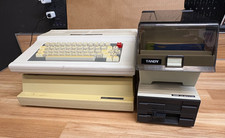
Vintage Tandy 128K Color Computer 3 FD-502 Disc Drive- Printer
$300.00

Vintage GTE XT300 Action Station Terminal 1984 - Tested Works Orig. Box & Foam
$889.00
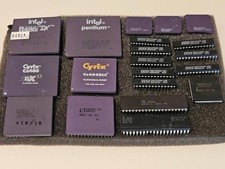
Vintage Computer BIOS IC and Other Chips Set Components Microprocessors Lot
$115.00
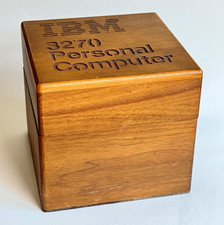
Ultra Rare Vintage IBM 3270 Personal Computer Wooden Floppy Disk Box Caddy
$179.99

Original Vintage Old Style STANDARD Black CD Jewel Case (Heavy Duty) 90g Lot
$316.95

Vintage Johnston & Murphy Leather Duffle Briefcase Travel Bag Brown Old Money
$127.49

Vintage The Best Of Creative Computing Vol 1&2 Manual Soft Cover Book David Ahl
$60.00
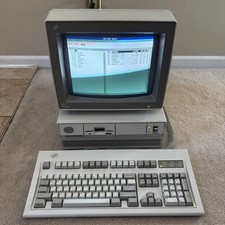
Vintage IBM Personal System/2 PS/2 Model 50 Type 8550 W Model M, Monitor READ
$700.00

Vintage Tandy Computer Varsity Scripsit Word Processing 3.5 & 5.25 Disks SEALED
$29.95
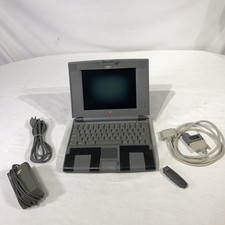
Apple Macintosh PowerBook 520 (500 Series) 90s Vintage Computer
$174.99