

 Reply With Quote
i called my isp and they helped me .. i just love linux so much better then windows


i have tried about 5 or 6 distros and really like Knoppix . now my question.
since i dont have a always on connection (i have dsl but connect thru wam miniport)
is there a way to set this up thru the live cd? i went to dsl/PPPoe configuration tool and when i did it told me that .. if you continue with this program , the configuration file /ect/ppp/peers/dsl-provider will be modified. please make sure that you have a backup copy before saying yes. continue with configuration? with the yes or no button.
how do i set this up?
i dont have a router . i connect thru the dsl modem.
i called my isp and they helped me .. i just love linux so much better then windows
Glad you got it resolved but I have no idea what a wam miniport is. I would sugest that you might do yourself a big favor if you get a router (assuming there is not one already in the modem). You can get one today at CompUSA for $2.99 after rebate (last day of current sale but there have been many many sales with routers under $10). With a router and DHCP you just boot Knoppix and you are on the network, no PPPoE configuration needed at all.
---
Verifying of md5 checksum and burning a CD at slow speed are important.
i had a linksys router not long ago and will never buy anything else from them . not more then 20 minutes after hooking it up and calling them to help set it up i was hacked. had to reinstall windows 4 times between 2 puters.
wam miniport lets you connect like dialup but is for dsl and is lots more secure. when i had a always on connection all my ports was closed but not stealthed. now they are all stealthed.
but like i said i will never buy anything made by linksys.
I'm not going to try to change your mind about Linksys, but I've been running DSL for about 6 years with routers and never been hacked. The first was a basic Linksys for about 2 years, but I've used several different brand wireless routers since then. All have had features that would let the router disconnect if there was no activity and reconnect again automatically on Internet use, but I've never found it desirable to use it. I also make it a practice to run a good software firewall (not that crappy Microsoft thing) on each Windows box, but that's mostly for watching outgoing traffic and being sure software doesn't access the Internet if I don't want it to, as unwanted inbound packets don't reach my Windows boxes (although the software firewall would warn me if anyone got that far). And, of course, no router will save people from bad pratices like opening e-mail attachments, visiting sites run by hackers, or using IE or Outlook.Originally Posted by dog_soldier
i never go online without a firewall.i use sygate pro. the xp firewall is shut off.
i never open attachments , i delete them no matter who its from.
 Posting Permissions


HP ProLiant MicroServer AMD Athlon II Neo N36L 1.3GHz 8GB RAM 4-Bay NAS Server
$99.00

Supermicro 1027GR-TSF 1U Rackmount Server 2x Xeon 2.3GHz 128GB DDR3
$219.99

Supermicro 721-2 Mini Tower Black Computer Server NO Hdd
$375.00

$280.00

New Barebones Supermicro 5019D Server, 4C/8T Xeon D-2123T, 1U Rackmountable, 10G
$449.99

1U Supermicro SuperServer 5019D-4C-FN8TP Xeon D-2123IT 4 Core 32GB X11SDV-4C-TP
$699.00
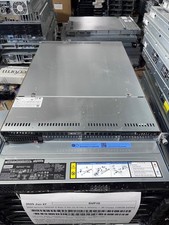
Supermicro 1U Server X11SCW-F Xeon E-2174G 16GB RAM 1x M.2 NVME 3x PCI-e 2x PSU
$220.00

Supermicro 1U Server 514-4 (X11SSZ-QF) | i7-7700 - 16GB DDR4 Ram - Rackmountable
$249.00

BOXX B157552 SuperMicro X10DRT-L 2x Intel 2630V4 NO RAM & SSD Server
$160.99
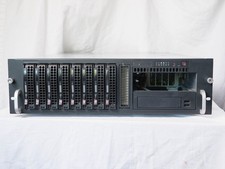
Supermicro CSE-833 3U 8-Bay Barebones, w/ power supply, trays, backpane, fans
$200.00