-
The same old story...the internet connection :)
Hi,
I will try to explain my problem as much detail as possible...though I read through the other topics, and couldn't find nothing similar...anyway....I've installed knoppix 4.0 (I think ...can't remember...cause it was a while ago and in that day I tryed different versions of knoppix and kanotix. The problem is, I was able to connect to the interent only using konqueror,...any other program related with the internet (firefox, irc...) didn't. Also using the apt-get to update the packages and whatever, failed to connect to the internet.. After I messed up with th utility to configure the NIC I wasn't able to connect to the internet with konqueror either. I must specify, that firefox would open any pages but only after they were opened by konqueror. I don't mind reinstalling the knoppix again and sort the problem with connecting to the internet only with konqueror, but I would love to be able to use and other problems. I don;t have any problem being online with windows. I am using an adsl connection, which comes into the router and from the router into my Network card. The computer communicates succesfully with the router (linux and windows) but doesn't go any further. Is there any problem of having an sgi 330?
-
Reinstalling would be overkill, and it still might not resolve the real issue.
Whether you opt to use Konqueror, Firefox, or any other web browser will not affect your internet connection. There are a few things you need to check to ensure that you can connect to the Internet. However, before I get into that, I need to know whether you connect to the Internet via your router or via your computer. From your problem description, it kind of sounds like you connect to the Internet via your router.
Assuming that you do connect to the net via your router, I'll proceed with some of the other checks that you'll need to perform to ensure that you can access your internet connection via Linux.
You need to check your network connection between your Linux box and your router. Do you know the IP address and netmask of your router? If not, then you'll need to obtain them from the documentation of your router. Let's assume that the IP address and netmask of your router are 192.168.0.1 and 255.255.255.0 respectively. Check to see if your Linux box and router can talk by typing the following (via Konsole): ping -c 1 192.168.0.1. You should receive something like this:
PING 192.168.0.1 (192.168.0.1): 56 data bytes
64 bytes from 192.168.0.1: icmp_seq=0 ttl=64 time=0.6 ms
--- 10.0.0.7 ping statistics ---
1 packets transmitted, 1 packets received, 0% packet loss
round-trip min/avg/max = 0.6/0.6/0.6 ms
An important piece of information to note for now is that "0% packet loss" part. If you receive that, then you at least know that both your Linux box and router can talk together. If you don't receive something like that, then you'll need to check your Linux routing configuration, like this: netstat -nr. You should get something like this:
Kernel IP routing table
Destination Gateway Genmask Flags MSS Window irtt Iface
192.168.0.0 0.0.0.0 255.255.255.0 U 0 0 0 eth0
0.0.0.0 192.168.0.1 0.0.0.0 UG 0 0 0 eth0
If you don't receive something like that, then you'll need to reconfigure your network. There are lots of ways to do this, and I'm not going to get into all of that. (You can check out one of the Linux networking How-Tos for that.)
Nevertheless, I'll briefly show you how to reconfigure your network card with a static IP and using DHCP. For a static IP, do the following: ifconfig eth0 down; ifconfig eth0 192.168.0.2 netmask 255.255.255.0 up. Using DHCP do this: ifconfig eth0 down; pump -i eth0. In either case, you should be able to ping your router by now.
Next, you need to check to see which DNS server(s) your Linux box uses in order to resolve addresses. If you set up your network using DHCP, then you can probably skip this step. If otherwise, then edit /etc/resolv.conf (in your editor of choice). Make sure the DNS server entry (or entries) listed point to the same one(s) that the DNS entry (or entries) for your router.
Afterwards, you should be able to surf the web with Konqueror, Firefox, or another web browser. 
-
Thank you for the answer...
In the meantime,...what I did, I've installed Debian 3.1 "sarge"...with the help of the Debian Bible. Anyway, somehow the problem with the internet connection is not fully sorted.At the start of the installation, when the installer tried to configure dhcp (it is enabled on the router) it failed.'Till now, I was connected on the eth1, and couldn't access the internet at all even if I think I have put the right settings. I've changed the connection in the eth0, and somehow the internet is working...only with konqueror, and kopete. Communication between the router and computer is all right, I can ping the router from the console, and also connect to the router interface with the browser (konqueror and firefox). I can ping from the console any webpage (tried yahoo and google) but wouldn't connect with the apt-get update command (so I can update my the debian system from the source.
I will try to work to see where the actual problem is.
Similar Threads
-
By ladyarcher44 in forum Networking
Replies: 0
Last Post: 12-21-2006, 10:56 PM
-
By Jorge Martínez in forum Networking
Replies: 1
Last Post: 07-07-2006, 11:27 PM
-
By d_e_c_e in forum Networking
Replies: 0
Last Post: 04-27-2006, 02:00 PM
-
By zombie3000 in forum MS Windows & New to Linux
Replies: 4
Last Post: 12-26-2005, 04:35 AM
-
By Sance in forum General Support
Replies: 2
Last Post: 12-06-2004, 10:27 PM
 Posting Permissions
- You may not post new threads
- You may not post replies
- You may not post attachments
- You may not edit your posts
-
Forum Rules


Genuine Cisco SFP-10G-SR 0-2415-03 10 Gigabit Transceiver
$5.40

Dell Intel X710-DA2 5N7Y5 Dual-Port 10GbE SFP+ PCIe 3.0 x8 Network Adapter
$27.50

NEW Sealed Cisco SFP-10G-LR 10GBASE-LR SFP+ 1310nm 10km *US Shipping*
$24.00

Cisco Acacia DP04QSDD-E25-840 400G QSFP-DD Coherent DCO Transceiver Module
$699.99

SFP TO RJ45 TRANSCEIVER SFP MODULE COPPER SFP OPTICAL PORT TO RJ45 ETHERNET PORT
$7.99

Intel X520-DA2 10Gb 10Gbe 10 Gigabit Network Adapter NIC Dual Port E10G42BTDA
$28.94
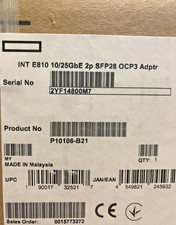
HPE 10/25GbE 2Port SFP28 Intel E810 OCP3 Network Adapter NIC 2 Port 10G 25G 25GE
$609.00

HP 560SFP+ 10GB 2-port PCIe NIC Ethernet ADAPTER 669279-001 w/ (2) 10GB SFP+
$16.99

CISCO 10GBASE-SR SFP "Lot of 4” SFP-10G-SR
$47.99

Cisco WS-C3650-12X48UR-L 48-Port Stackable Layer 3 8x10G SFP+ Port Switch
$129.99



 Reply With Quote