-
Internet connection Help
First of all, I am a total newbie to Linux and I need some help.
Okay, I'm running Knoppix 4.0 and unable to connect to the internet.(Running on a laptop) I have cable running through a router if that helps. I tryed running the network card config and it couldn't find my wired network card. The wifi card config didn't work either. Is there something I'm missing?
Any suggestions?
-
Administrator
Site Admin-
Re: Internet connection Help

Originally Posted by
compgeek
Any suggestions?
You've given a small amount of information in telling us that you have a router, but not enough for us to resolve the problem. So here are some questions:
- What router, make and model?
What is the wired NIC, make and model, or if built into the motherboard, what is that?
Are you sure that you are not on the Internet (yes, we have had people ask this that were on the Internet all along)?
What error are you getting? Give us the exact error.
Have you tried manually setting the network settings with netcardconfig?
Have you tried to ping the router's IP address? Have you tried to ping an Internet site by IP address? Have you tried to ping an Internet site by URL? And what were the results?
Does your router have a feature that limits access by MAC address? (and if it does and it's enabled, try disabling it.)
What version of Knoppix are you really using? 4.0 was only officially released in German at T.A.G. Are you using 4.0.2, or something else?
-
Re: Internet connection Help
What router, make and model?
Linksys Model # WRK54G (Wifi router with 4 port switch)
What is the wired NIC, make and model, or if built into the motherboard, what is that?
Marvell Yukon 88E8036
Are you sure that you are not on the Internet (yes, we have had people ask this that were on the Internet all along)?
Yes.
What error are you getting? Give us the exact error.
I cannot configure either of my network devices.
Have you tried manually setting the network settings with netcardconfig?
No and wouldn't know how on Linux.
Have you tried to ping the router's IP address? Have you tried to ping an Internet site by IP address? Have you tried to ping an Internet site by URL? And what were the results?
No and wouldn't know how on Linux.
Does your router have a feature that limits access by MAC address? (and if it does and it's enabled, try disabling it.)
Disabled already.
What version of Knoppix are you really using? 4.0 was only officially released in German at T.A.G. Are you using 4.0.2, or something else?
4.0.2
-
Administrator
Site Admin-
Re: Internet connection Help
Originally Posted by
compgeek
Linksys Model # WRK54G (Wifi router with 4 port switch)
Should work.
Originally Posted by
compgeek
Marvell Yukon 88E8036
This is likely the source of the problem. It's both a gigabit card and PCI-E. I don't know if there are drivers in Knoppix yet for it or not. Maybe someone else does now that we have the NIC pinned down, but if you have one available I woould try a different NIC, something in the 10/100 class and just basic PCI and see if that doesn't resolve it (the card is wasted when talking to that router anyway, as it talks at 10/100).
Originally Posted by
compgeek
What error are you getting? Give us the exact error.
I cannot configure either of my network devices.
That doesn't really tell us what error you get.
Originally Posted by
compgeek
Have you tried manually setting the network settings with netcardconfig?
No and wouldn't know how on Linux.
From either a shell command prompt or the Knoppix menu, run Netcardconfig. Answer the question about DHCP in the affarmative. tell us what happens. If that doesn't work, note your Internet settings under Windows (write them down). Run Knoppix and then run netcardconfig again. Answer the DHCP question NO, and then answer the set of questions asked from your notes.
Originally Posted by
compgeek
Have you tried to ping the router's IP address? Have you tried to ping an Internet site by IP address? Have you tried to ping an Internet site by URL? And what were the results?
No and wouldn't know how on Linux.
ping is a shell command in linux just as it is in Windows (except that the default in Windows is 3 pings, in Linux you use a switch to control the number of pings or just stop it when you are satisfied). But all of this seems unimportant in light of the above answers.
Originally Posted by
compgeek
Does your router have a feature that limits access by MAC address? (and if it does and it's enabled, try disabling it.)
Disabled already.
Good. It has been a problem for some users.
Originally Posted by
compgeek
4.0.2
Good to know. It shouldn't be an issue for this problem but at least this tells us we know we are talking about the same version.
-
I tryed running "netcardconfig" And it had shown: "No supported network cards found." within a few seconds of me typing in netcardconfig.
-
Administrator
Site Admin-
Originally Posted by
compgeek
I tryed running "netcardconfig" And it had shown: "No supported network cards found." within a few seconds of me typing in netcardconfig.
That pretty much takes us back to my speculation that the Marvell Yukon 88E8036 is not supported yet in Knoppix. Any chance for trying a different NIC?
-
Would this card work? It is the wifi card: Linksys WPC54G.
-
Administrator
Site Admin-
Originally Posted by
compgeek
Would this card work? It is the wifi card: Linksys WPC54G.
Unfortunately most manufacturers don't release technical documentation on their wireless cards and chipsets and few provide decent drivers for them. So wireless card support in Knoppix is not great, and even more so for 802.11g cards. I don't recall seeing good reports here in the forums on that card and no one has seen fit to add any information to the wireless networking section of the wiki for that card. I have 4 wireless cards (I don't even count the USB crap) and only one of them, a Belkin 802.11b card, works under Knoppix. And that only started working in recent releases; I had it for a couple of years before it was finally recognized by Knoppix. My suggestion would be to get a cheap 10/100 wired nic working first (CompUSA has one for $2.99 ar this week that will work fine with Knoppix).
-
Could you specify on that Belkin card's model number?
-
Administrator
Site Admin-
Originally Posted by
compgeek
Could you specify on that Belkin card's model number?
I can, but be warned that many card makers change chipsets but keep the same model number (I expect this is so that they can keep selling cards under the same model number and not disrupt their supply system every time they make a model change). Unless you can find an exact match for this card I would still suggest that you start with a wired NIC.
The box is simply marked PCMCIA wireless 802.11b 11Mbps and there is a paper sticker on the bottom flap marked ver. 2101. The card itself (but not the box) shows a model number on the back that reads "model no. F5D6020 ver2" and there is a paper label reading "ver 2101" below this. The card is about 2 years old and I don't know if you can still find one made with the same chipset / version number.
This particular card does work with Knoppix 3.9 and above (maybe 3.8, I don't recall for sure). It does not work with prior versions of Knoppix, some seemed to recognize it but none would properly configure it. And, of course, with a wireless card you need to to extra setps like set the ssid and wep key, you can't just boot the CD/DVD and be on the network.
Similar Threads
-
By Cambo105 in forum Networking
Replies: 15
Last Post: 10-12-2007, 04:41 AM
-
By zombie3000 in forum MS Windows & New to Linux
Replies: 4
Last Post: 12-26-2005, 04:35 AM
-
By Tine in forum Networking
Replies: 1
Last Post: 07-18-2005, 05:32 PM
-
By Josh in forum Networking
Replies: 5
Last Post: 02-24-2005, 05:17 AM
-
By Sance in forum General Support
Replies: 2
Last Post: 12-06-2004, 10:27 PM
 Posting Permissions
- You may not post new threads
- You may not post replies
- You may not post attachments
- You may not edit your posts
-
Forum Rules


Dell Poweredge R720 8SFF 2.5" x Xeon E5-2680 v2 2.8GHz 20-Cores 128gb 4x Trays
$349.99

Dell EMC PowerEdge R440 Xeon silver 4215 2.5GHz 16 GB ram 2x 550W PSU No HDD
$275.00

Dell PowerEdge R730XD Server 2x E5-2695 V4 = 36 Cores H730p 32GB RAM 4x trays
$649.99

Dell PowerEdge R420 Rack Server Intel Xeon 1.90GHz Six-Core 8GB DDR3 RAM
$95.00

Dell Poweredge R720 8SFF 2.5" 2x Xeon E5-2680 v2 2.8GHz 20-Cores 64gb 4x Trays
$259.99

Dell PowerEdge R620 2x Xeon E5-2630 v2 3.1GHz 2.5" 4-BAY 32GB RAM No OS 2x 495w
$168.95

Dell Poweredge R740 8 Bay LFF 3.5" 2U Rack Server DUAL XEON GOLD CPUs HOMELAB US
$399.94
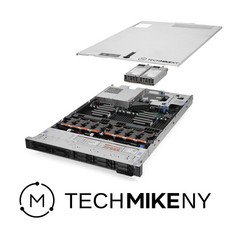
Dell PowerEdge R640 Server 2.10Ghz 32-Core 64GB RAM Energy-Efficient
$649.95

Dell PowerEdge R530 2x E5-2630v4 H330 iDRAC8 Port Card Riser No PSU/RAM/HDD
$99.99

Dell Poweredge R630 2x Xeon E5-2680 v3 2.5ghz 24-Cores / 64gb / Raid / 2x 1Tb
$374.99



 Reply With Quote