-
I'm new to knoppix , help needed , hardware related
Hi , this is the first day of using knoppix ...
I wrote a cd with knoppix 4.0.2 and when booting , after presing enter , a small penguin appears in the left-upper corner and nothing else happens ... I don't have the same problem when using knoppix 3.6 ( or 3.3 , not sure  ) ... knoppix 3.6 runs perfect ... why can't i run knoppix 4.0.2 , i wrote 2 cds and it happened the same , is it a hardware problem ? if needed i can tell you what hardware i use ...
However , i have some quetions related to knoppix 3.6 too ... what must i do to set up a network connection ... on windows i use pppoe ( trough wan miniport ) , that means i don't need any IP or MAC ... all i need is a username and a password ... my ip is dinamic ... please tell me what to do to connect to internet , step by step ... when i type run/cmd/ipconfig -all in windows it shows me a different ip each time i connect , the default gateway is the same as the ip ... subnet mask 255.255.255.255 and dns 194.55.169.1 - 194.55.169.2 ...
Please tell me step-by-step , i`m new in knoppix ...
-
With regards to the booting of 4.0, try the command "failsafe" at the boot prompt, just before the penguin - his name is Tux.  If this boots, then there is nothing wrong with the CD itself, the problem will be somewhere in the hardware detection. To figure out what, read on...
With regards to connecting to the Internet, did you try the documentation or the FAQs?
HTH, SiKing.
-
Oh yeah , that was helpful ...
I didn't try failsafe , but i tryed the cd`s on another computer and worked just fine ... i think it's a hardware problem ...
About the internet connection ... i asked if someone can give me a step-by-step tutorial , not directions to the documentation ...
I almost forgot ... is there any tutorial about how to customize the knoppix cd , like with the themes on kde-look ? I don't want to copy the cd on my hdd and modify the knoppix on my hdd , i want to create a customized knoppix cd ...
-
Administrator
Site Admin-

Originally Posted by
Dark_W0lf
I didn't try failsafe , but i tryed the cd`s on another computer and worked just fine ... i think it's a hardware problem ...
How fast did you burn the CD? We see this claim of working on one system therefor the disc must be good over and over again, but it frequently turns out to be a high speed burn. Yes, that is a hardware problem in the sense that a high speed burn is marginal and will read differently in different drives, but it can be solved by following the advice in the downloading faq.
-
at 12x ...
that`s not so urgent as the internet connection is ... so , please help me ... and the customization too ...
Similar Threads
-
By Curulin in forum General Support
Replies: 3
Last Post: 11-03-2006, 10:45 PM
-
By DaXiuyi in forum Hardware & Booting
Replies: 22
Last Post: 10-01-2006, 10:47 AM
-
By shplad in forum Hardware & Booting
Replies: 0
Last Post: 09-18-2005, 05:20 PM
-
By MannyLNJ in forum Hardware & Booting
Replies: 2
Last Post: 05-30-2005, 03:53 PM
-
By Pliskit in forum General Support
Replies: 2
Last Post: 04-23-2004, 09:53 PM
 Posting Permissions
- You may not post new threads
- You may not post replies
- You may not post attachments
- You may not edit your posts
-
Forum Rules


New Barebones Supermicro 5019D Server, 4C/8T Xeon D-2123T, 1U Rackmountable, 10G
$449.99

HP Proliant MicroServer Gen 8 2.23GHz Xeon 16GB RAM NO SSD
$249.99

HP ProLiant MicroServer Gen8 Tower Server Xeon E3-1220 v2 2.3GHz 16GB RAM
$289.99

Supermicro CSE-937 3U Storage Chassis No CPU No HDD No Ram Tested & Reset
$129.99

1U Edge Firewall Server X11SCW-F Xeon E-2174G 0 RAM M.2 NVME 3x PCI-e 2x PSU X
$175.00

Supermicro 5019D-4C-FN8TP Xeon D-2123IT (4C/8T) 64GB DDR4 10GbE 480GB 1U Server
$689.00
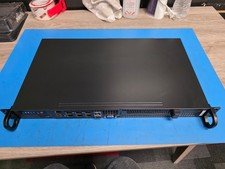
SuperMicro SYS-5019D-4C-FN8TP 1U Server Used (No RAM, No Storage)
$350.00

HPE ProLiant MicroServer Gen10 Plus 32GB RAM Xeon E-2224 3.40Ghz No HDD No AC
$750.00

Nasuni NF-50 Supermicro Server, Atom CPU C2558, @ 2.40GHz, 8GB RAM-No HDD/OS/AC
$250.00

POGO ATLAS 1102 Server 32 Gb RAM 4TB Storage 2x2TB HDD’s (Tested-Working) No OS
$179.85



 Reply With Quote