-
display simply wont go above 1024x768
Hi there,
I am running knoppix version 4.0 on a dell optiplex gx280 at work.
If it all runs well they will let me install it properly!!!
Here is the snag, the display is awful.
The graphics uses an intel 915GL chip which is not supported by knoppix.
When i try and install the drivers from intel it complains that
Code:
The DRI drivers can not be installed without the latest kernel modules.
Installation will be aborted. See the dri.log file for information on
what went wrong.
I am not looking for any advanced features i just want to be able to view things on this 1280 x 1024 screen without it all being blurred.
Why wont the standard display go any higher?
Also i have done several kxconfig which has the result of dumping me back to 640x480 no matter what i choose.
I am saving on a USB stick so i dont see why it wont play.
To make a break through and get another organisation possibly using linux, all i have to do is get the networking up (done) and make it look reasonable.
Surely this cant be that hard!
Thanks in advance,
Jez
-
im haveing the same problem with my hp nw8240 its a brand new pc and i know the video card can support up to 1680 1050 but my display will only let me do 800 600 and i cant go ne higher and the display looks horrible specially on a dang widescreen. Ne help :)
-
I have done lots of searching and it seems like all the posts that relate to resolution have gone unanswered.
I think this is more about how to install drivers than just about resolution.
Live CDs are great, but now i want to use it for more than testing and troubleshooting another system.
Please, any suggestions.
THanks
Jez
-
Senior Member
registered user
actually the live CD uses a set of drivers that "works" on the "most" screen/card combos.
this is certainly not optimal for ANY setup.
If you want the best you can either remaster your own cd (that wil only work on a limited number of computers) OR make a HDD install.
-

Originally Posted by
dayv2005
im haveing the same problem with my hp nw8240 its a brand new pc and i know the video card can support up to 1680 1050 but my display will only let me do 800 600 and i cant go ne higher and the display looks horrible specially on a dang widescreen. Ne help :)
i have the same laptop as you and had the same problem so if you ever figure it out please share with me
-
Re: display simply wont go above 1024x768
Originally Posted by
jezjones
Hi there,
I am running knoppix version 4.0 on a dell optiplex gx280 at work.
If it all runs well they will let me install it properly!!!
[snip]
Thanks in advance,
Jez
perhaps someone can run with the ball with this info
ftp://aiedownload.intel.com/df-suppo...ENG/readme.txt
ftp://aiedownload.intel.com/df-suppo...G/relnotes.htm
and
ftp://aiedownload.intel.com/df-suppo...ENG/readme.txt
ftp://aiedownload.intel.com/df-suppo...G/relnotes.htm
info and drivers found here;
http://downloadfinder.intel.com/scri...9&submit=Go%21
from what little i know about modifying your system - you "may" need to;
* update the kernel (or up Knoppix to 4.0.2 (?))
* enable smp in the kernel (Symmetric Multi-Processing, ie; Hyperthreading)
* switch to a different distro at this time
One of the README.txt states;
4. Running any of the following distributions and kernel versions
a. Redhat Enterprise Linux WS v3 with kernel 2.4.21-4.EL or kernel 2.4.21-4.ELsmp.
b. SuSE Linux Professional 9.0 with kernel 2.4.21-144-default
c. SuSE Linux Professional 9.1 with kernel 2.6.4-54-default or kernel 2.6.4-54-smp
d. SuSE Linux Professional 9.0 with kernel 2.6.8-24-default or kernel 2.6.8-24-smp
e. Mandrake 10.0 with kernel 2.6.3-7mdk or kernel 2.6.3-7mdksmp
f. RedFlag Linux Desktop 4.0 with kernel 2.4.20-8 or kernel 2.4.20-8smp
g. TurboLinux Desktop 10.0 with kernel 2.6.0-6 or kernel 2.6.0-6smp
i can't recall the commands to obtain Kernel specs at the moment, since i'm still very new to linux myself but IIRC, it's something like
Open the Konsole (terminal black window looking icon) and type in
uname -a
or
sudo uname -a
This site can be very helpful for those new to linux
http://wiki.linuxquestions.org/wiki/System_Information
-
I solved this by using the cheatcode "noddc"
I have a Dell Optiplex and before this couldn't get the display above 1024x768
-
Originally Posted by
dayv2005
im haveing the same problem with my hp nw8240 its a brand new pc and i know the video card can support up to 1680 1050 but my display will only let me do 800 600 and i cant go ne higher and the display looks horrible specially on a dang widescreen. Ne help

Try this cheatcode:
knoppix xmodule=i810
Similar Threads
-
By trackerq3 in forum Hdd Install / Debian / Apt
Replies: 2
Last Post: 04-17-2005, 08:06 AM
-
By fej64 in forum General Support
Replies: 2
Last Post: 03-14-2005, 03:18 PM
-
By kpf8655 in forum General Support
Replies: 9
Last Post: 10-28-2004, 03:22 AM
-
By anubis4eva in forum The Lounge
Replies: 1
Last Post: 09-17-2003, 09:30 PM
-
By Obsessed in forum General Support
Replies: 1
Last Post: 07-03-2003, 12:02 PM
 Posting Permissions
- You may not post new threads
- You may not post replies
- You may not post attachments
- You may not edit your posts
-
Forum Rules


4x Various Brands 8.5" Mainframe 9-Track Reel Computer Data Tape 6250 CPI .5"
$24.99

Vintage Telex 952003-112 Mechanical Terminal Keyboard IBM 3270 Mainframe DB25
$699.99

HP 13210-60001 Disc Drive Interface PCB HP 7900A 7901A Vintage
$157.93

HP 5060-8359 8K Semiconductor Memory Module 5080-9747 Vintage HP Computer
$157.30
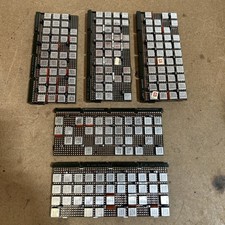
Vintage IBM Syst 370 MST Boards Lot Of 5 Heavily Populated IBM 22 Alu Can Chips
$79.00

One Of A Kind Homemade Vintage Mainframe Computer, Logic Module Wood Bookends
$149.00
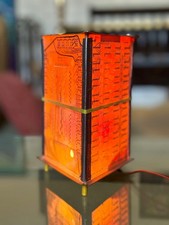
Vintage UNIVAC Mainframe Circuit Board Lamp - Cyberpunk Tech Geek Industrial Art
$225.00
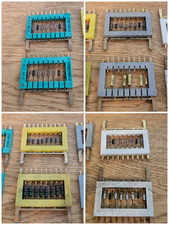
8x Gold Rare Vintage Mainframe Burroughs Transistor Cordwood Modules B2500/B5000
$149.95

Vintage Intel Mainframe Server MCM CPU Substrate Lot Prototyping PGA Validation
$500.00
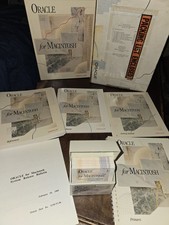
Oracle for Macintosh Developer’s Kit v1.0a (1988–1989) – Complete • UNUSED
$1600.00



 Reply With Quote