

 Reply With Quote
I haven't unmount it before unplug. But if I want to unmount it first it says that device is busy (but only if I have opened it with Konqueror). I have installed the latest version of Knoppix with kernel version 2.6.11.


Did you unmount the filesystem before removing it?
We still do not know how or what version of knoppix you are using. Version # please as well as live or installed.
The line in fstab is meaningless as it does not refer to your referenced device and no spaces are allowed in the _options_ section.
I haven't unmount it before unplug. But if I want to unmount it first it says that device is busy (but only if I have opened it with Konqueror). I have installed the latest version of Knoppix with kernel version 2.6.11.
Well... You can't just remove part of a filesystem and not expect an error message.
All modern desktops should include the -l switch in their unmouint scripts. The -l switch detaches a filesystem and allows processes time to clean up before an error is sent.
Even so, you should be certain that no active processes are using the filesystem before you attempt an unmount. Close any open graphical file viewer and cd out of any terminal session that is in the filesystem, then issue the command; umount /mount/point -l .
hi i have just installed a live version of knoppix live which was spechally made with pre installed biology and genetics software on to my pc,, the live version has all the stuff working including usb date storage flash drive support as well as internet and otheres..
whe i managed to install, i lost the internet connection but iu found how to restore this , however i still know nothing of how to get the usb flash drive working, i plug one in and nothing happens?
i try to look at the drive by clicking on the icon and i get this message:-
Could not mount device.
The reported error was:
mount: only root can mount /dev/sda1 on /mnt/flash
any i deas?... i tryed the manual mountm but i could have got that wrong!.. i dont under sand why on the live edition it worked but after installation it stops working.. please could some body help with making by flash drive to work.
i have looked round the site i thin kthat this data may be help full
root@box:/home/user# sudo cat /etc/fstab
# /etc/fstab: filesystem table.
#
# filesystem mountpoint type options dump pass
/dev/hda1 / reiserfs defaults 0 1
proc /proc proc defaults 0 0
/dev/fd0 /floppy vfat defaults,user,noauto,showexec,umask=022 0 0
usbfs /proc/bus/usb usbfs devmode=0666 0 0
sysfs /sys sysfs defaults 0 0
tmpfs /dev/shm tmpfs defaults 0 0
/dev/cdrom /cdrom iso9660 defaults,ro,users,noexec,noauto 0 0
/dev/dvd /dvd iso9660 defaults,ro,users,noexec,noauto 0 0
/dev/sda1 /mnt/flash auto noauto,owner,kudzu 0 0
# Added by KNOPPIX
/dev/hda2 none swap defaults 0 0
root@box:/home/user#
oot@box:/home/user# sudo fdisk -l
Disk /dev/hda: 255 heads, 63 sectors, 1044 cylinders
Units = cylinders of 16065 * 512 bytes
Device Boot Start End Blocks Id System
/dev/hda1 1 662 5317483+ 83 Linux
/dev/hda2 663 917 2048287+ 82 Linux swap
root@box:/home/user#
Try:
/dev/sda1 /mnt/flash vfat noauto,users,exec,umask=000 0 0
instead of your line:
/dev/sda1 /mnt/flash auto noauto,owner,kudzu 0 0
the same warnnig biox came up:-
Could not mount device.
The reported error was:
mount: mount point /mnt/flash does not exist..
help
do (in a console)thenCode:sudo mkdir /mnt/flashyou need the directory /mnt/flash first.Code:sudo mount /dev/sda1 /mnt/flash vfat noauto,users,exec,umask=000 0 0
i did as you asked, (thanks for you help by the way), i made the directory..
then i entered your mount command and i got this reply telling me how to use the mount command, but since i have all ready put the command in fstab, i dint think i need it, so io tryed to askcess the usb and i got this new error message come up:---
Could not mount device.
The reported error was:
mount: /dev/sda1 is not a valid block device
help!!
I simply dont understand why a distro that works as a live, when put onto the hard drive now magically looses things?..
Im willing to try any thing at this stage,, so please kepp the surgestions comming...
thanks every body for your time and help, its appreciated..
 Posting Permissions


4x Various Brands 8.5" Mainframe 9-Track Reel Computer Data Tape 6250 CPI .5"
$24.99

Vintage Telex 952003-112 Mechanical Terminal Keyboard IBM 3270 Mainframe DB25
$699.99

Vintage Intel Mainframe Server MCM CPU Substrate Lot Prototyping PGA Validation
$500.00

HP 13210-60001 Disc Drive Interface PCB HP 7900A 7901A Vintage
$157.93
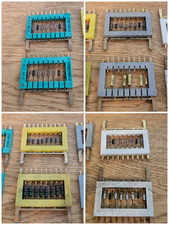
8x Gold Rare Vintage Mainframe Burroughs Transistor Cordwood Modules B2500/B5000
$149.95

One Of A Kind Homemade Vintage Mainframe Computer, Logic Module Wood Bookends
$149.00
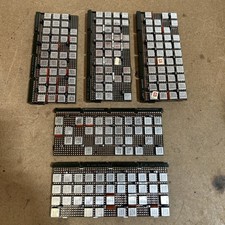
Vintage IBM Syst 370 MST Boards Lot Of 5 Heavily Populated IBM 22 Alu Can Chips
$79.00
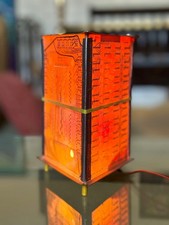
Vintage UNIVAC Mainframe Circuit Board Lamp - Cyberpunk Tech Geek Industrial Art
$225.00

HP 5060-8359 8K Semiconductor Memory Module 5080-9747 Vintage HP Computer
$157.30
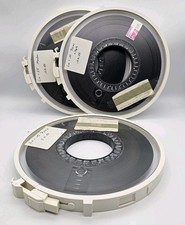
Vintage Computer Mainframe Magnetic Tape Reel / Memorex 6250 Lot
$98.00