-
Junior Member
registered user
Another Linux Partition...
I am looking for some advice on the best way to solve this problem.
I currently have 3 partitions on my hard drive.
1) A fat32 partition where I have Windows XP installed (37 gigs)
2) A Linux swap partition (1 gig)
3) A Knoppix4.0.2 hard drive install on a ReiserFS partition (15 gig)
This system is using Grub as it's boot loader. Everything is working as it should. What I would like to do is create another partition where I could load either another Knoppix install that would be suitable for testing, or possibly another distribution of Linux, probably Debian.
The scenario, First I would create another ReiserFS partion for my next Linux install. I have over 20 gigs left on this box.
The Questions:
1) If I add another Knoppix install from cd to the new partion would my Grub boot loader file be correct or would I have to manually edit it?
2) Would it be better to copy or mirror my present Knoppix system to the new partition and go from there as a test version? What tools would work for this (i.e. Dd, Partimage, etc)? I am not very experienced with backup and restore in Linux (another reason for a test version). Again how would this effect my boot loader in Grub?
3) If I did add another distribution of Linux what issues would I expect to see?
4) Would any new linux install Knoppix or otherwise use my current swap partion by default?
I am probably being over cautious but I don't want to loose all my work that I put into this box in getting everything running smoothly.
Thank you in Advance,
Chip
-
Senior Member
registered user
Another Linux Partition...
Most GNU/Linux distributions are highly configurable even if their installers are not.
IMO the best way to handle the boot loader issue is to manually edit the configuration/menu file for your existing solution. In other words, if you have a working boot loader, don't replace it, learn how to configure it.
I'm not certain of your second question, but, parted will clone a partition very nicely.
Adding another GNU/Linux operating system would affect only the filesystem/(s) where it is loaded.
Learn the details of the installer for any operating system you wish to use and then plan your installation. Most installers will recognize your existing swap partition. Once installed, review and tweak any operating system parameters you wish.
Similar Threads
-
By w5uc in forum MS Windows & New to Linux
Replies: 5
Last Post: 05-05-2005, 05:19 PM
-
By rrfish72 in forum General Support
Replies: 1
Last Post: 09-14-2004, 11:34 PM
-
By ewangr in forum General Support
Replies: 27
Last Post: 08-12-2004, 04:01 PM
-
By bilzer in forum General Support
Replies: 10
Last Post: 04-21-2004, 05:43 AM
-
By Sucker in forum General Support
Replies: 3
Last Post: 01-29-2003, 11:32 AM
 Posting Permissions
- You may not post new threads
- You may not post replies
- You may not post attachments
- You may not edit your posts
-
Forum Rules


HPE ProLiant MicroServer Gen10 Plus 32GB RAM Xeon E-2224 3.40Ghz No HDD No AC
$750.00

HP Proliant MicroServer Gen 8 2.23GHz Xeon 16GB RAM NO SSD
$249.99

HP ProLiant MicroServer Gen8 Tower Server Xeon E3-1220 v2 2.3GHz 16GB RAM
$289.99
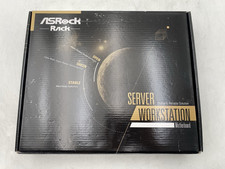
ASRock Rack ROMED8-2T/BCM Server Motherboard For Parts/Repair
$365.00

New Barebones Supermicro 5019D Server, 4C/8T Xeon D-2123T, 1U Rackmountable, 10G
$449.99

1U Edge Firewall Server X11SCW-F Xeon E-2174G 0 RAM M.2 NVME 3x PCI-e 2x PSU X
$200.00

Supermicro 5019D-4C-FN8TP Xeon D-2123IT (4C/8T) 64GB DDR4 10GbE 480GB 1U Server
$689.00

Supermicro SuperServer E300-15 - SYS-e300-9C - 16GB RAM 240GB Samsung SSD
$199.99

Nasuni NF-50 Supermicro Server, Atom CPU C2558, @ 2.40GHz, 8GB RAM-No HDD/OS/AC
$250.00
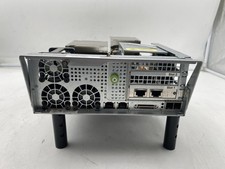
Supermicro X10DRS-4U-NS021, 2x E5-2603 V3 Storage Controller No RAM
$200.00



 Reply With Quote