

 Reply With Quote
what filesystem type is hda7 (ext2, ext3, reiserfs, etc)?
what does /etc/fstab report?
if knoppix is detecting it incorrectly (unlikley in my experience) you could try editing fstab to change the file system type.


Hi there
I need to fix some files on my Fedora Linux. I run Knoppix and everything seemed great , I have Fedora running dual boot with XP and Knoppix mounted all the partitions succesfuly ,except the one I need -hda7 ( Fedora) . When I click on it I get an error:
What can I do?Code:Could not mount device mount: I could not determine the file system type, and none was specified
what filesystem type is hda7 (ext2, ext3, reiserfs, etc)?
what does /etc/fstab report?
if knoppix is detecting it incorrectly (unlikley in my experience) you could try editing fstab to change the file system type.
when i run cfdisk from knoppix i get :
is LVM mounted in a different way than say ext3?Code:hda 7 Logical Linux LVM 27554.69
LVM (Logical Volume Management) is a storage method not a filesystem type. Your fedora filesystem resides inside this logical volume.
Does knoppix support LVMs?
I found out how to mount it, using this guide : http://www.knoppix.net/wiki/LVM2
But I cannot change the permissions- its still read-only.
Does anyone know how to do it?
Good catch on this issue.
By default, knoppix mounts any external filesystem read only. You may just have to remount the file system read/write (or explicity mount it rw).
after mounting manually, if you want to remount as read / write from the command line, you could run (as root)
mount -o remount,rw,dev /dev/hda7
should work.
 Posting Permissions

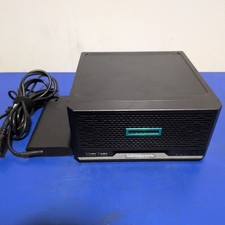
HPE ProLiant MicroServer Gen10 Plus with Power Adapter
$600.00

HP ProLiant MicroServer Gen8 Tower Server Xeon E3-1220 v2 2.3GHz 16GB RAM
$289.99

Supermicro CSE-937 3U Storage Chassis No CPU No HDD No Ram Tested & Reset
$129.99

HP Proliant MicroServer Gen 8 2.23GHz Xeon 16GB RAM NO SSD
$249.99

New Barebones Supermicro 5019D Server, 4C/8T Xeon D-2123T, 1U Rackmountable, 10G
$449.99
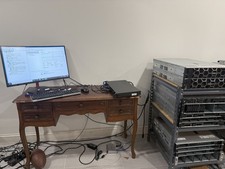
Supermicro Server 1U Super Short Perfect for network rack X11SCL-IF
$480.00
HP MicroServer Gen8 LOADED 12TB + 16GB RAM Win Server 2025 iLO Advanced SSD Boot
$679.00

Supermicro SuperServer E300-15 - SYS-e300-9C - 16GB RAM 240GB Samsung SSD
$199.99

Supermicro E300-12C Mini 1U Barebone X12SCV-LVDS LGA1200 SNK-P0073A4 w/ Adapter
$225.00
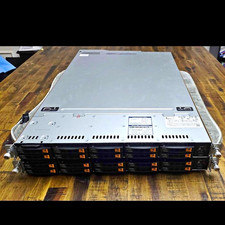
Supermicro Super Server 1029U-TN10RT Dual Xeon Silver 4210 - 10-Bay NVMe Rack
$500.00